مقدمة
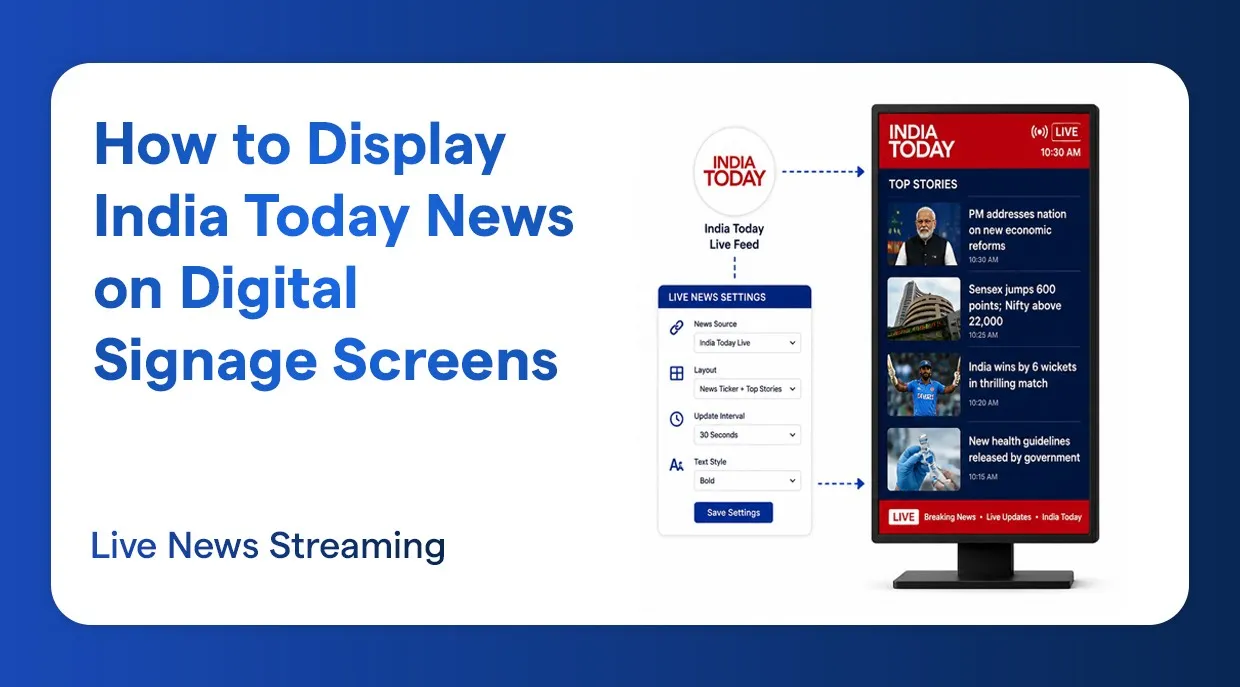
لم يكن إبقاء جمهورك مطّلعًا أسهل من الآن. فبمنصة لافتات رقمية يمكنك عرض أخبار India Today مباشرة على شاشاتك، سواء في بيئة مؤسسية أو مكتب أو بهو فندق أو غرفة انتظار أو متجر تجزئة أو أي مكان يجتمع فيه الناس. ويستعرض هذا الدرس الإجراء الكامل لإعداد ودجة أخبار India Today على شاشات لافتاتك الرقمية، بما يشمل كيفية إنشاء قائمة تشغيل ونشر النتيجة النهائية.
لماذا تستخدم India Today في اللافتات الرقمية
India Today واحدة من أكثر العلامات الإخبارية موثوقيةً ومتابعةً في الهند. وعرض خلاصتها الإخبارية المباشرة على شاشاتك الرقمية يوفر عدة مزايا:
- الأخبار اللحظية تُبقي الناس مطّلعين ومستمتعين طوال اليوم.
- تكامل India Today مع اللافتات الرقمية مناسب لأبهاء الشركات وأماكن الانتظار ومحتوى الاستقبال.
- إنه نظام شاشة مباشرة يتيح لشاشات India Today أن تواصل عرض محتوى جديد وذي صلة.
- في المكتب، تمنح الشاشة التي تعرض India Today مساحة عملك مظهرًا احترافيًا.
- الإعداد البسيط لودجة India Today يتيح لك تشغيلها في دقائق.
دليل الإعداد خطوة بخطوة
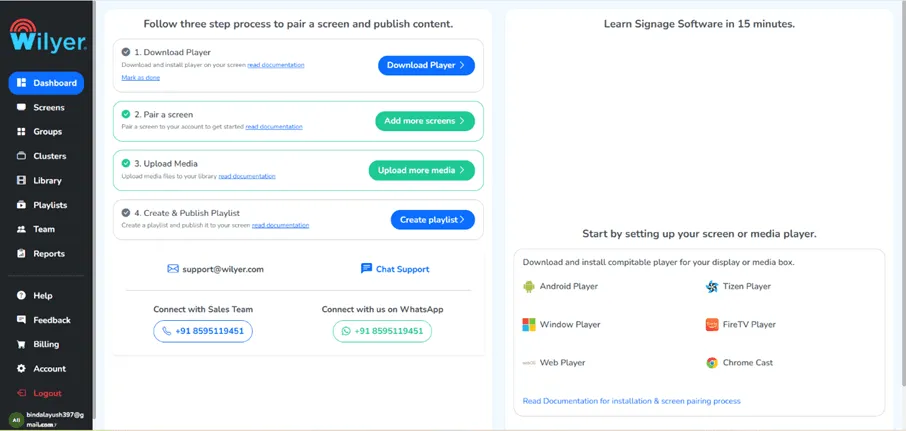
الخطوة 1: انتقل إلى قسم Dashboard
ابدأ بتسجيل الدخول إلى منصة اللافتات الرقمية. وبعد الدخول ستصل إلى الواجهة الرئيسية. ومن القائمة الرئيسية انتقل إلى Dashboard. تمنحك لوحة التحكم رؤية كاملة لجميع شاشاتك وقوائم التشغيل والودجات العاملة في شبكة لافتاتك الرقمية.
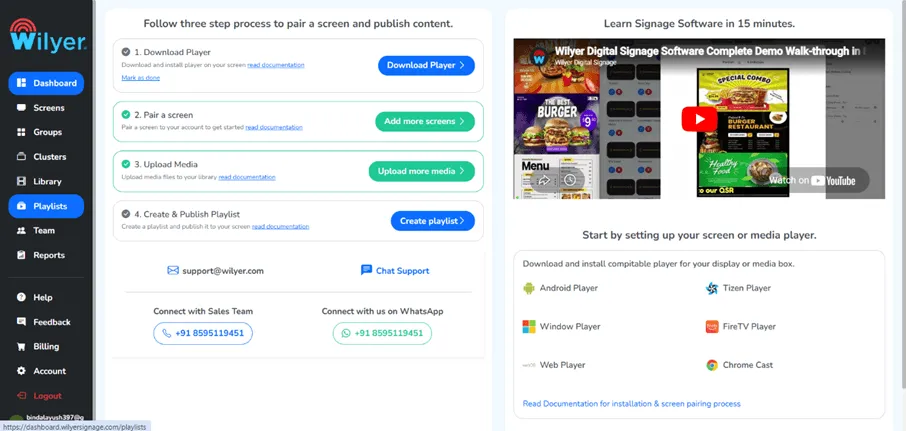
الخطوة 2: انتقل إلى قسم Playlist
من لوحة التحكم، ابحث عن Playlist واضغط عليها في الشريط الجانبي الأيسر أو في القائمة الرئيسية. قوائم التشغيل هي العنصر الأهم في لافتاتك الرقمية؛ فهي تحدد ما يُعرض على شاشاتك وبأي ترتيب. وهنا ستعدّ خلاصة أخبار India Today وأي محتوى آخر تريد عرضه.
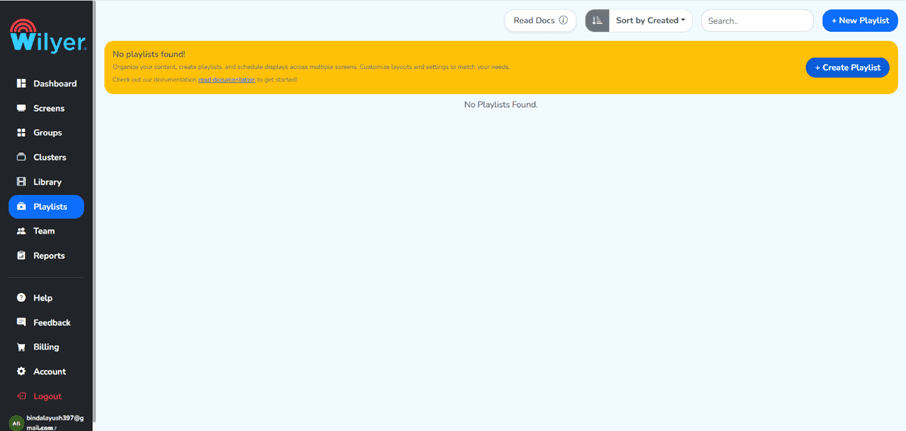
الخطوة 3: اضغط على زر “+ Create Playlist”
داخل قسم قوائم التشغيل، اضغط على زر “+ Create Playlist” لبدء إنشاء قائمة جديدة. سيُفتح نموذج إنشاء يمكنك فيه تحديد اسم القائمة الجديدة وإعداداتها ومحتواها. ولإدارة محتوى أخبار India Today يُستحسن إنشاء قائمة مخصصة، فيبقى المحتوى مرتبًا ومنظمًا.
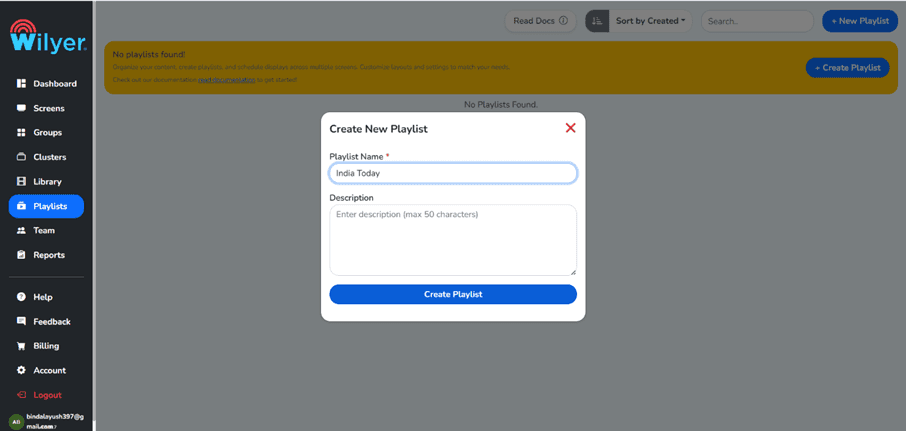
الخطوة 4: أدخل البيانات واضغط على Create Playlist
أدخل اسم قائمة التشغيل وأي إعدادات أخرى تظهر في النموذج. وبعد إضافة كل المعلومات المطلوبة، اضغط زر “Create Playlist” لتأكيد إنشاء قائمتك الجديدة. واحرص على منحها اسمًا وصفيًا لتتمكن من التعرف عليها لاحقًا، وهذا مهم خصوصًا عند إدارة شاشات أو مواقع متعددة.
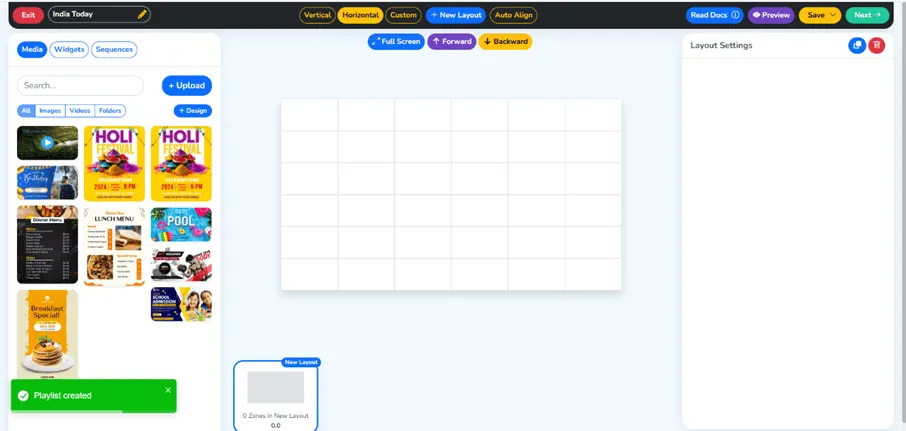
الخطوة 5: تم إنشاء قائمة التشغيل بنجاح
ستظهر رسالة تأكيد بأن قائمتك أُنشئت بنجاح. وستظهر القائمة الجديدة الآن في قسم Playlist. وستكون هذه القائمة حاوية ودجة أخبار India Today. ويمكنك الآن البدء بإضافة المحتوى إليها.
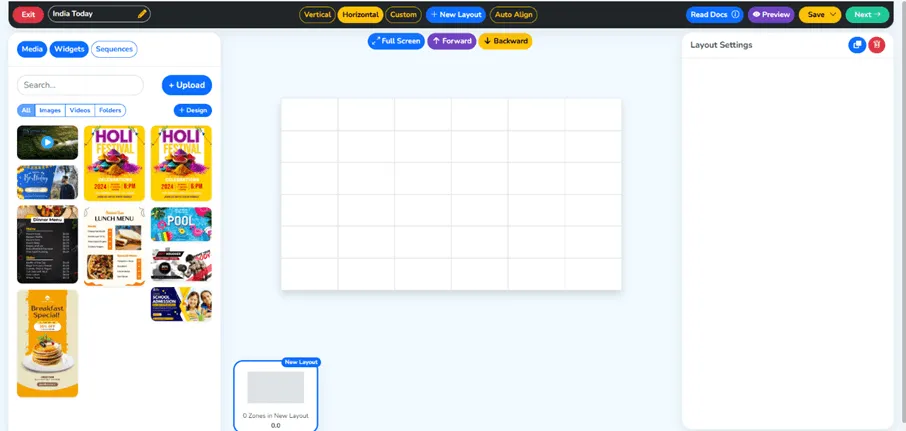
الخطوة 6: انتقل إلى قسم Widget
ثم انتقل إلى قسم Widget في برنامج اللافتات. الودجات وحدات محتوى جاهزة تتيح لك عرض أنواع معينة من الوسائط أو تغذيات البيانات الحية على شاشاتك. وودجة India Today مصممة خصيصًا لسحب محتوى الأخبار المباشر من India Today وعرضه مباشرة على شاشات لافتاتك الرقمية.
الخطوة 7: اضغط على ودجة India Today
داخل قسم Widget، استعرض الودجات المتاحة وابحث عن ودجة India Today. اضغط عليها لبدء عملية الإعداد. هذه الودجة مهيّأة لعرض محتوى أخبار India Today لحظيًا، ما يجعلها مناسبة تمامًا للأبهاء والمكاتب وأماكن الانتظار وأي شاشة عامة أخرى تحتاج إلى تحديثات إخبارية مهمة.
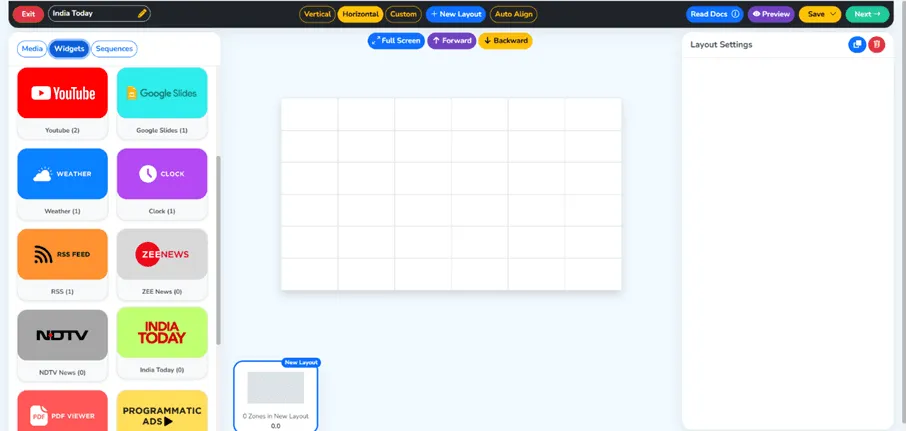
الخطوة 8: أنشئ ودجتك الجديدة
عند اختيار ودجة India Today سيُطلب منك إنشاء نسخة جديدة منها. وهذا يتيح لك ضبط إعدادات الودجة بما يناسب شاشاتك. امنح ودجتك اسمًا وصفيًا يسهل تذكّره، لتتمكن من إدارتها والتعرف عليها بسهولة في مكتبة الودجات.
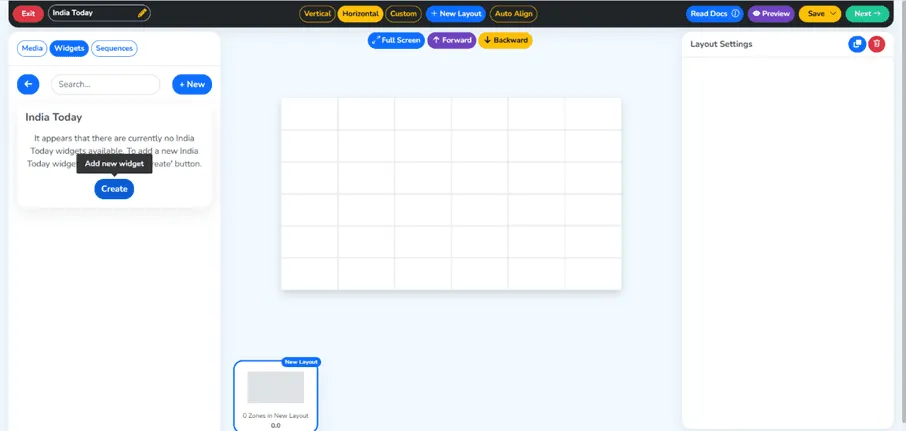
الخطوة 9: أدخل بياناتك
أدخل بياناتك واضبط إعدادات الودجة وفق احتياجك. وقد يشمل ذلك اختيار نوع خلاصة محتوى India Today وتفضيلات العرض وإعدادات اللغة أو أي مفاتيح API إذا طلبتها المنصة. املأ كل الحقول بعناية ليعمل الودجة بشكل صحيح ويعرض محتوى أخبار India Today المطلوب.
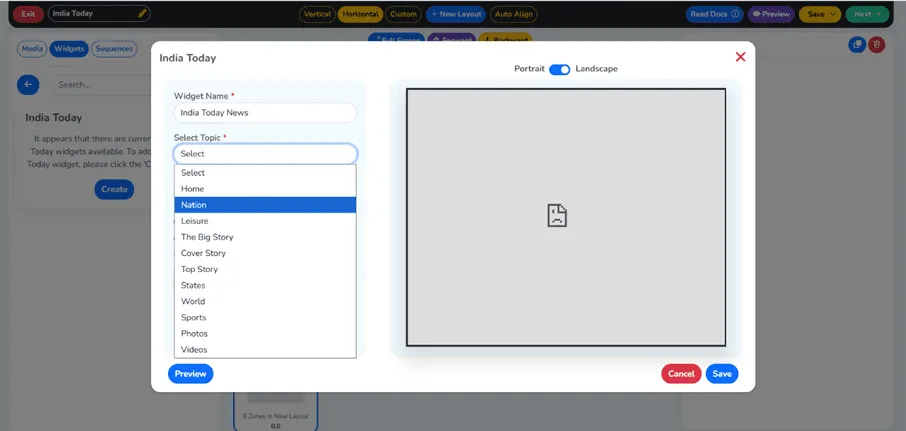
الخطوة 10: اضغط على زر Save
بعد إدخال كل إعداداتك وبياناتك، اضغط زر Save لحفظ إعداد الودجة. وسيحفظ ذلك كل إعداداتك المخصصة وتصبح الودجة جاهزة للإضافة إلى قائمة التشغيل. وتحقّق دائمًا من إعداداتك قبل الحفظ لتجنّب أخطاء التهيئة.
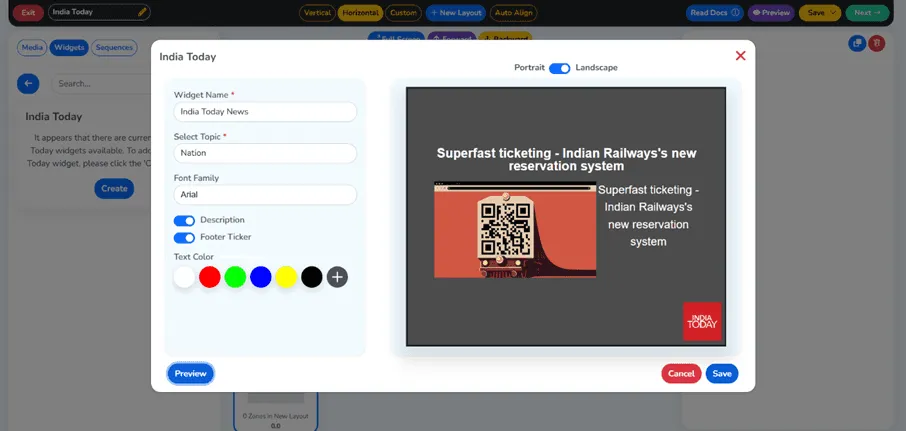
الخطوة 11: تم إنشاء الودجة بنجاح
بعد إنشاء ودجة India Today سيظهر إشعار بالنجاح. وقد أُضيفت هذه الودجة إلى مكتبة الودجات ويمكن الآن إضافتها إلى أي قائمة تشغيل. وستسحب الودجة أخبار India Today المباشرة وتعرضها باستمرار، بما يضمن أن تعرض شاشات لافتاتك الرقمية أحدث العناوين والمستجدات دائمًا.
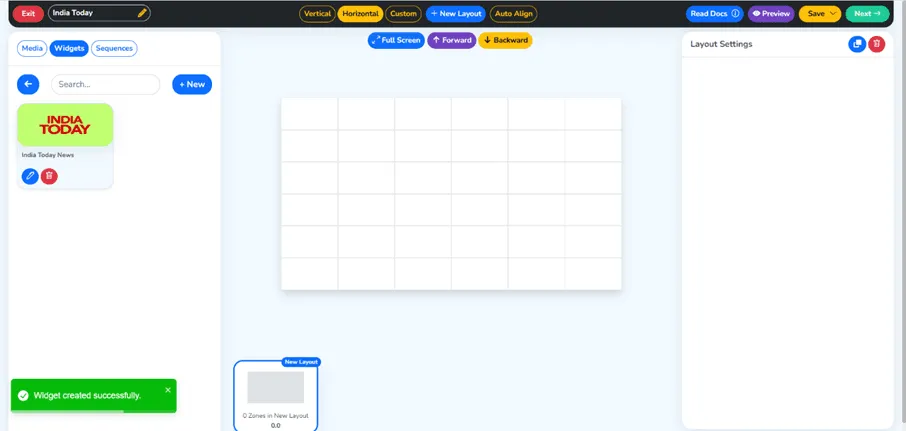
الخطوة 12: اسحب الودجة وأفلتها
حان الوقت الآن لإضافة ودجة India Today إلى قائمة التشغيل. عد إلى قائمتك واستخدم خاصية السحب والإفلات لإضافة الودجة. تسهّل هذه الخاصية البديهية ترتيب عناصر محتوى متعددة بالتسلسل الذي تريد ظهورها به على الشاشة. ضع ودجة India Today في الموضع الذي تختاره من الترتيب.
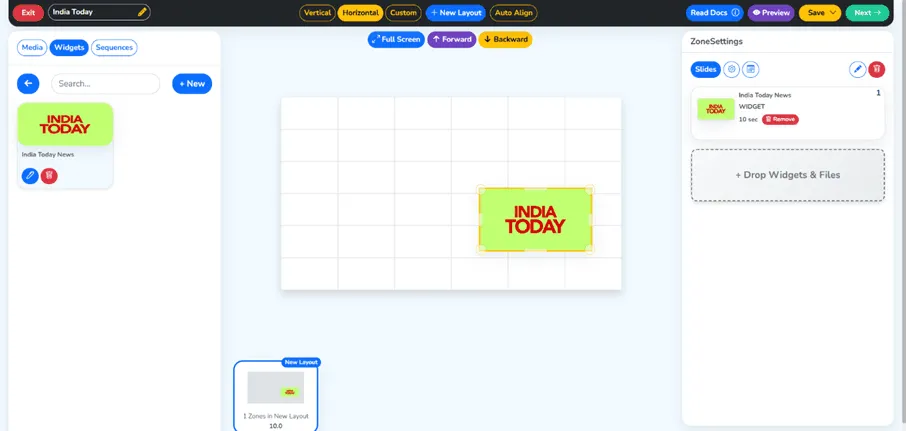
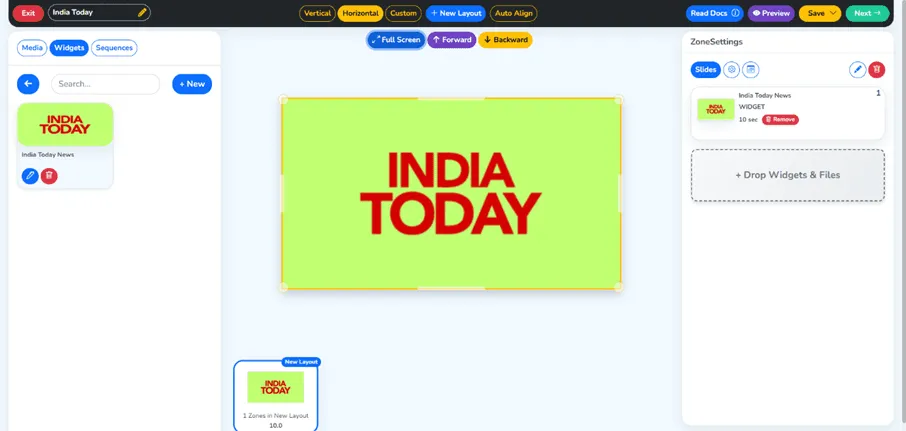
الخطوة 13: اضغط على زر ملء الشاشة ثم على الزر الأخضر Next
بعد إضافة الودجة إلى قائمة التشغيل، يمكنك الضغط على زر ملء الشاشة لمعاينة كيف سيظهر المحتوى على شاشاتك. وعندما تكون راضيًا عن التصميم والإعدادات، اضغط الزر الأخضر Next للانتقال إلى مرحلة النشر. تتيح لك هذه الخطوة إجراء التعديلات الأخيرة قبل بثّ محتواك.
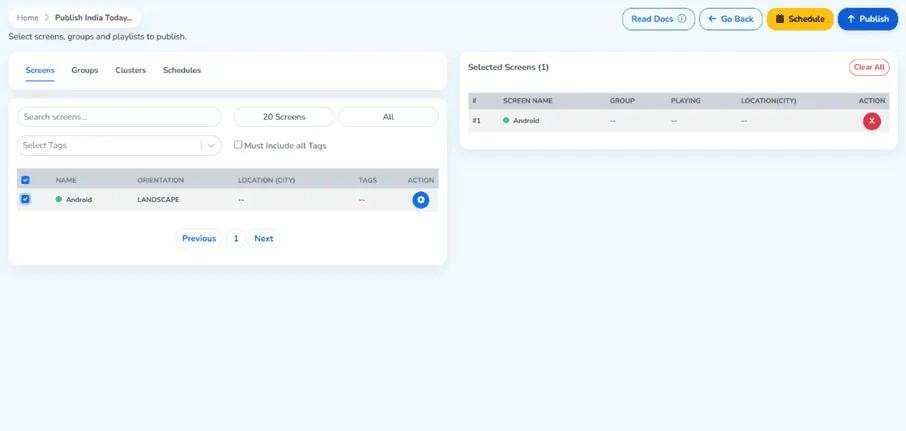
الخطوة 14: حدّد شاشتك واضغط على زر Publish
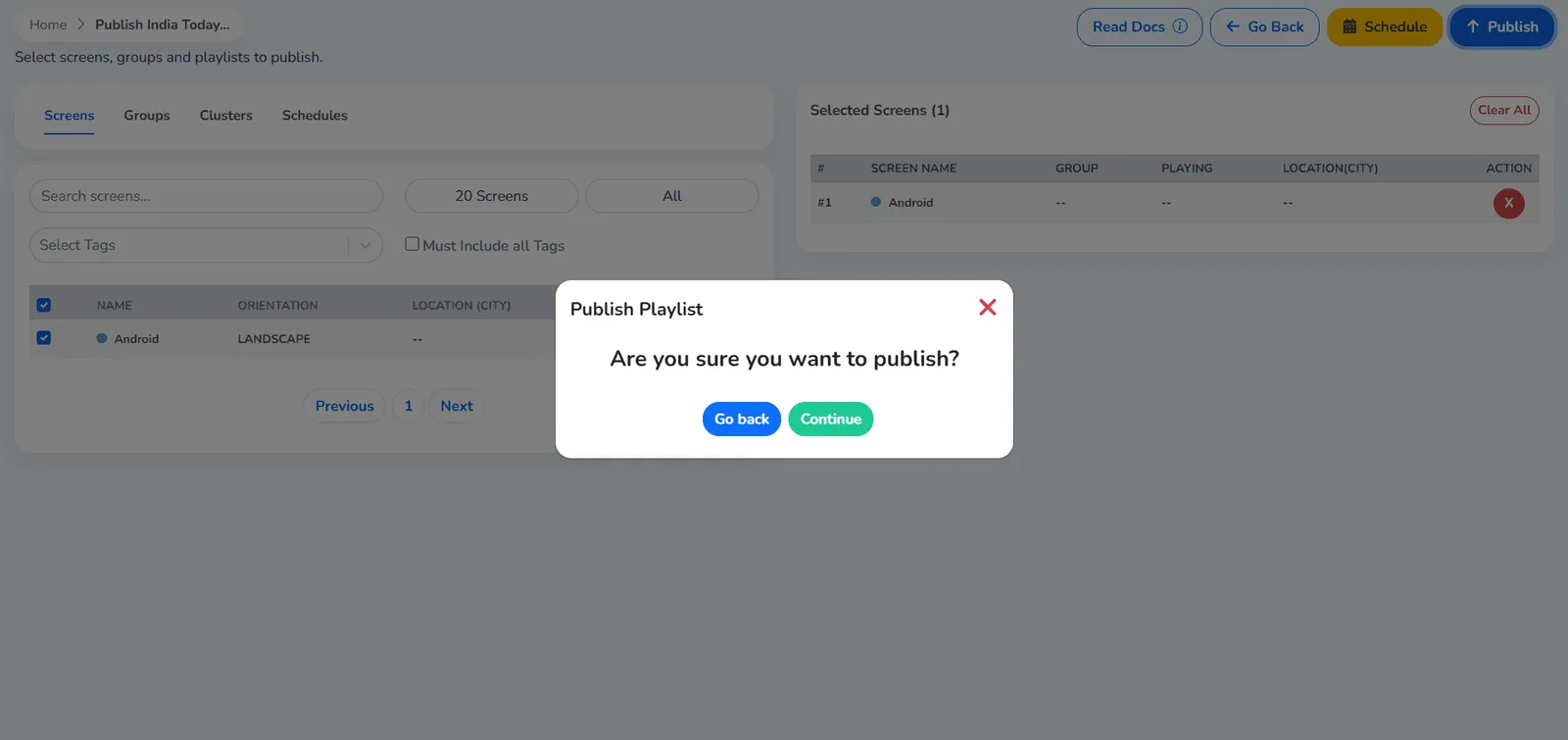
اختر الشاشة أو الشاشات التي تريد نشر قائمة التشغيل عليها. ويمكنك تحديد شاشات معيّنة بحسب اسمها أو موقعها، وهو أمر مفيد للتحكم بشاشاتك في أماكن مختلفة مثل الاستقبال وغرف الاجتماعات والممرات أو أجهزة التلفزيون في البهو. وبعد اختيار الشاشة أو الشاشات المستهدفة، ستصبح قائمتك على الهواء بالضغط على زر Publish.
الخطوة 15: اضغط على الزر الأخضر Continue
سيظهر مربع تأكيد. اضغط الزر الأخضر Continue لإتمام عملية النشر. ويؤكد هذا الإجراء أنك تريد إرسال قائمة أخبار India Today إلى الشاشات المختارة. وستبدأ المنصة بمزامنة المحتوى مع تلك الشاشات فورًا.
الخطوة 16: تم نشر قائمة التشغيل بنجاح
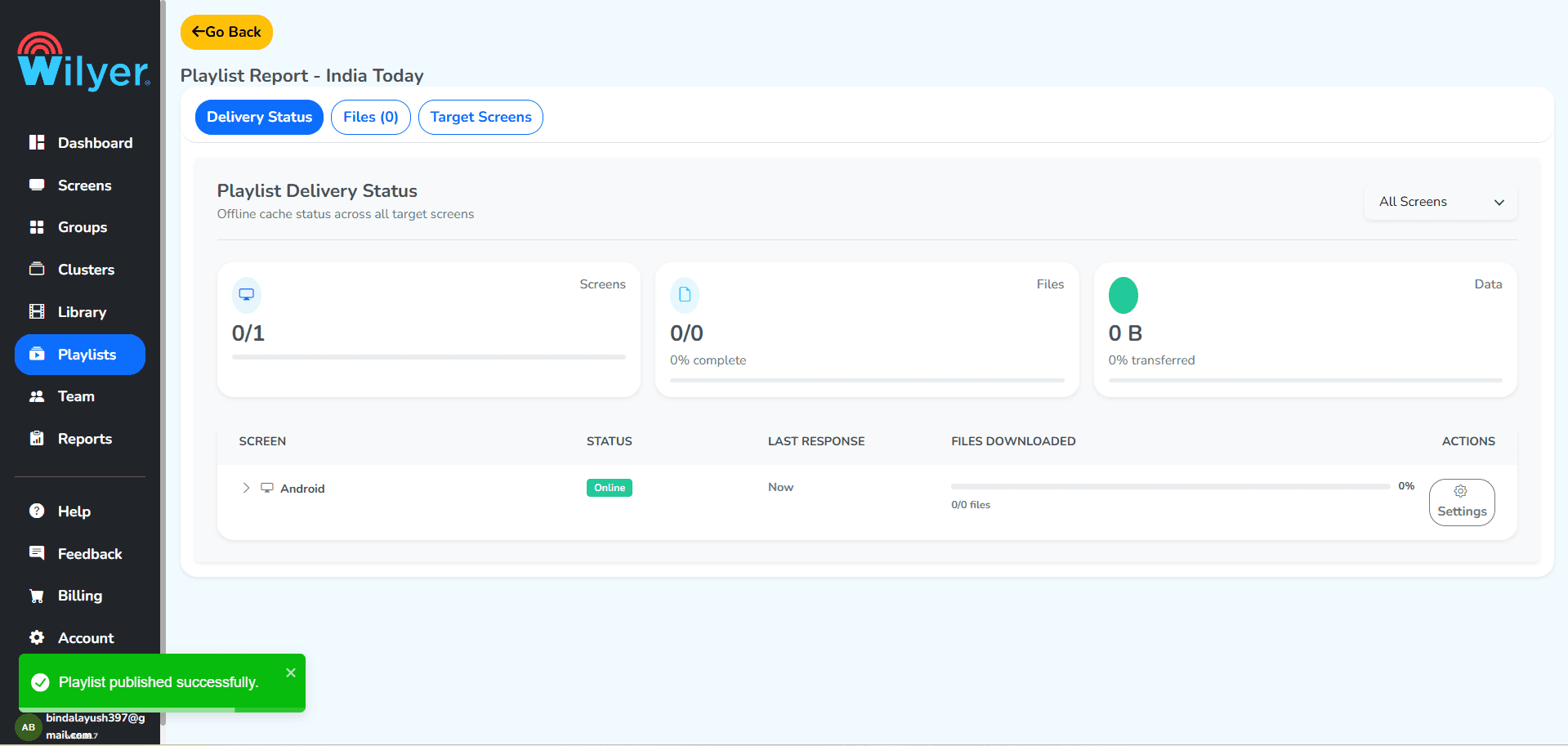
تهانينا! ستصلك رسالة تأكيد بأن قائمتك نُشرت بنجاح. وودجة أخبار India Today تعمل الآن على شاشات اللافتات الرقمية التي اخترتها. وستبدأ الشاشات بعرض محتوى أخبار India Today لحظيًا وتُبقي جمهورك مطّلعًا على أحدث المستجدات.
النتيجة النهائية: India Today مباشرةً على شاشة لافتاتك الرقمية
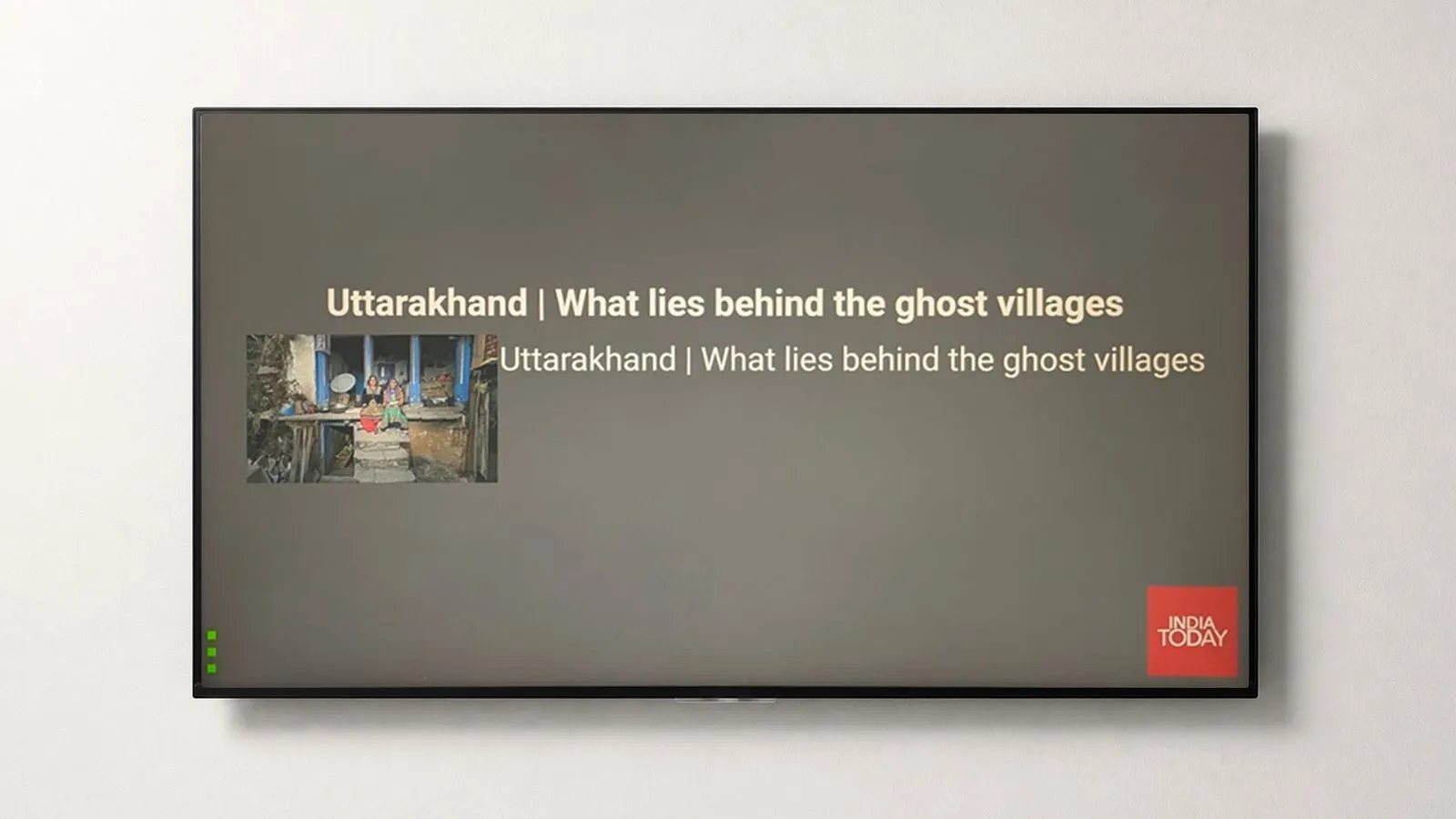
شاشات لافتاتك الرقمية مهيّأة الآن بشكل صحيح لعرض أخبار India Today لحظيًا. وتُظهر الشاشة النهائية خلاصة الأخبار المباشرة تعمل بسلاسة على شاشتك. وسواء في بهو شركة أو مركز تجاري أو مدرسة أو في الشارع، ستقدّم شاشاتك الآن أخبار India Today المحدّثة على مدار الساعة.
الخلاصة
يمكن إعداد India Today على شاشات لافتاتك الرقمية بسهولة كبيرة، والأثر قوي بشكل ملحوظ. وبهذا الدليل يمكنك تحويل أي شاشة إلى خلاصة أخبار متغيّرة تُبقي جمهورك مطّلعًا على آخر الأخبار وأخبار الأعمال والرياضة وغيرها. وسواء كان تلفزيونًا في البهو يعرض خلاصة India Today أو شاشة في غرفة اجتماعات أو شاشة في متجر، تجعل هذه المنصة سير العمل سلسًا، من إنشاء قائمة التشغيل إلى النشر على الشاشات.
وببضع نقرات تحصل على شاشات لافتات تعرض بثّ India Today، فتطمئن إلى أن مساحتك لا تبدو أبدًا متأخرة أو منقطعة عن العالم. وإعداد اللافتات الرقمية متاح اليوم، ويمكنك تجربته لتوصيل الأخبار المباشرة إلى كل شاشات مؤسستك.