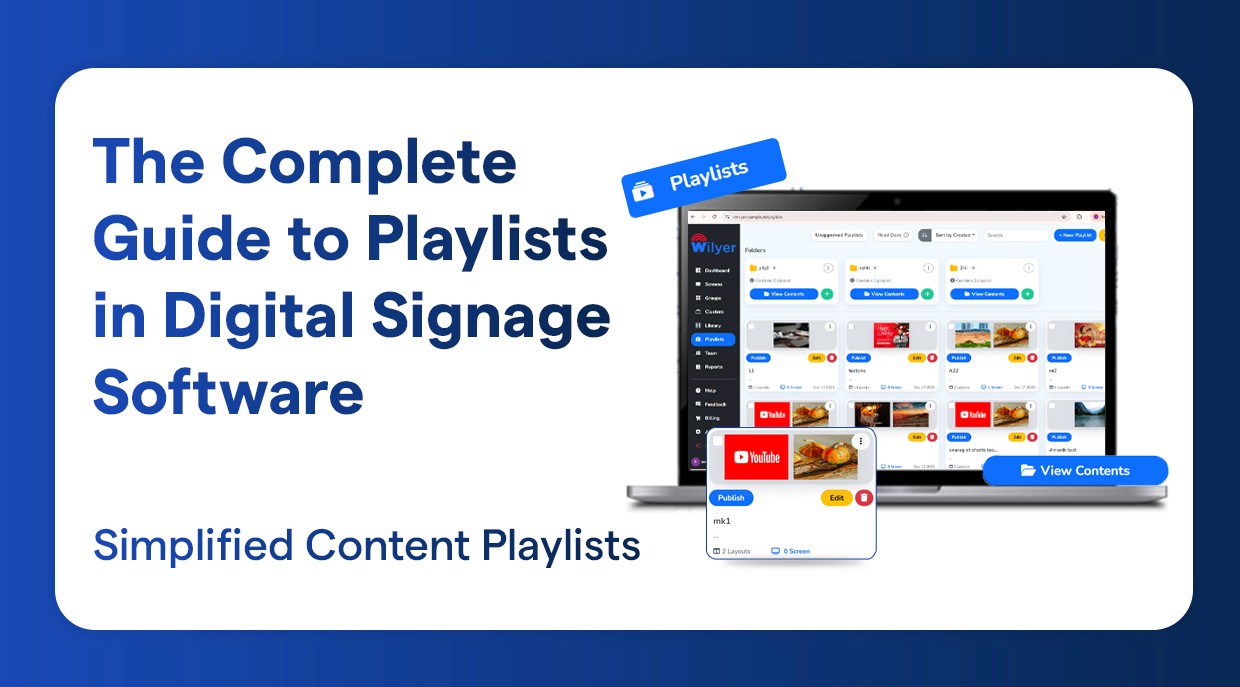
Guía de listas de reproducción
La Guía Completa de Listas de Reproducción en Software de Señalización Digital
Mejor control de contenido utilizando listas de reproducción de señalización digital
18 dic 2025
Crea, programa y gestiona listas de reproducción más inteligentes con el CMS de señalización digital en la nube
El CMS de señalización digital en la nube permite la creación de listas de reproducción dinámicas y visualmente atractivas para mantener la relevancia e impacto de tus medios/contenido (imágenes/video/tableros de menú/mensajes promocionales) al permitir una fácil combinación de todos los elementos anteriores en una sola lista de reproducción con un panel basado en la web fácil de usar.
Al utilizar las sofisticadas capacidades de programación, puedes crear listas de reproducción que se pueden asignar automáticamente a una pantalla, sitio, fecha, hora, etc. La capacidad de automatizar la programación de tu contenido multimedia según la hora del día, fecha, estacionalidad o eventos promocionales sin necesidad de cambiar manualmente en ese momento permite una forma simple y más organizada, creando eficiencia en las operaciones comerciales a través de la señalización digital.
Puedes gestionar todas las listas de reproducción de manera centralizada a través de una sola plataforma, lo que te permite actualizar, monitorear y controlar todos los contenidos de forma remota mientras creas la capacidad de realizar cambios en tiempo real, mantener una marca consistente en todas las pantallas y entregar el mensaje adecuado a la audiencia correcta en el momento adecuado mediante el uso inteligente de la gestión de listas de reproducción en la nube.
Características clave de las listas de reproducción en el software de señalización digital
La versatilidad de tu contenido - Carga y organiza cualquier combinación de videos, imágenes, PDFs y URLs web en vivo en tus listas de reproducción.
Orden y programación - Tienes control total sobre el orden en que se muestra tu contenido y también puedes programar tus listas de reproducción para momentos específicos durante el día/semana.
Pantallas y zonas - Crea zonas o secciones en una pantalla donde puedas mostrar múltiples piezas de contenido simultáneamente. Por ejemplo, un video podría mostrarse en una zona con un ticker desplazándose en la parte inferior de la pantalla mostrando actualizaciones en vivo.
Gestión remota - Puedes cambiar o agregar listas de reproducción a cualquier pantalla alrededor del mundo desde una ubicación central utilizando el CMS basado en la web.
Contenido dinámico - Puedes crear contenido dinámico incluyendo widgets que permiten mostrar/fuentes de datos en tiempo real. Ejemplos de esto podrían ser feeds de Twitter, informes de tráfico, informes meteorológicos, paneles de usuario.
Reproducción sin conexión - El contenido puede almacenarse en la caché del reproductor; por lo tanto, continuará reproduciéndose cuando no haya acceso a internet.
¿Qué es una lista de reproducción en el software de señalización digital?
La lista de reproducción de señalización digital en Wilyer es una serie de diapositivas, videos, plantillas, feeds, menús, anuncios o promociones que aparecen en tus pantallas uno tras otro.
En Wilyer, puedes usar una lista de reproducción para:
Idear ciclos de contenido sistemáticos.
Controlar el orden de reproducción de las pantallas.
Menus por partes del día (Desayuno - Almuerzo - Cena) que deben automatizarse.
Realizar promociones a horas específicas.
Sincronizar elementos en varias pantallas.
Actualizaciones en vivo directamente desde la nube.
La interfaz de Wilyer está bien empaquetada y sus características son rápidas, por lo que es bastante fácil construir cualquier lista de reproducción con software de señalización digital, incluso con docenas de pantallas.
Cómo crear una lista de reproducción en el CMS de señalización digital
Wilyer proporciona un desarrollador de listas de reproducción de señalización digital CMS simple, elegante y fácil de usar adecuado tanto para principiantes como para expertos.
Cómo crear una lista de reproducción en el CMS de Wilyer:
Abre tu CMS
Ingresa al panel de Wilyer.
Inicia sesión en tu cuenta en la nube utilizando cualquier navegador.
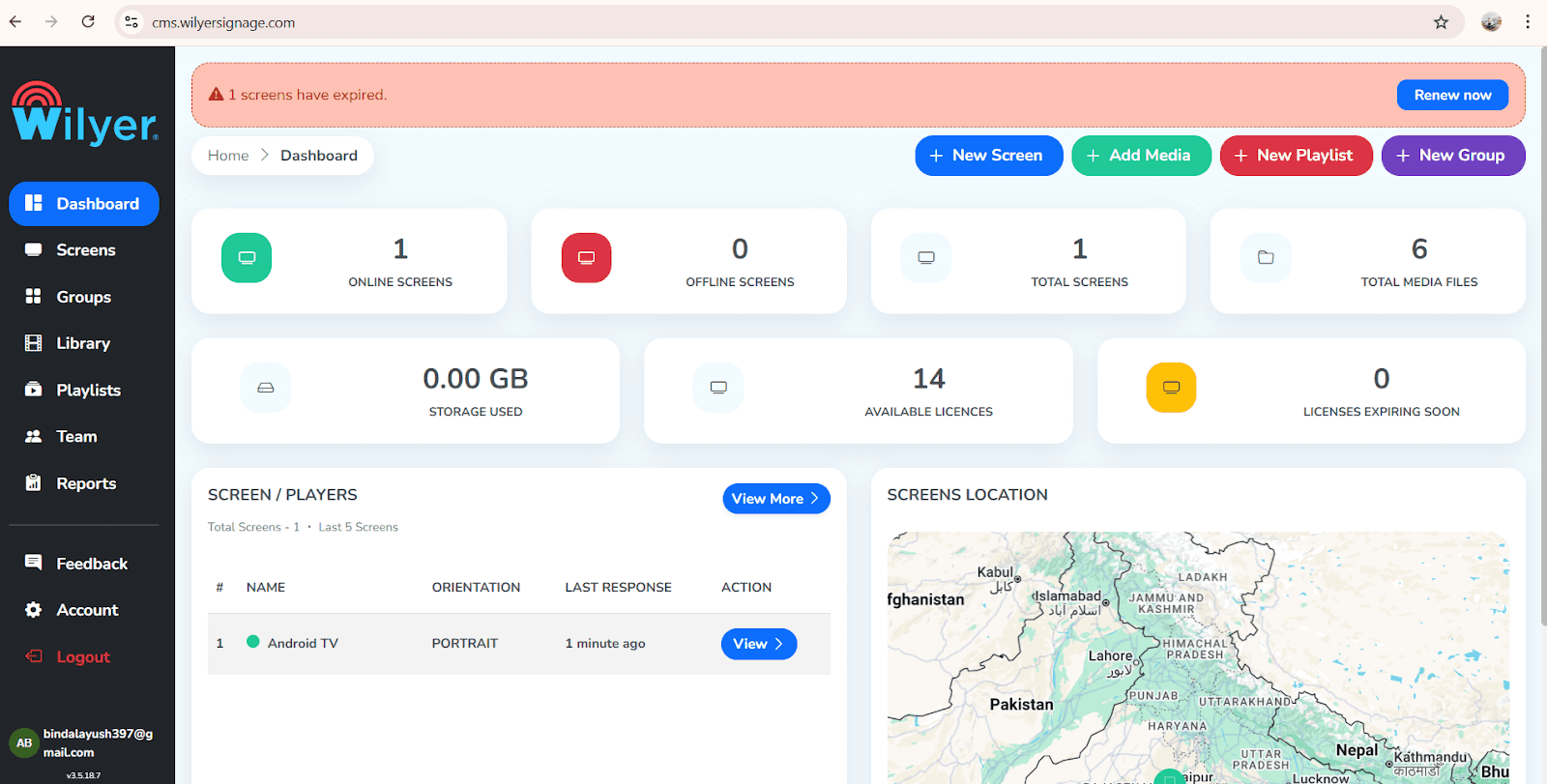
Ve a la sección "Listas de reproducción"
Los bucles que creas se generan y almacenan de forma segura aquí, lo que permite un acceso eficiente, una gestión fluida y un control organizado de tu contenido para operaciones de flujo de trabajo optimizadas.
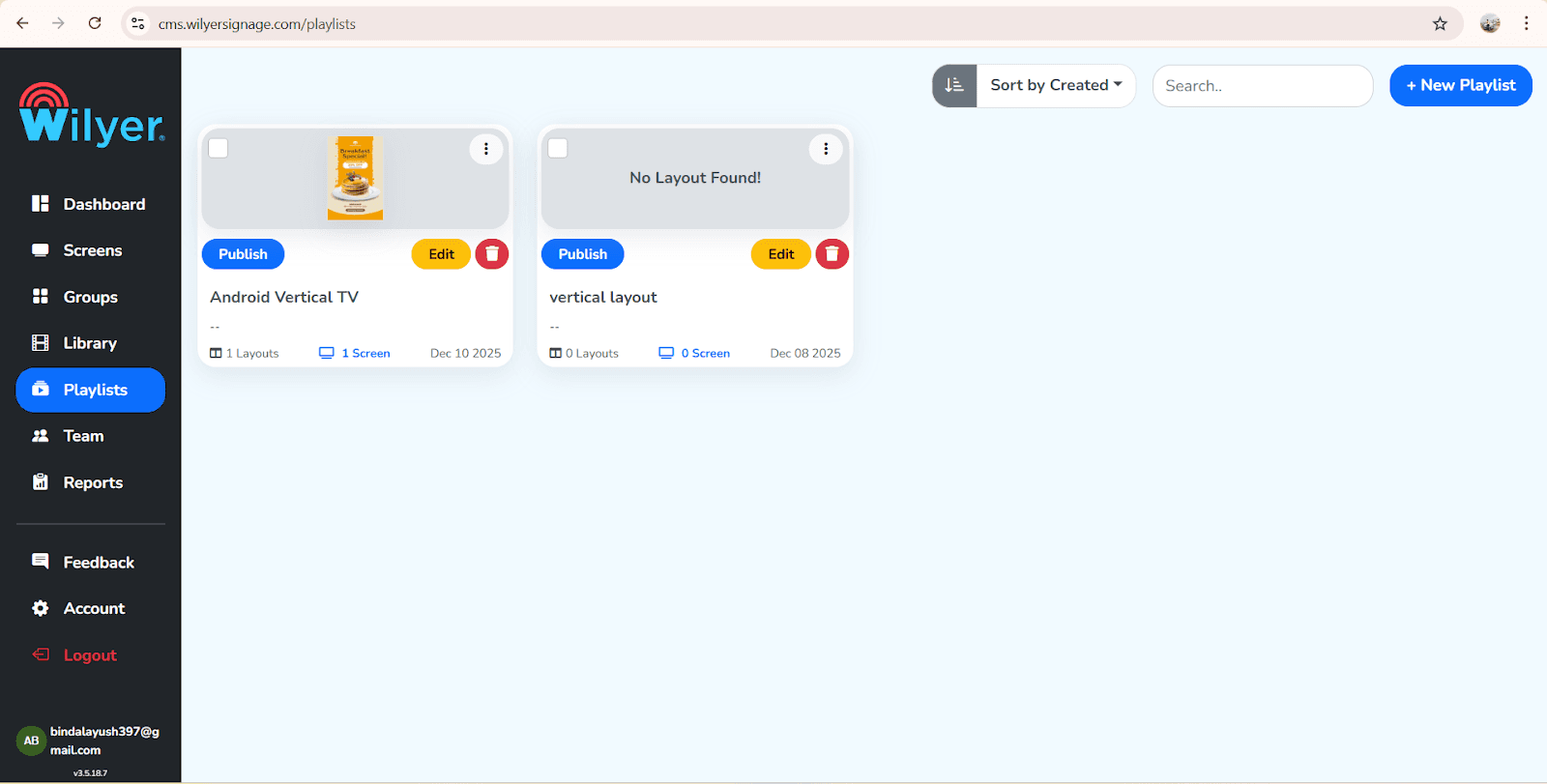
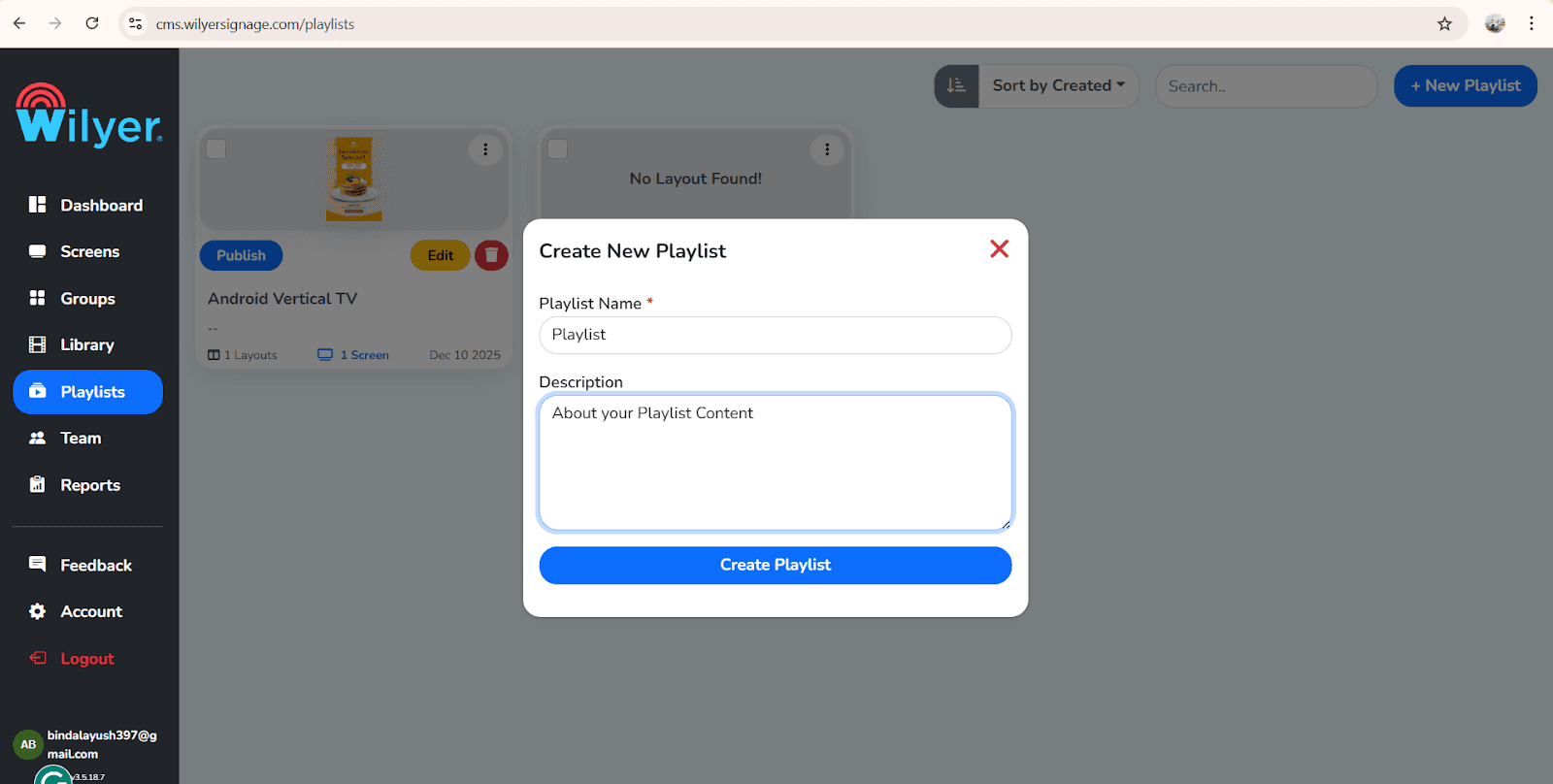
Haz clic en "Crear lista de reproducción"
Haz clic en nueva lista de reproducción en la parte superior del lado derecho
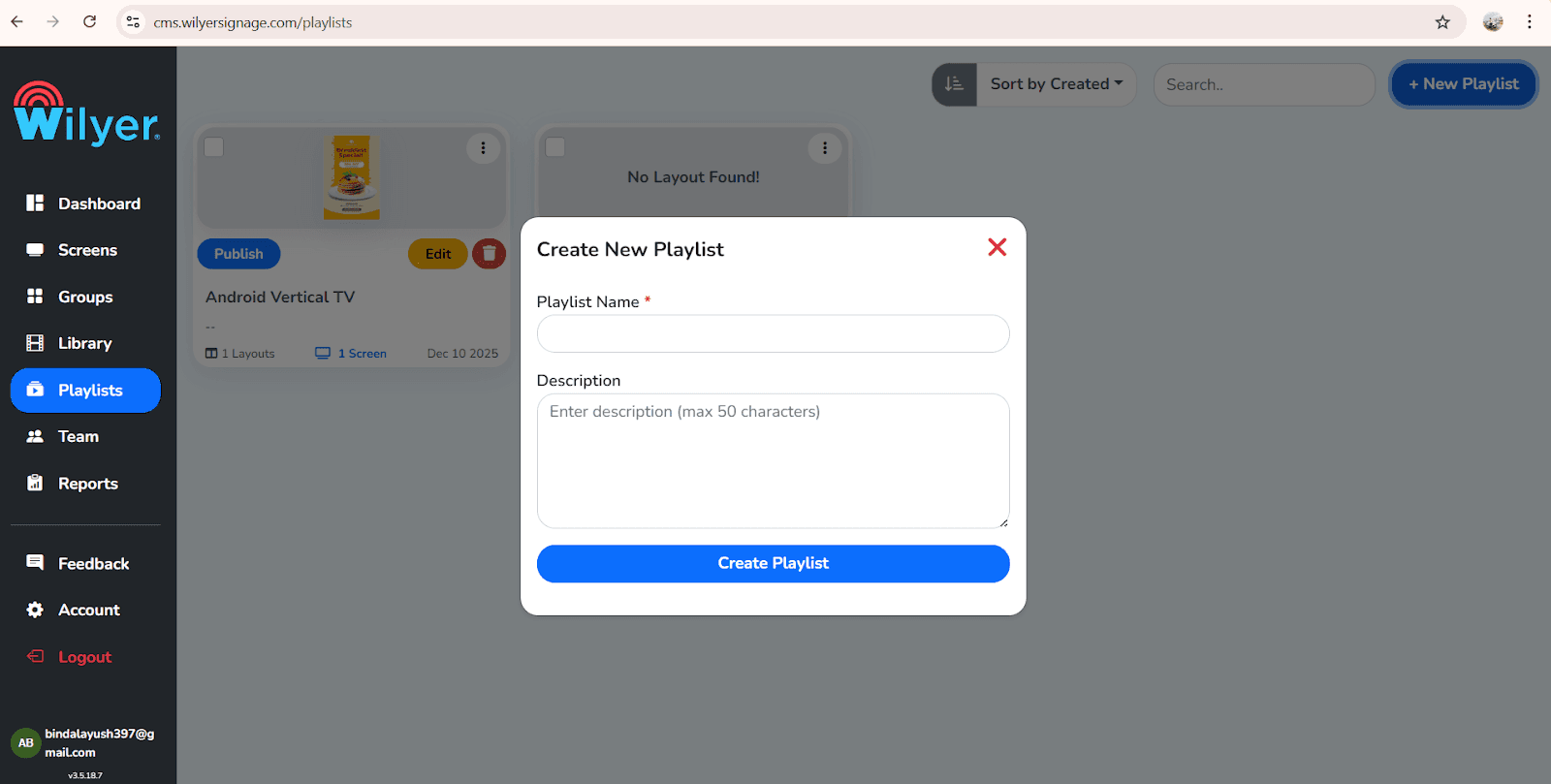
Nombrar tu lista de reproducción algo significativo como Tablero de Menú de Restaurante, Promociones o Avisos Corporativos y haz clic en Crear Lista de Reproducción.
Elige orientación/maqueta
Wilyer detecta y optimiza automáticamente tus listas de reproducción para pantallas tanto en paisaje como en retrato, asegurando orientación precisa, reproducción suave y una experiencia de visualización consistente en todas las pantallas.
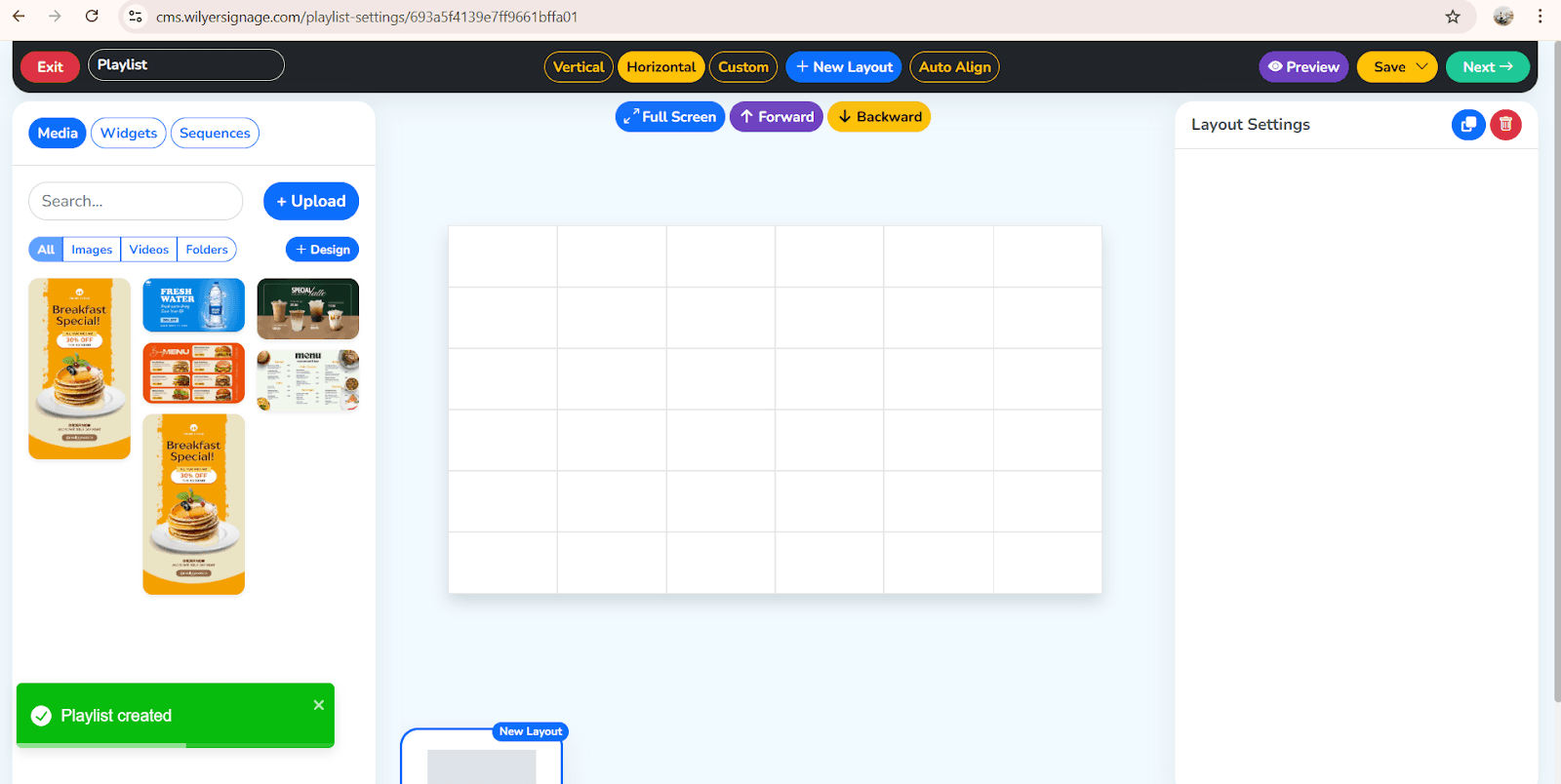
Arrastra y suelta el creador de listas de reproducción de Wilyer.
Arrastrar y soltar se utiliza para agregar contenido fácilmente en las listas de reproducción de Wilyer, lo que te permite colocar imágenes, videos y plantillas directamente en la maqueta para arreglos suaves, edición rápida y creación rápida de señalización digital.
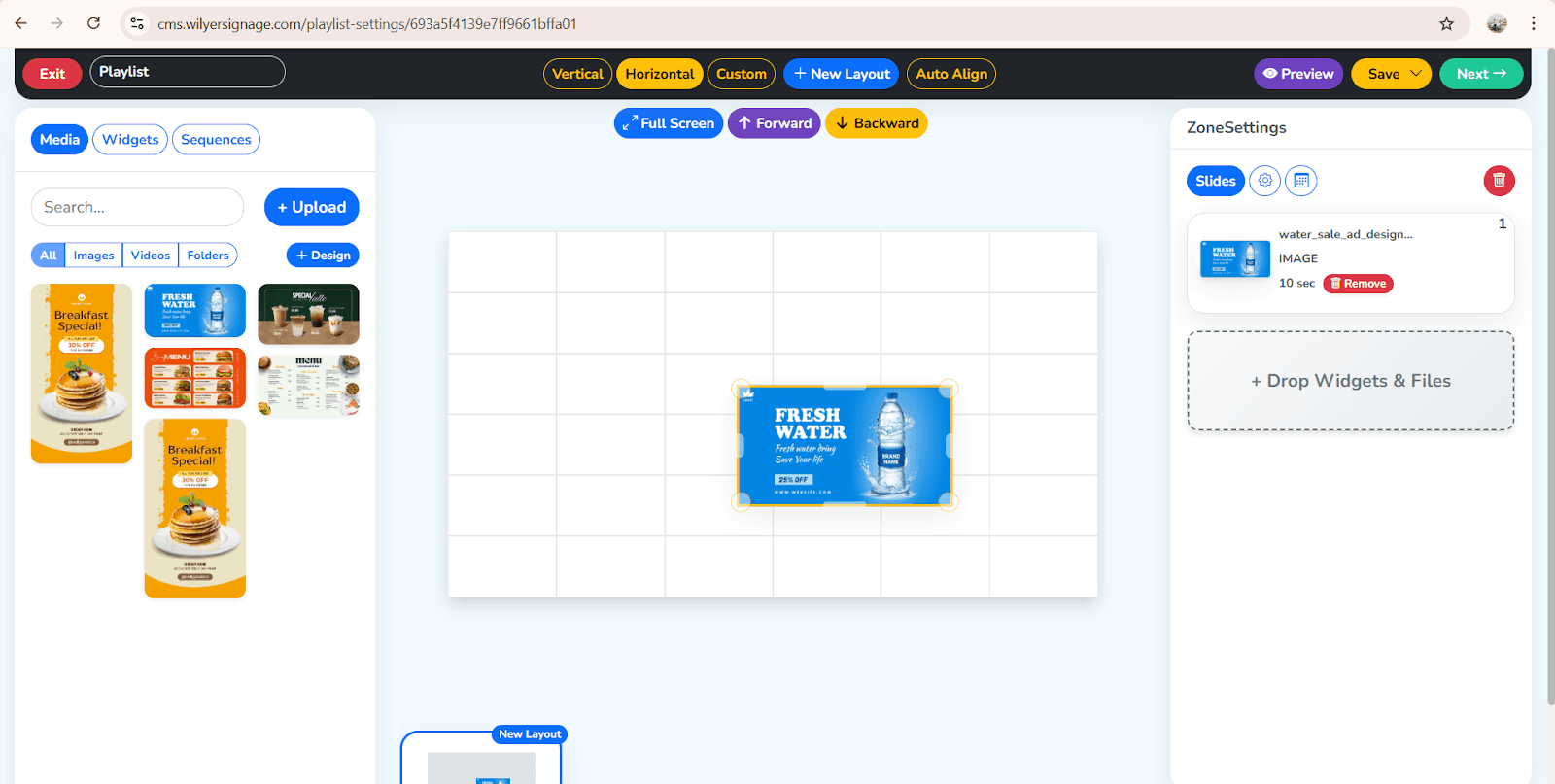
Reorganizar y modificar los tiempos del contenido.
Y haz clic en el botón de pantalla completa
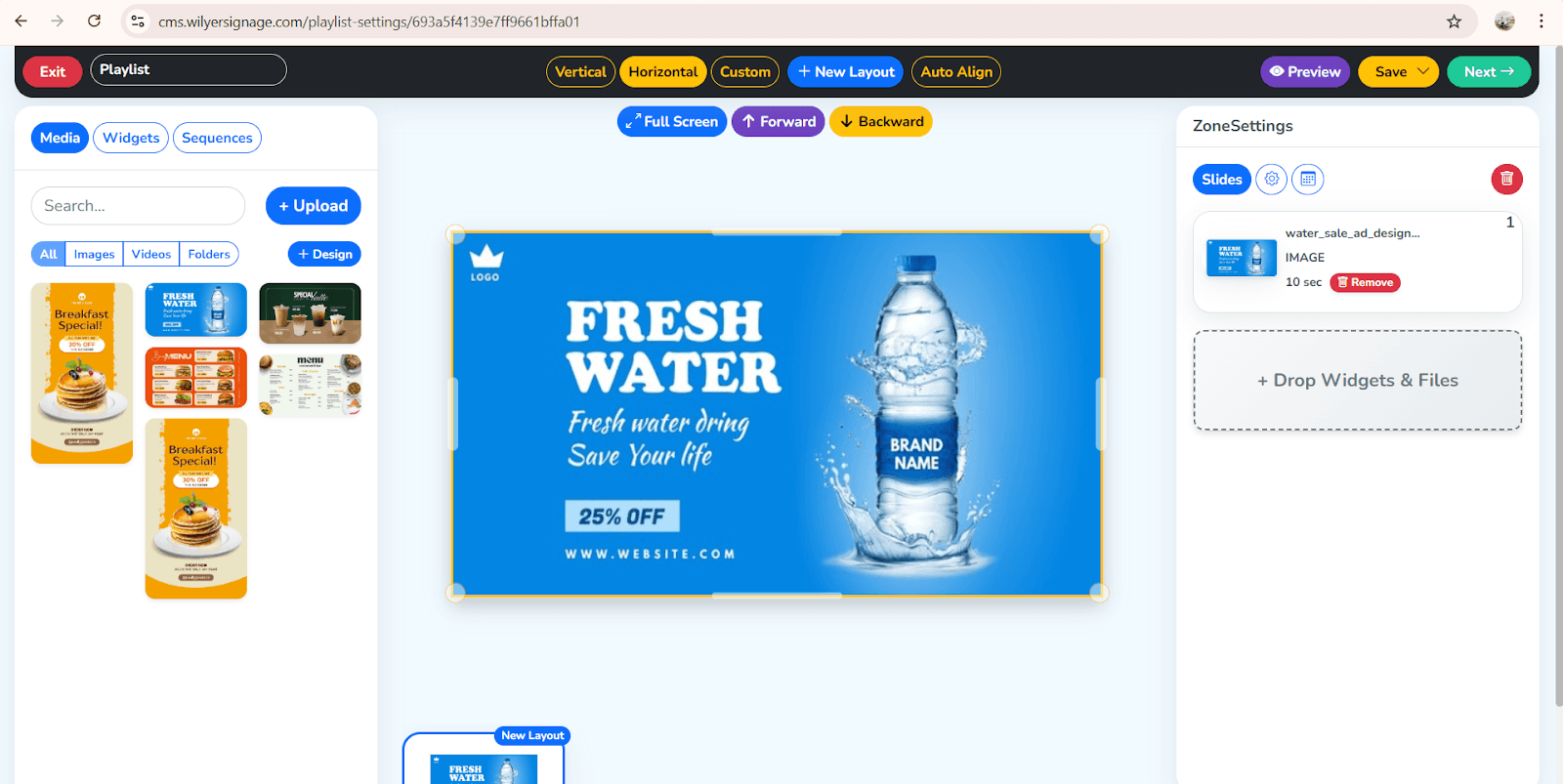
Wilyer simplifica todo el procedimiento de creación de una lista de reproducción de señalización digital de una manera gráfica, fácil y rápida.
Cómo agregar contenido a las listas de reproducción en Wilyer.
Es fácil y rápido agregar medios dentro de Wilyer. El CMS permite una vasta cantidad de tipos de contenido.
Contenido soportado de listas de reproducción:
Imágenes (JPG, PNG)
Videos (MP4)
Plantillas de menú
Widgets de redes sociales
Paneles en vivo
Páginas web
Anuncios
Menús PNG transparentes
Archivos de animación
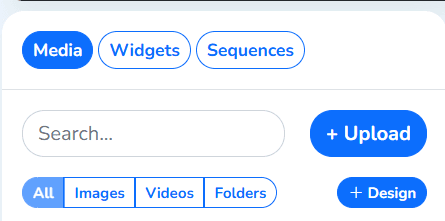
Cómo agregar contenido en Wilyer:
Abre tu lista de reproducción y haz clic en el botón de editar para modificar el contenido, actualizar las diapositivas, ajustar los tiempos y hacer cualquier cambio necesario antes de publicar en tus pantallas de señalización digital.
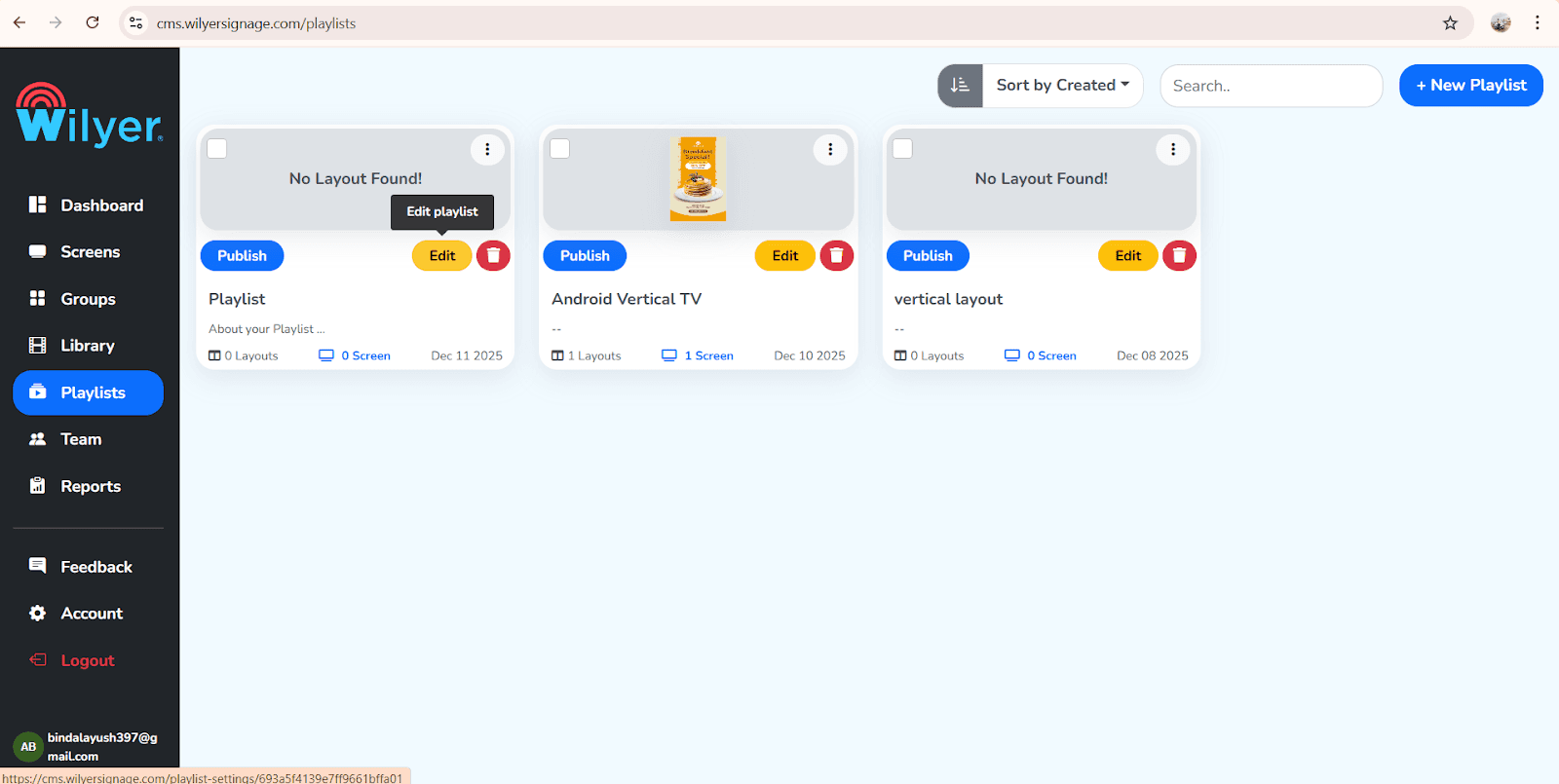
Haz clic en Agregar contenido en tus listas de reproducción de Wilyer para cargar imágenes, plantillas y organizarlas fácilmente para tu visualización de señalización digital.
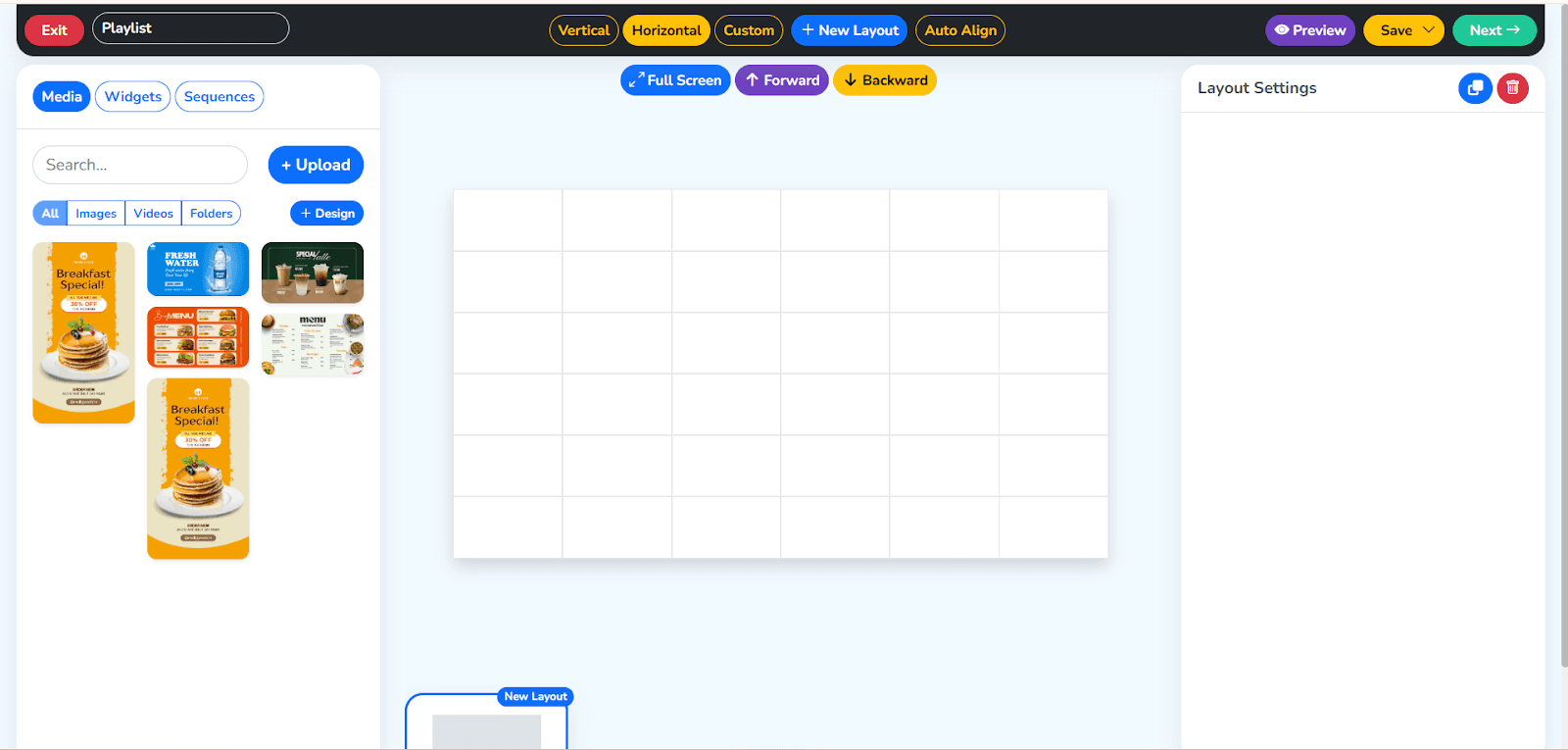
Tendrás que trabajar un poco en la sección del medio, y luego en el lado derecho, hay una opción para “Soltar y Widget Files”. Haz clic en eso o una opción más es arrastrar el elemento para reorganizar.
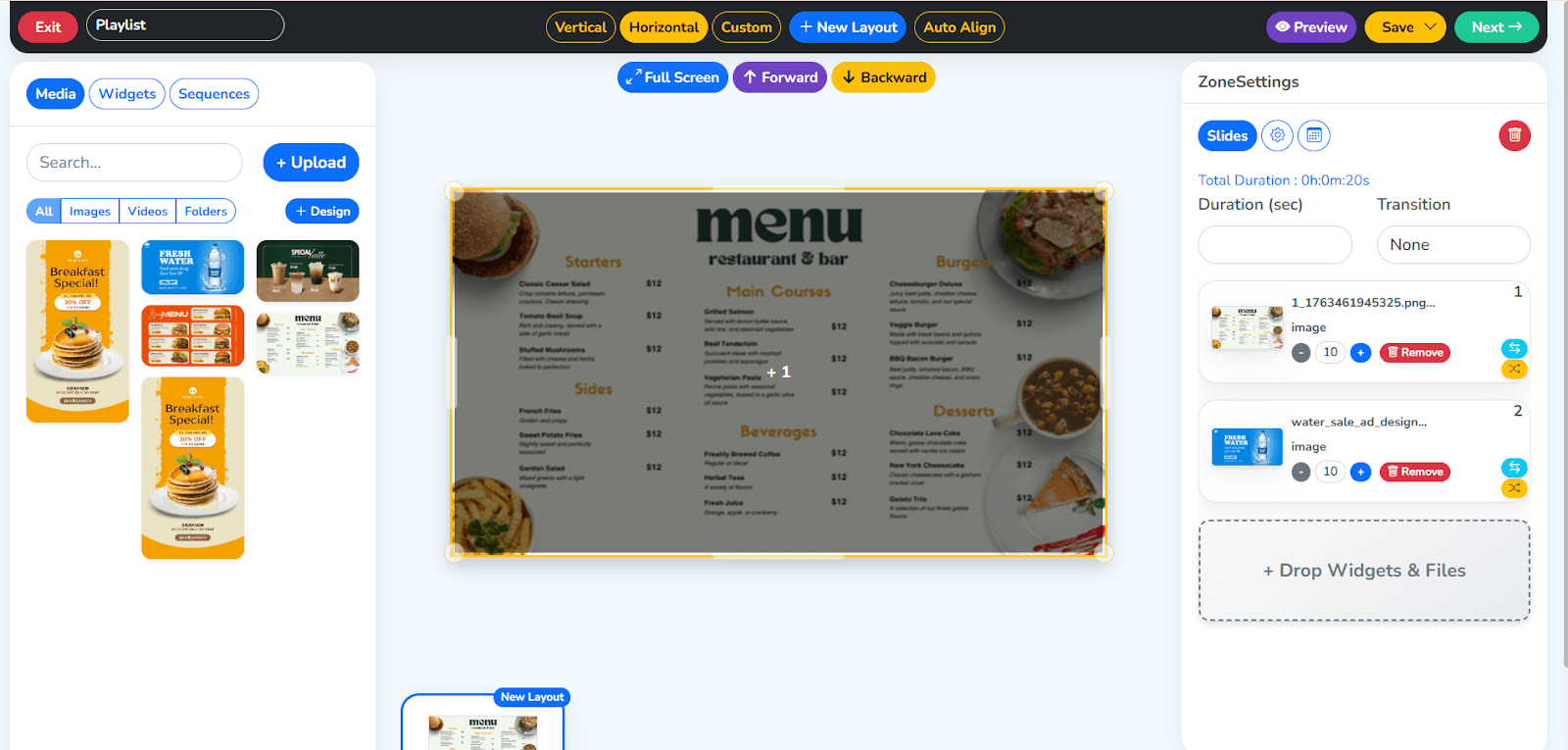
Establece la duración del tiempo para cada diapositiva en tus listas de reproducción de Wilyer para controlar cuánto tiempo cada imagen, video o plantilla permanece en la pantalla, asegurando una reproducción suave y contenido de señalización digital perfectamente cronometrado.
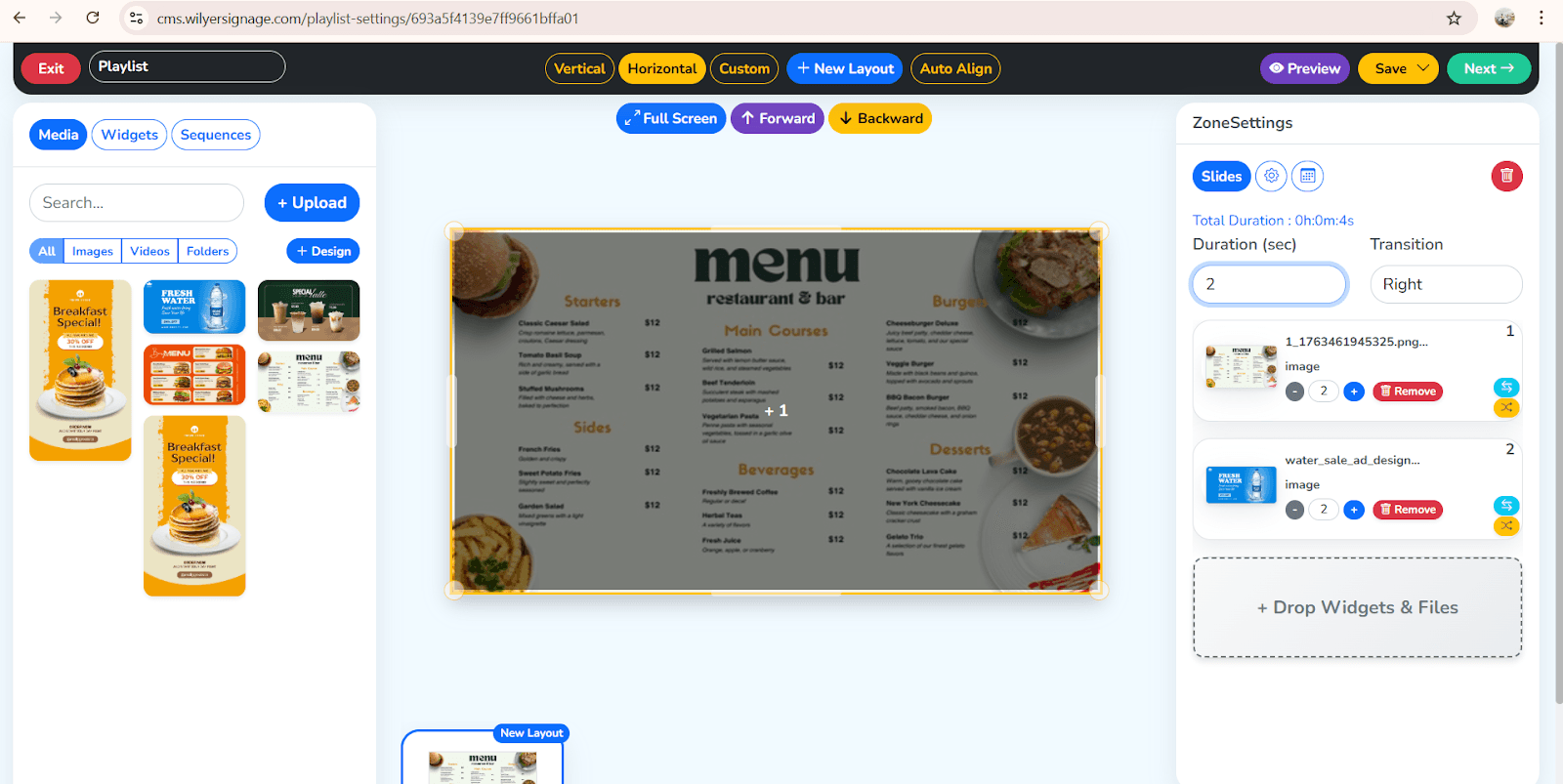
Haz clic en el botón de guardar ubicado en la parte superior derecha para almacenar los cambios de tus listas de reproducción y asegurarte de que todas las actualizaciones se apliquen correctamente.
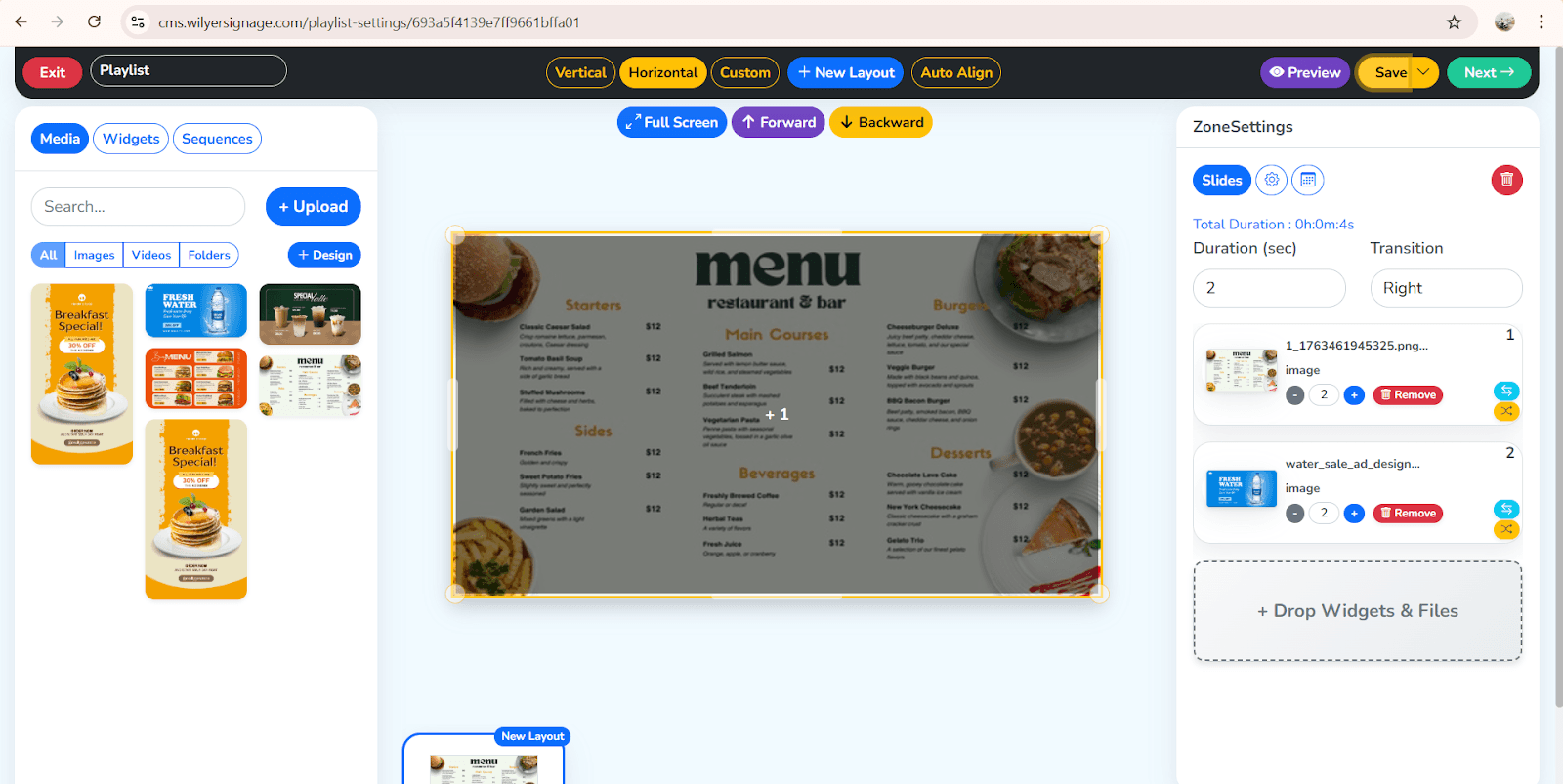
Este proceso simplificado de gestión facilita el trabajo de señalización digital.
Cómo programar listas de reproducción en el software de señalización digital
El motor de programación en la nube de Wilyer te permite programar las pantallas en varias ubicaciones sin tener que acceder físicamente a ninguno de los dispositivos.
La razón por la cual la programación de Wilyer es fuerte:
Programar por fecha
Programar por hora
Programar por semana o mes
Configurar listas de reproducción en diferentes días.
División del día de los restaurantes de manera automatizada.
Ofertas automáticas durante horas pico.
Todas las pantallas pueden actualizarse de forma remota.
La forma de programar una lista de reproducción en Wilyer:
Abre tu lista de reproducción
Haz clic en el botón de siguiente
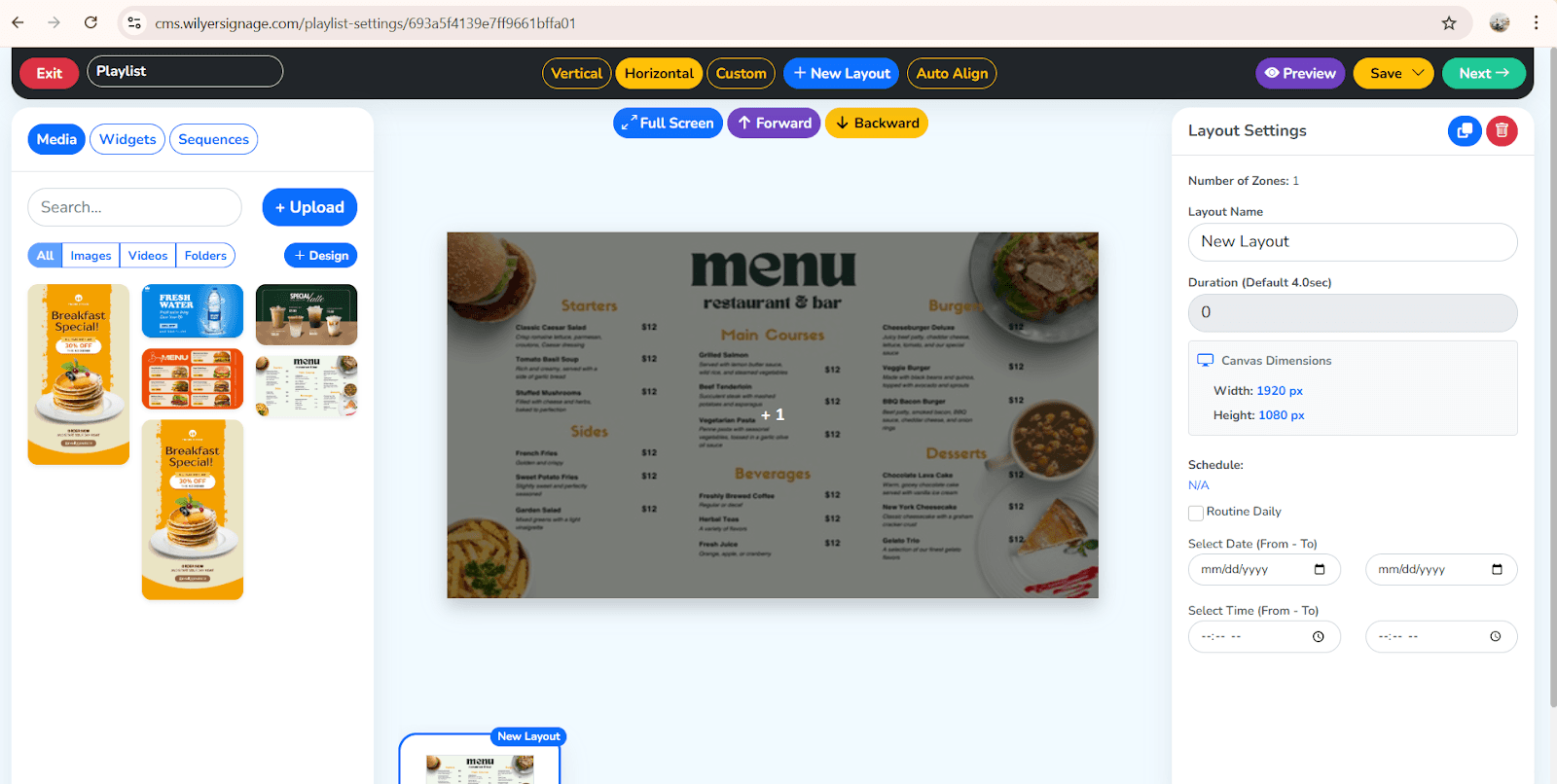
Selecciona pantalla
Haz clic en programar
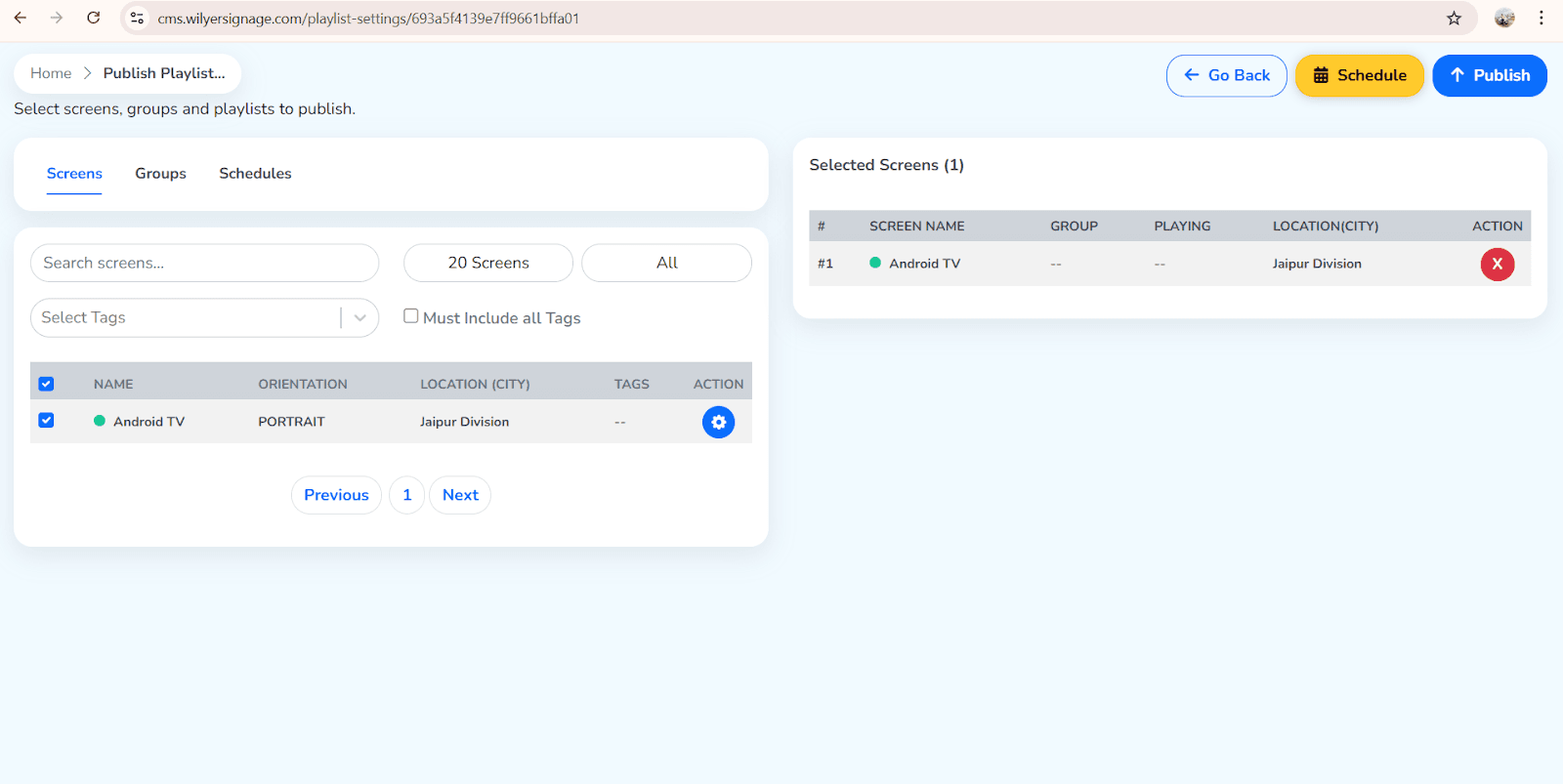
Selecciona las pantallas o grupos de pantallas.
Selecciona fechas y franjas horarias
Elige días
Haz clic en el botón de programar
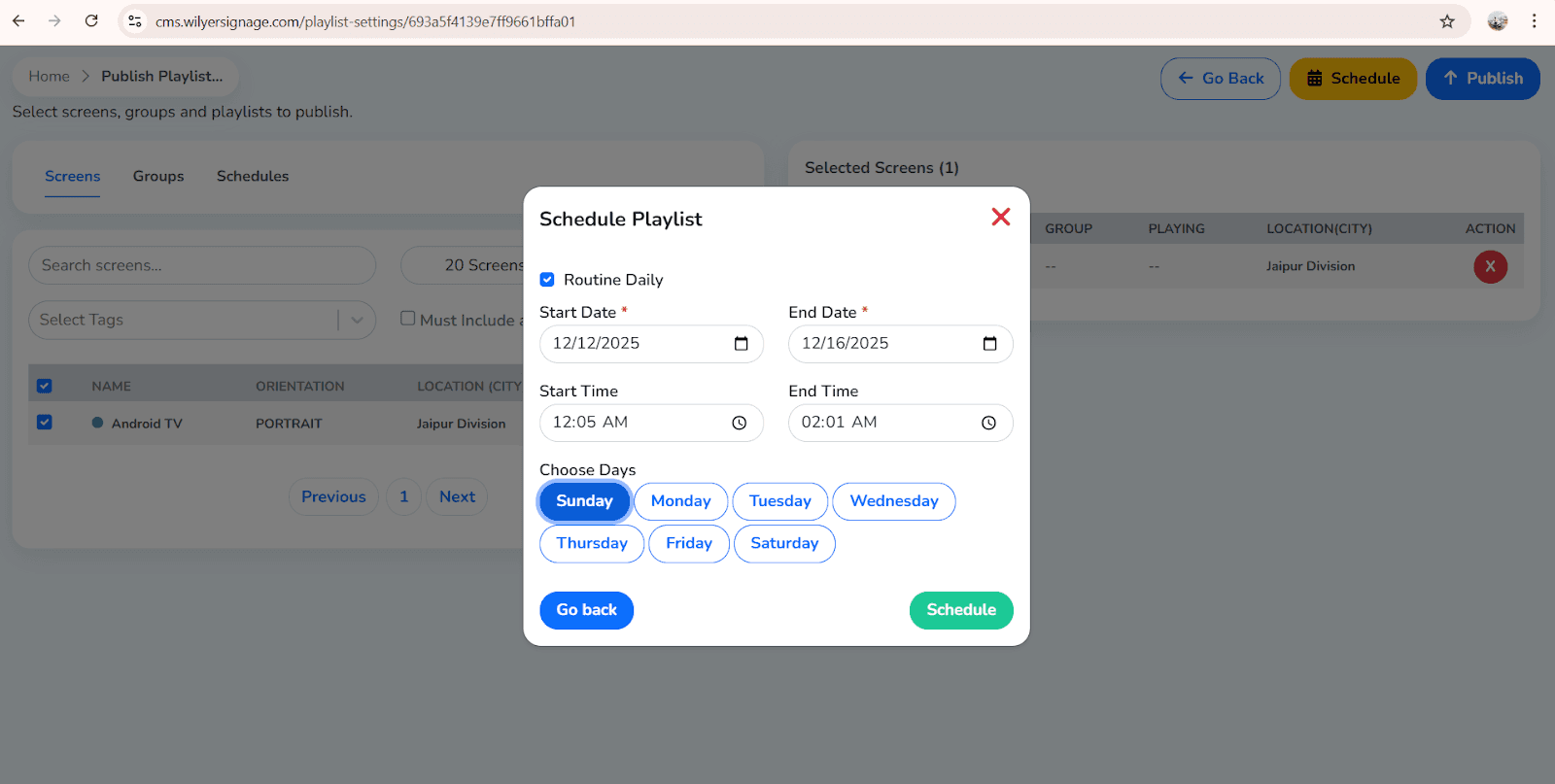
Nuevas pantallas son actualizadas automáticamente a través de la nube de Wilyer.
Control de lista de reproducción de múltiples pantallas usando Wilyer
Al tratar con varias sucursales o varias pantallas, Wilyer cuenta con herramientas de agrupamiento, sincronización y control a nivel empresarial.
Wilyer soporta:
Publicación de una lista de reproducción a 1 a 10,000+ pantallas.
Producción de contenido basado en la ubicación.
Entregar listas de reproducción a grupos completos de pantallas.
Sincronización de video muro de múltiples pantallas.
Controlar exposiciones entre ciudades o naciones.
El gestor de dispositivos de Wilyer se asegura de que tu aplicación de señalización digital de lista de reproducción en múltiples pantallas permanezca en línea, sincronizada y en modo libre de errores.
Wilyer cuenta con funciones avanzadas para listas de reproducción.
Las últimas herramientas para listas de reproducción también son proporcionadas por Wilyer para crear bucles de contenido profesional en minutos.
Listas de reproducción dinámicas
Actualiza automáticamente el contenido a través de:
feeds RSS
feeds sociales
URLs en vivo
auto-sincronización de carpetas
Esto encaja bien con la visualización de información en tiempo real.
Listas de reproducción inteligentes
Automatización basada en reglas del contenido:
Tiempo
Día
Etiquetas
Clima
Eventos especiales
Plantillas de listas de reproducción
Wilyer ofrece plantillas listas para usar de:
Menús de restaurantes
Anuncios minoristas
Ofertas y promociones
Avisos corporativos
Programas de eventos
Editor de listas de reproducción de Wilyer
El editor te proporcionará control sobre:
Transiciones
Duraciones
Estructura del diseño
Orden de contenido
Previsualización y publicación
Herramientas de publicación
La señalización digital y la publicación de listas de reproducción pueden controlarse en cualquier lugar con el motor en la nube de Wilyer CMS.
Conclusión
Las listas de reproducción pueden crearse, programarse y gestionarse con pantallas únicas o múltiples gestionadas al mismo tiempo, lo cual es muy fácil gracias a Wilyer. Con la ayuda del CMS basado en la nube de Wilyer, las empresas pueden manejar todo: tableros de menú y pantallas promocionales, exhibiciones corporativas y letreros de eventos.
Con potentes características como:
Automatización de listas de reproducción inteligente
Constructor de arrastrar y soltar
Programación en la nube
Control de múltiples pantallas
Flujos de datos dinámicos
Wilyer se encuentra entre las plataformas de gestión de contenido de señalización digital más eficientes y profesionales.

