Digital Signage
When to Switch from Free Digital Signage Software to Paid Plans
Discover when digital signage software free options are not enough. Learn the right time to switch to paid plans for better features, scale, and ROI.
8 Min Read
September 2, 2024
Anurag
The digital menu screens are shown in a vertical, or portrait orientation, which is the industry standard in digital menu screens since it makes the most use of the display space and the restaurant immediately looks professional. The Wilyer menu digital signage software simplifies this and uses your already available television and uses cloud-based ability to control the rotation.
What does a Vertical Digital Menu Board Mean?
A vertical digital menu board is a dynasty menu board, an electronic, portrait menu board that substitutes the printed boards with dynamic and visually attractive displays. These systems provide restaurants with digital signage software that displays menu items, prices, offers, pictures and animations on TVs or monitors which have been set to portrait or 1080x1920 (portrait) orientation so that they can be scanned fast by customers.
Benefits of Using a Vertical Digital Menu Board
By implementing a tall, mobile-style layout that mimics apps and Instagram, you improve customer engagement.
Utilizing the largest possible screen area permits maximum amounts of menu items, photographic images of menu items, pricing, and advertising promotions.
Minimized print costs and allows for quicker menu updates as they occur.
Enhanced sales through emphasis on upselling, combo offers, and special daily offerings.
Creates a more modernized and professional-looking restaurant.
Allows you to remotely update multiple locations under a single account using the Wilyer's cloud-based content management system (CMS).
Why Choose Wilyer for Vertical Digital Menu Boards
Control Your Menu Board from the Cloud: With the ability to remotely update your menu board from any location.
Easy to Use: Utilize a drag-and-drop interface that has been developed specifically for users who are not technical.
Compatible with All TVs: No need for any special hardware; Your content can be displayed on Smart TVs, Android Boxes, or Fire Stick.
Active Portrait Mode: Automatically formats the display content to 1080×1920 (vertical) portrait mode.
Kiosk Locking Capability: Keep the device locked on the menu board display to prevent any unauthorized exit.
Live Updates: Any changes in price or menu items take mere seconds to update.
Offline Content Display: Your media is still displayed when there is no internet connection.
Multi-Screen Capability: This is a great application for multiple users with the same type of screens (Example: Fast food chains, Food courts, drive thru's).
Affordable Solution: There is no need to purchase separate costly media players or pay for IT support.
Technical Requirements for Smooth Operation
Requirement for a Smooth Running Project
A minimum 5 Mbps internet connection is needed for each device.
To provide high-quality images, you must have a minimum screen resolution of 1080 x 1920 pixels.
TV needs to be able to rotate portrait (if not, then the Android box must have this capability).
Recommended for Brightness: Indoor Restaurants 350 nits to 500 nits; Brightness for Commercial Establishments 700+ nits for High Ambient Light Practical Use.
Introduction
How to Turn a Standard TV into a Vertical Digital Menu Board
Digital menu boards are replacing traditional paper menus in restaurants and cafes everywhere.
They are bright, easy to update, and catch the customer's eye.
Modern digital signage software allows you to flip standard horizontal TVs vertically (portrait) for that classic menu board look.
In this guide, we will walk you through how to configure a screen for vertical orientation using the Wilyer Signage CMS.
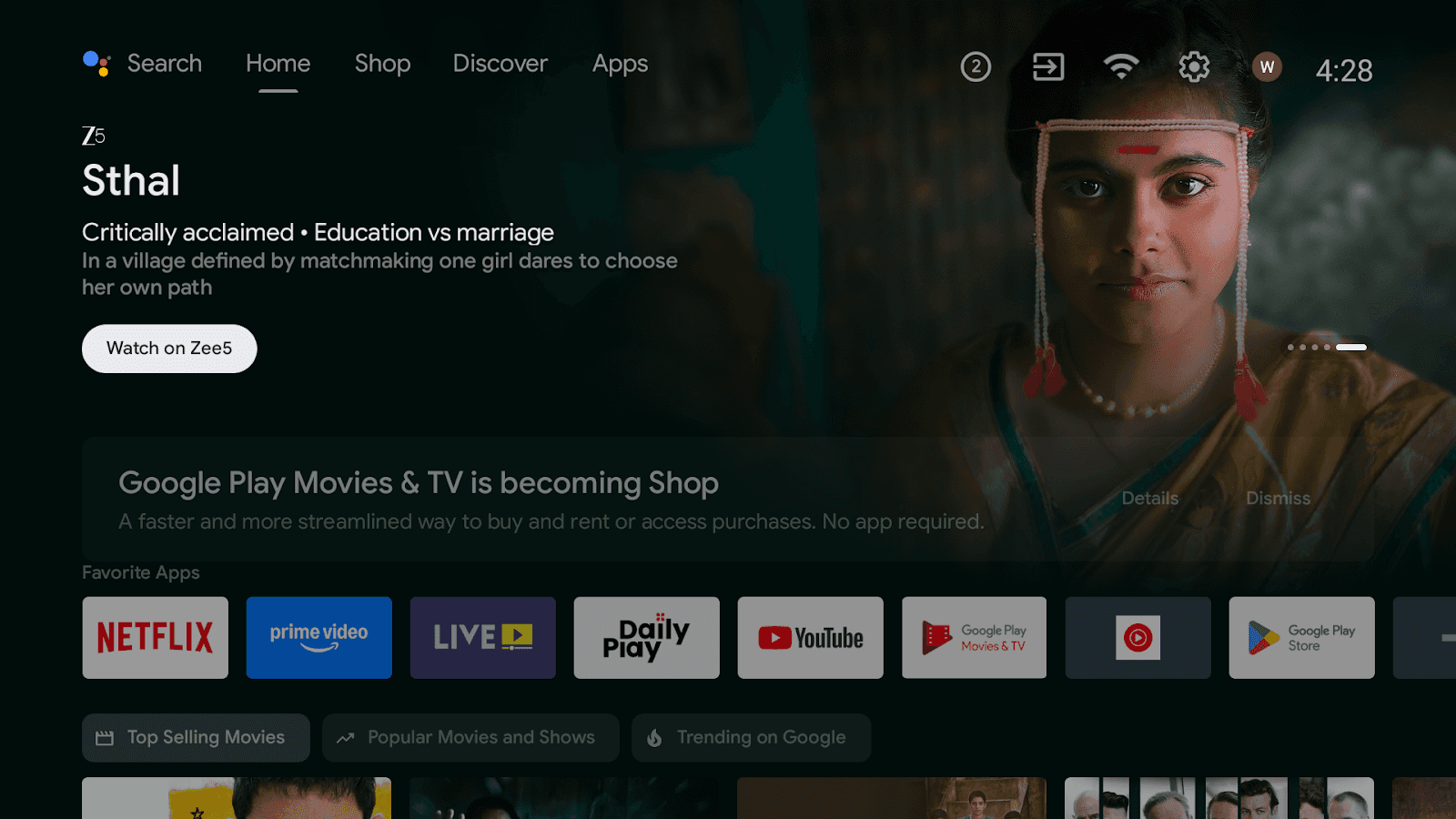
Step 1: Selection of the appropriate Hardware
Install an Android Smart TV with the least effort
In the case of regular TVs, an android box or Firestick can be connected.
Step 2: Network Requirement
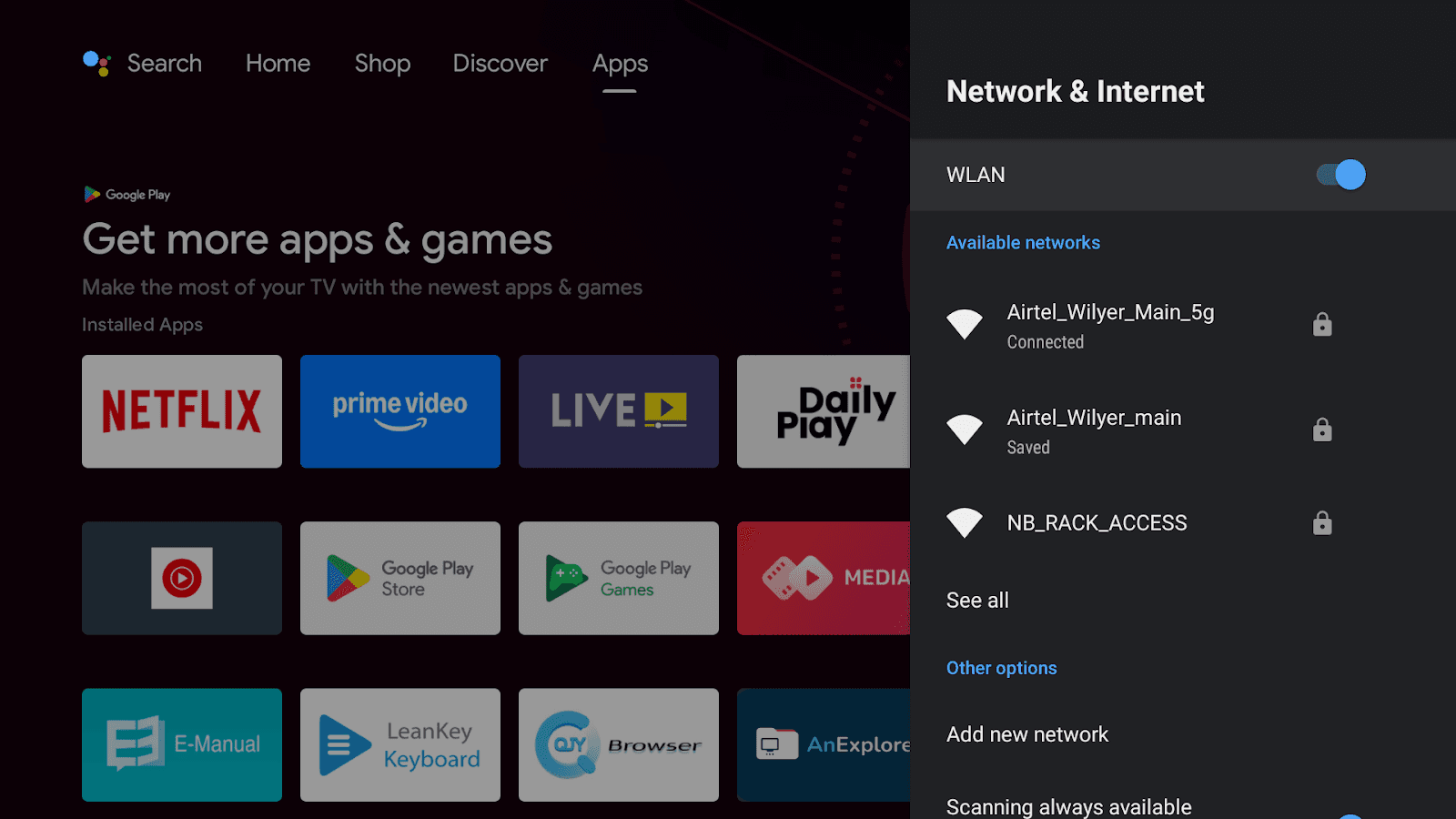
Make sure that the high-speed internet is stable
If possible, use ethernet because it is more reliable; WiFi is necessary only in case of necessity.
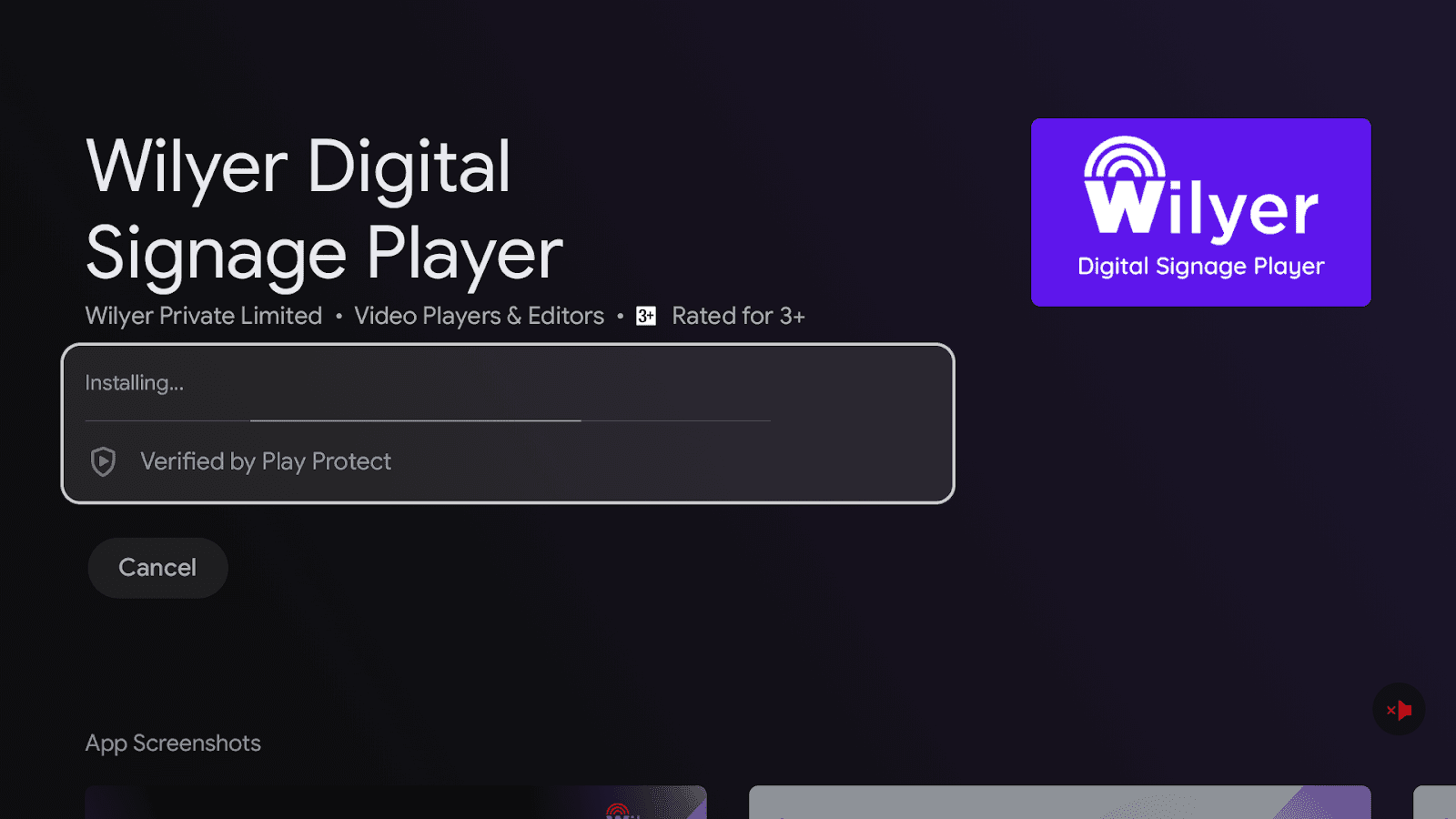
Step 3: Install the Wilyer Application
Install through Google Play Store
Install using USB APK
Install using Chrome browser on the official site
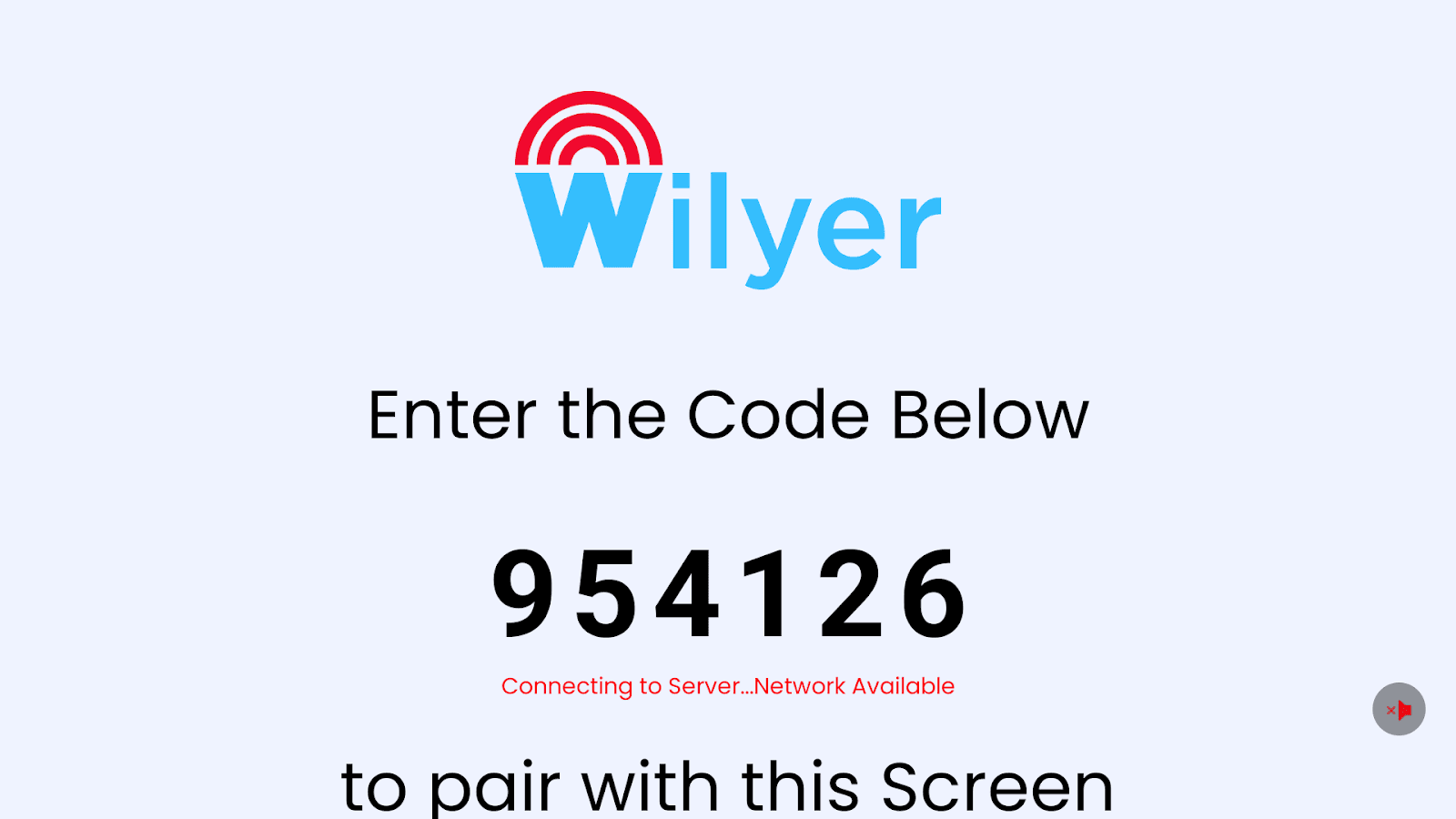
Step 4: Pair and Create Account
Open an account in Wilyer.com
Add device in Wilyer - Type in 6 digits TV code
Name and group the device for easy management.
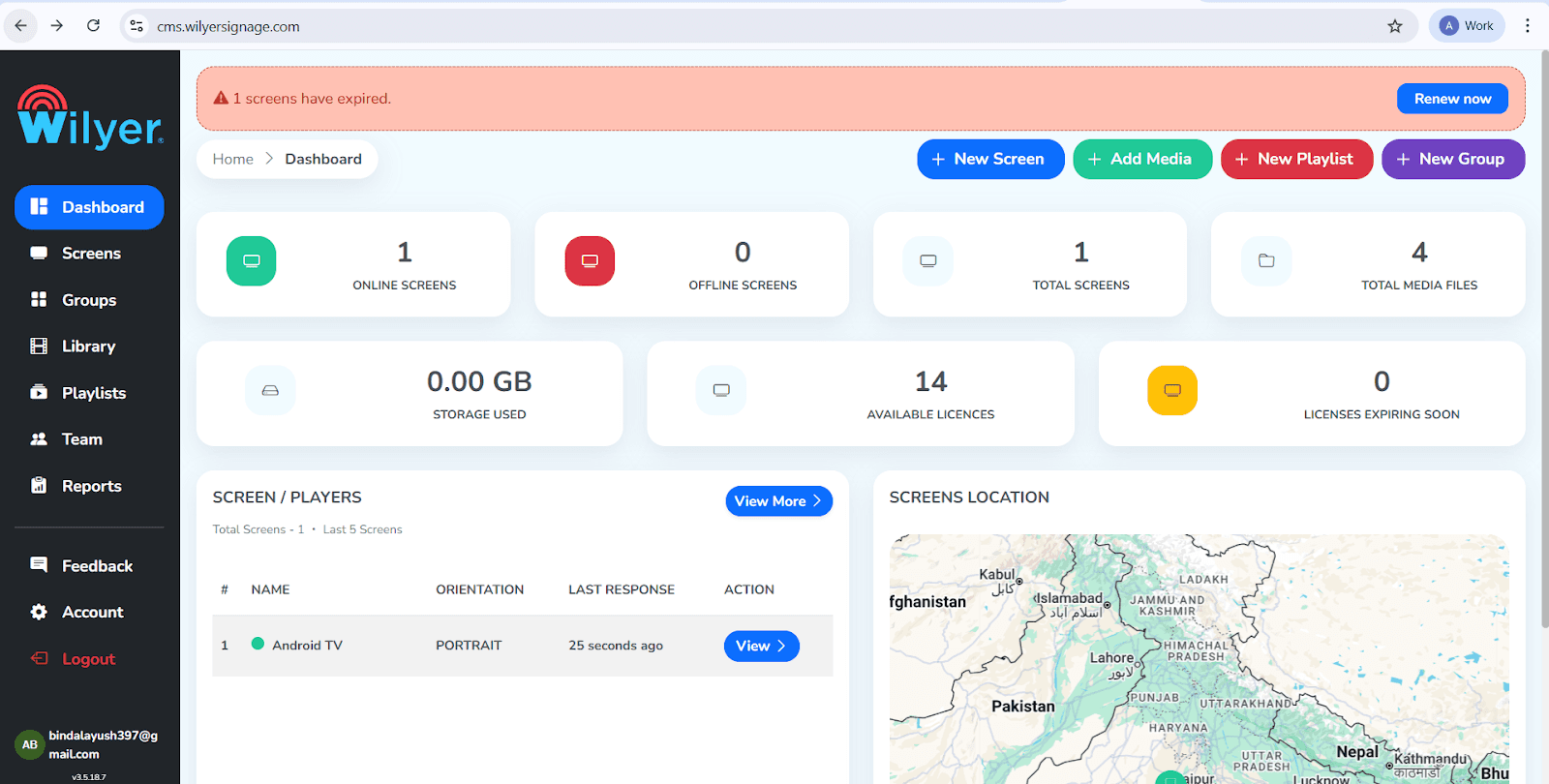
Step 5: Check Dashboard Status
Ensure your Screen Player is online before beginning configuration.
Log in to your Wilyer CMS dashboard
Locate the screen status indicator
Verify the Android TV or Firestick shows as ‘Online’
Step 6: Access Screen Details
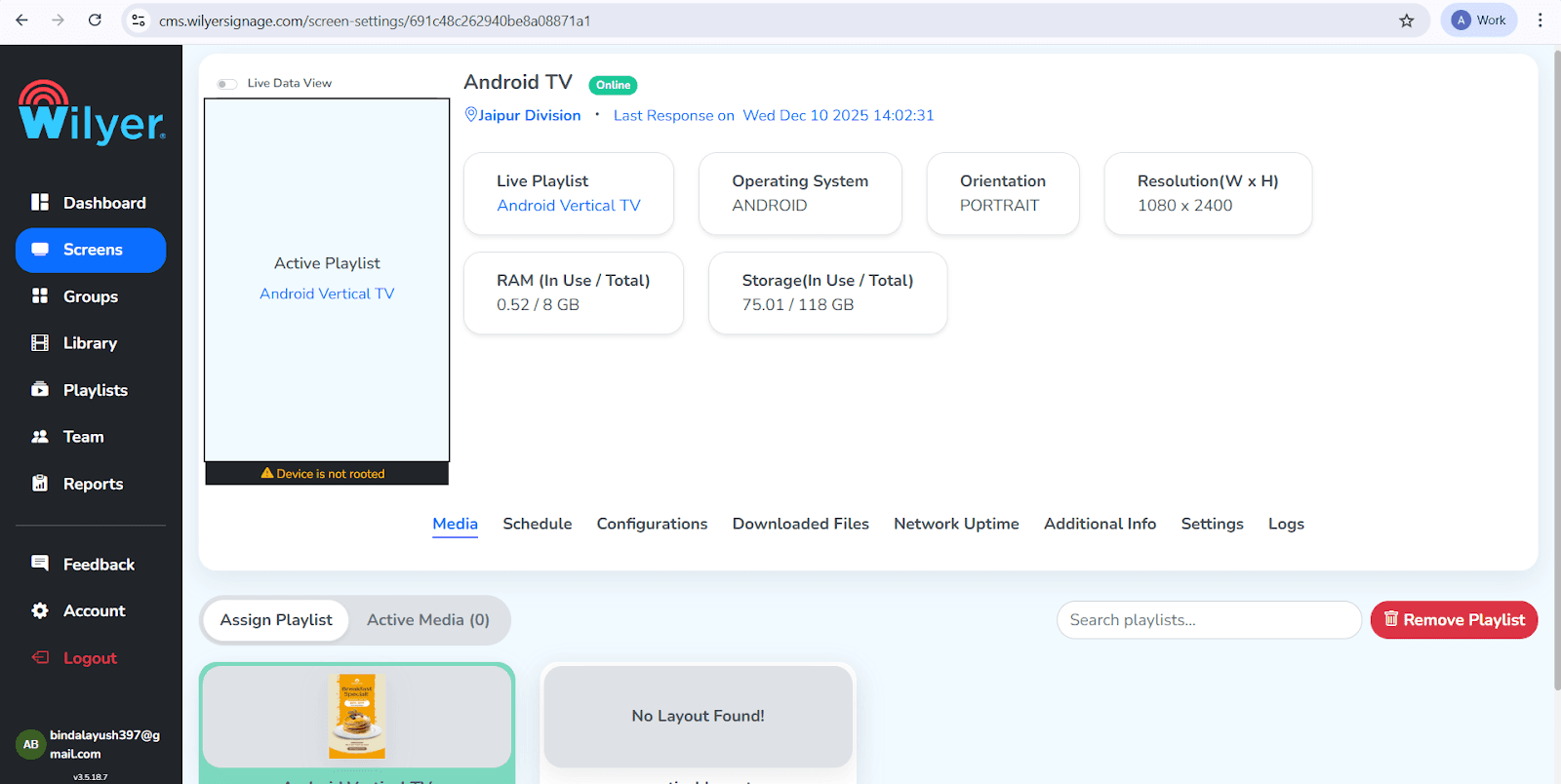
Navigate to the specific screen specific settings to check current orientation
Click the ‘Screens’ tab on the left sidebar
Select the specific screen (e.g., ‘Android TV’)
View the ‘Media’ tab to see current orientation status
Step 7: Go to Configuration
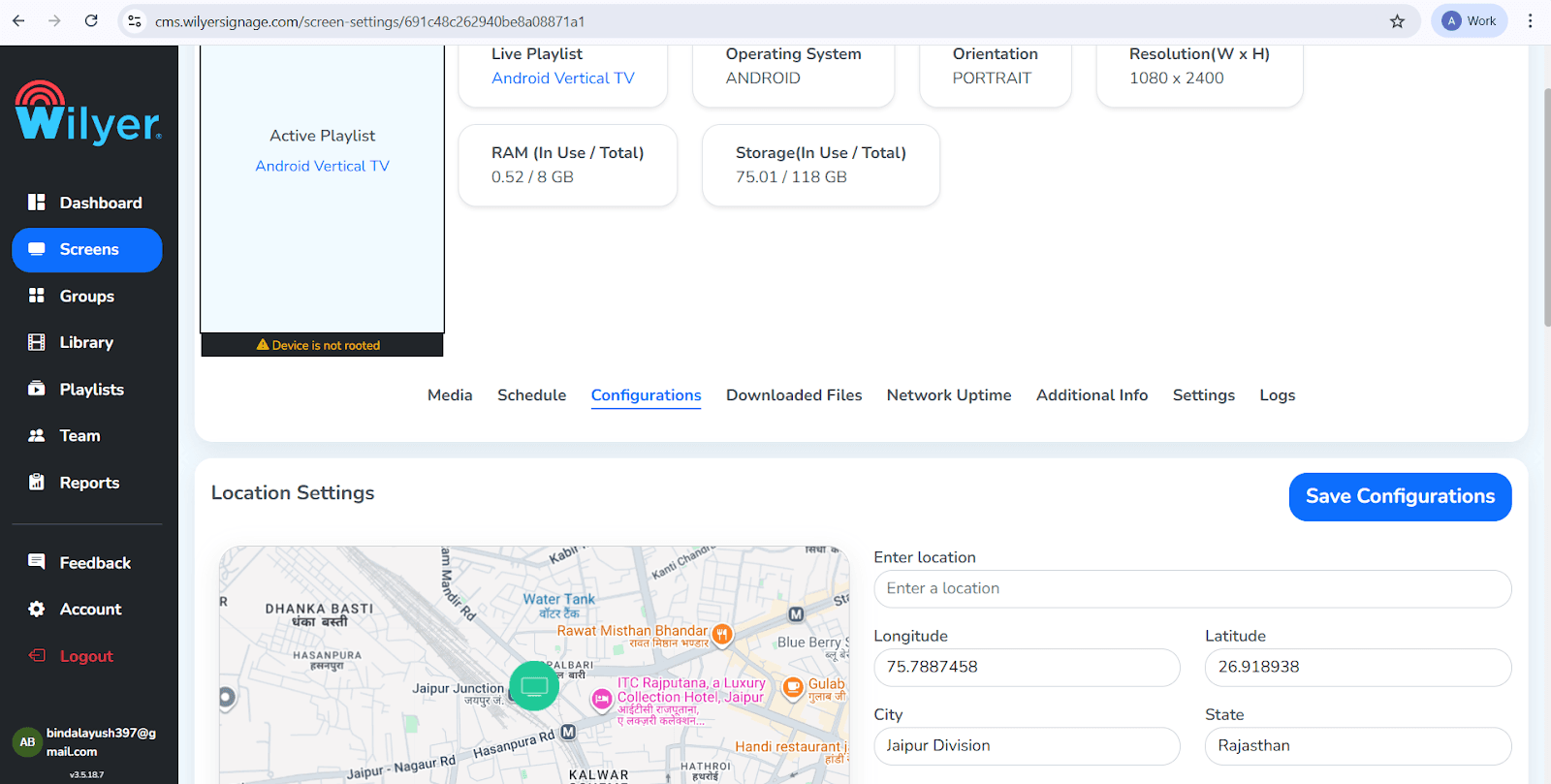
Access the hardware configuration Menu:
Locate the ‘ Configurations’ tab in the middle of the screen menu
It is typically found between ‘Schedule’ and ‘Downloaded Files’
Step 8: Change Player Rotation
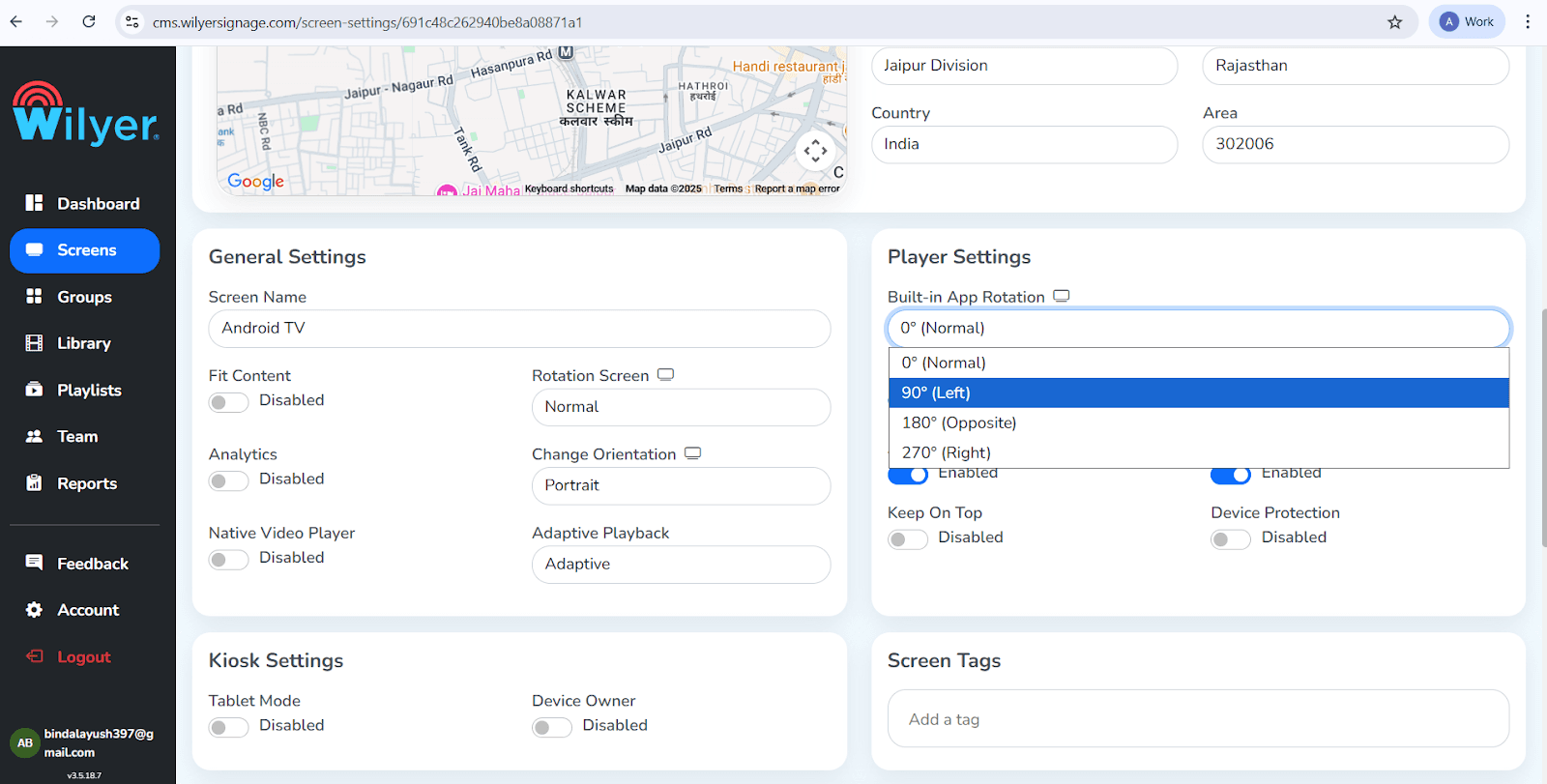
This is the most critical step to force vertical orientation.
Scroll to Player Setting
Find ‘Built in App Rotation’ (Default is 0)
Select 90 (Left) or 270 (Right) based on your mount.
Update ‘Rotate Screen’ if available
Step 9: Save Configuration
Apply the changes and Reboot the Screen
Scroll to the bottom of the page
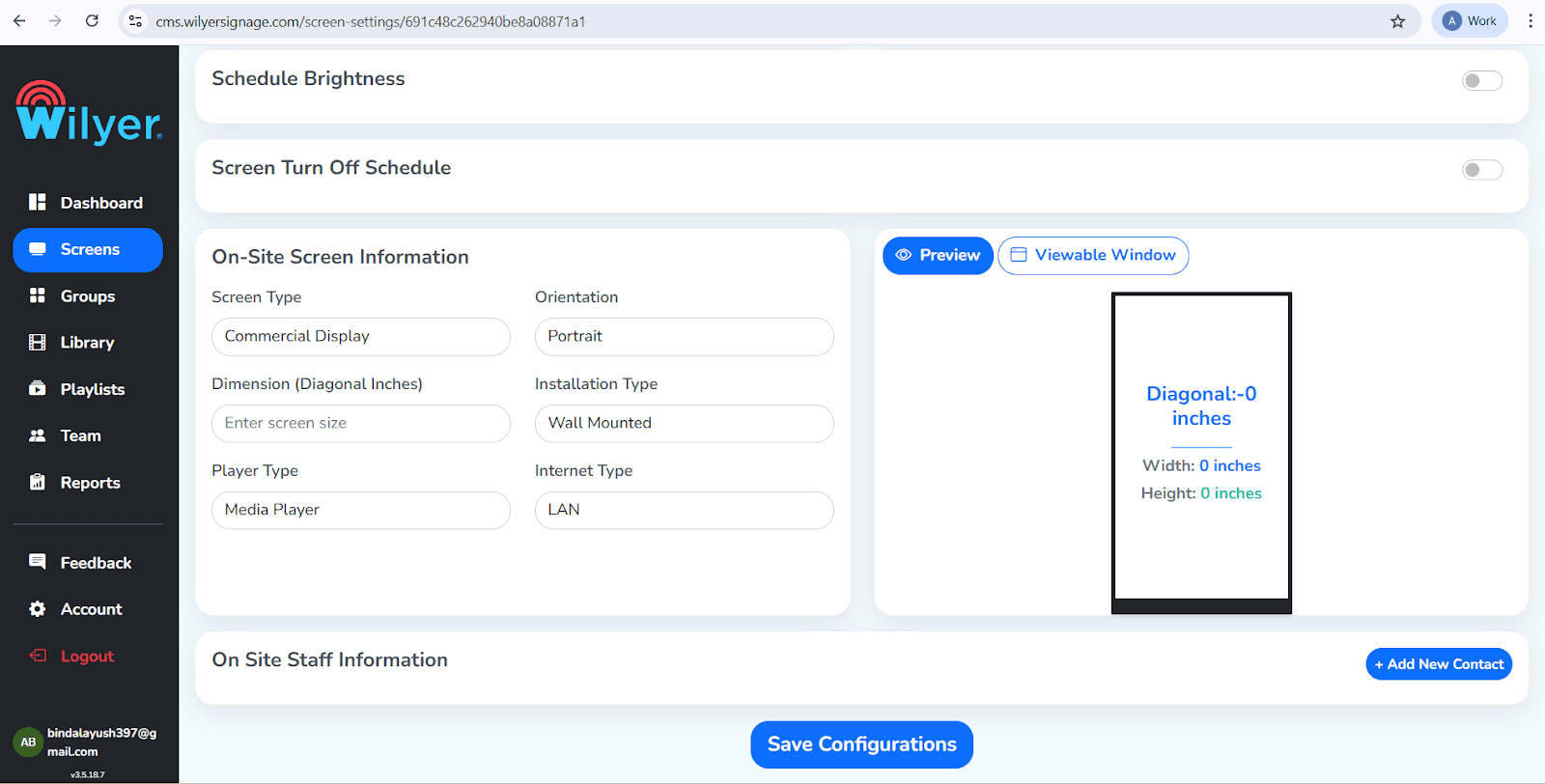
Set ‘On Site Screen Information' orientation to ‘Portrait’
Click the blue ‘Save Configuration Button’
Step 10: Final Result
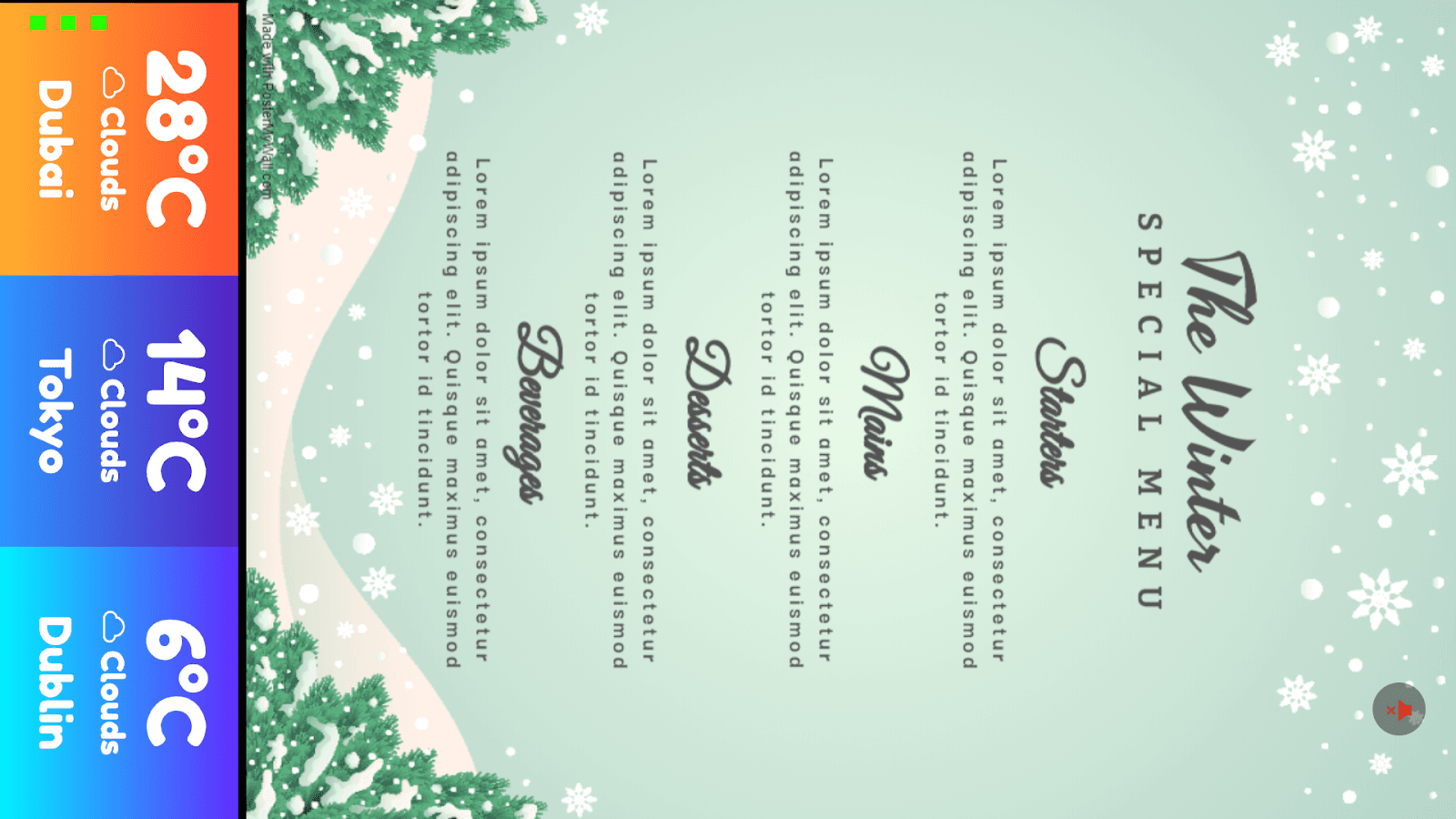
Verify the screen is displaying in Portrait mode
Wait for the update / reboot
Ensure content fills the screen from top to bottom
Upload your vertical menu design
Summary:
Transform any Standard Android TV into a professional digital signage display.
Using a vertical menu board is a great way to display more items in a list format, making it easier for customers to read.
By simply changing the App Rotation to 90 degrees in your CMS settings, you can transform any standard Android TV into a professional digital signage display.

