Features
Are scheduling and content management core digital signage software features?
Why Scheduling and Content Control Are Core Signage Features
Yes, scheduling and content management are core, fundamental features of digital signage software.
Both content management and scheduling as central components or solutions of a comprehensive Digital Signage Content Management System (CMS).
Content Management as a Core Feature
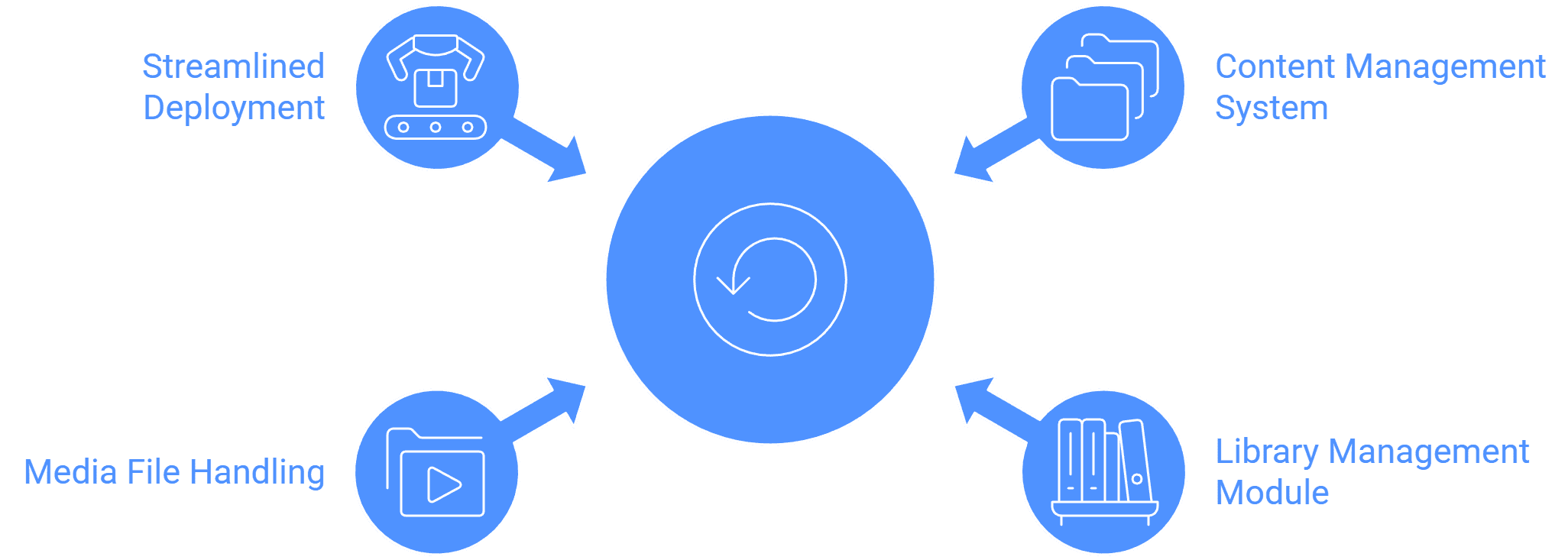
Content Management is explicitly listed as a key function of digital signage software. It serves as one of the four key pillars of the software solution, often labeled as Centralized Content Management or Library Management.
Role in the CMS: A Content Management System (CMS) is fundamentally defined as the software used to create, manage, and schedule content displayed on digital screens.
Key Functions: The Library Management module allows users to easily organize and manage content and add unique widgets. Content Management includes handling various media files (Images and Video in .png, .jpeg, .jpg, and mp4).
Solution Pillar: The Streamlined Content Deployment Solution is specifically crafted around the advanced Library Management system to organize and access a wide range of media files and widgets, ensuring personalized and engaging content delivery.
Scheduling as a Core Feature
Scheduling is inseparable from content management and is recognized as a key feature. It is essential for ensuring that the right message reaches the right audience at the right time.
Explicit Feature Listing: The software features include Content Scheduling, Advanced Scheduling Features, and Playlist Scheduling.
Automation: Scheduling and automation are listed as core features of digital signage software. The system uses Trigger-based Schedule and Display Time Conditions-based Repeating Schedules on content for automation.
Deployment: Scheduling is used to deploy content based on playlists, layouts, and single file time conditions for proper playback. For instance, a restaurant can use the CMS to display breakfast menus in the morning and switch to lunch specials in the afternoon, maximizing the relevance of promotions through scheduling.
Hardware Scheduling: Scheduling extends beyond content to the hardware itself, allowing the user to Schedule Screen Brightness and Schedule Screen On/Off functionality.
In summary, the functionality of Centralized Content Management (creating and organizing content) and Advanced Scheduling (controlling when that content plays) are foundational requirements that define the core operation of a digital signage CMS.

Multi-Platform Compatibility for Every Digital Signage Display
Run Wilyer’s digital signage software on your preferred operating system with zero hassle.