Features
What are the four main features of a digital signage system?
The Four Key Functions of Every Digital Signage System
Here’s what you usually get with a Content Management System (CMS) for digital signage:
Centralized Content Management (Library Management): The spot where you create, organize, and show off all your multimedia stuff on digital screens. You can build custom layouts and tweak zones however you want. Managing pictures, videos, and even live widgets like YouTube, weather updates, RSS feeds, or Power BI? That’s all in the mix. Plus, you get advanced scheduling tools, all part of a modern digital signage CMS.
Powerful Screen Management / Control (Efficient Remote Screen Management): This category focuses on the remote operation, control, and resilience of the screens themselves. Key functions include remotely sending commands (Restart App, Clear Cache), auto-start and auto-recovery features for continuous performance, using Live Screenshots Remotely for playback verification, and enabling Kiosk Mode (Single Purpose Application Mode) to lock devices to the signage application.
Team Access Management / Seamless Collaboration: This feature is crucial for managing access and delegation across large or multi-location networks. You get role-based access and detailed permissions, so you can control exactly who does what. Screens are organized using groups within groups, so you can keep locations neat and easy to manage. There’s also a Maker and Checker Approval System, which means nothing goes live without the right sign-off.
Admin Reports, Analytics, Logs, and Security (Data-Driven Insights): This keeps track of performance, guarantees responsibility, and upholds network security. Proof of Play Reporting, which verifies the playback of adverts, Audit logs, which record all user activity, Screens Network Uptime History tracking, and security features like two-factor email authentication (2-FA) are important components.
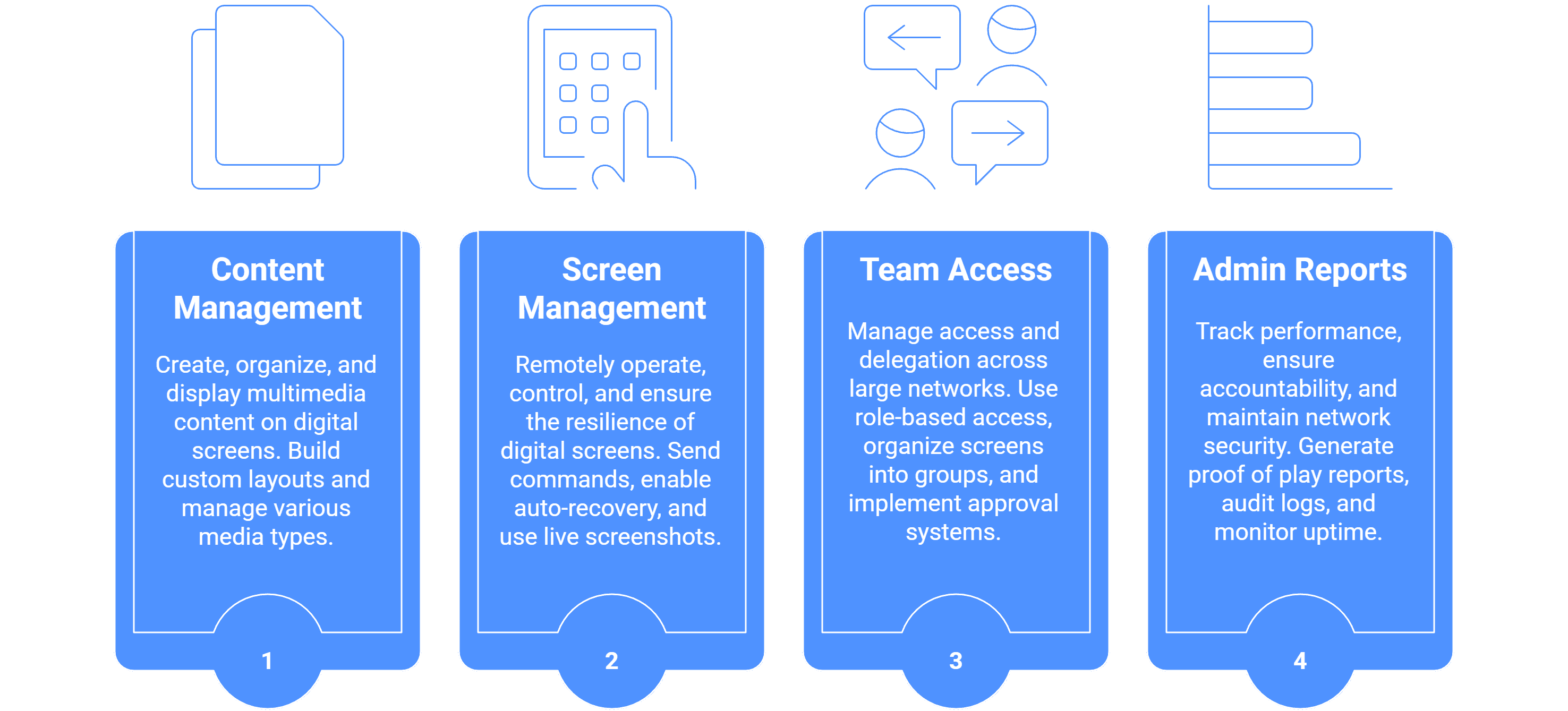
These four features Content, Screen Control, Team Access, and Analytics/Security. Form the core pillars of the comprehensive digital signage management solutions offered.
The digital signage software features are broadly organized into four main categories, representing the core pillars required for effective, scalable, and secure network operation. These categories are often highlighted as the primary solutions offered by the Content Management System (CMS).
Category | Primary Function/Description | Key Features Supporting This Category |
|---|---|---|
1. Centralized Content Management | Focuses on the creation, organization, and effortless deployment of content across all screens. This streamlines content updates and enhances engagement. | Library Management, Custom Layout Builder with Zone Flexibility (for mixed content), Support for Live Data Widgets (e.g., YouTube, Power BI, RSS Feeds), and Advanced Scheduling Features. |
2. Powerful Screen Control | Ensures remote management, operation, and resilience of the entire display network. This simplifies operations and ensures continuous performance. | Remote Commands (Restart App, Clear Cache), Live Screenshots Remotely (for playback verification), Bulk-screen actions (for 100+ screens), Offline Media Playback, and Auto-start/Auto-restart functionality. |
3. Seamless Team Collaboration | Manages user access, delegation, and organizational structure for large or multi-location projects. This organizes the flow and provisions access to trusted users. | Team Access Management with Granular Permissions (creating roles like viewer, editor, manager), Groups-in-Group (nested hierarchy for location management), and Maker and Checker Approval System (for content security). |
4. Admin Reports, Analytics, Logs, and Security | Provides data-driven insights, ensures accountability, and strengthens network security. | Proof of Play Reporting (confirming playback for advertisements), Audit Logs (capturing all user activity history), Screens Network Uptime History, and Two-factor email authentication (2-FA). |

Multi-Platform Compatibility for Every Digital Signage Display
Run Wilyer’s digital signage software on your preferred operating system with zero hassle.