Features
Which digital signage software features are essential for remote management?
Key Features for Effective Remote Signage Management
Remote management features are essential for businesses managing large-scale, multi-city, and multi-team digital signage networks (like those involving 1000+ screens). These tools ensure efficiency, accountability, and continuous operation from a central location.
Here is a crisp breakdown of the essential features for remote management:
1. Centralized Control and Bulk Operation
These features allow administrators to manage thousands of screens simultaneously from a single Content Management System (CMS) portal.
Feature | Description | Simple Use Case (1000+ Screens) |
Informative Dashboard | Provides a single view showing Online/Offline Screen Status and the Total Screen Count. | A national manager instantly sees that 50 screens across various cities are offline and can immediately dispatch local support. |
Bulk-screen Actions | The option to send configurations, add playlists, or restart applications/devices to 100+ screens with a few clicks. | After a system update, the IT team executes a remote application restart command on all 1,500 displays nationwide simultaneously. |
Offline Media Playback | Screens continue to play scheduled content even if the internet connection is lost (internet is only needed for content updates). | If a large regional office loses network connectivity, the lobby and cafeteria screens continue to display important internal communications and digital menus, preventing blank screens. |
Remote Configurations | Ability to remotely adjust settings like Control Volume and apply Built-in Screen Rotation. | An operator discovers an airport display's volume is too high and remotely adjusts the volume from the CMS without visiting the site. |
2. Monitoring and System Diagnostics
These features allow remote diagnosis and verification of hardware health and content playback.
Feature | Description | Simple Use Case (Multi-City) |
Live Screenshots Remotely | Capability to fetch Live Screenshots of content currently playing on any screen for playback verification. | The operations team for the 7amdaan.io DOOH network uses live screenshots to confirm the status of new ad campaigns on their robotic screens in Bahrain within minutes. |
Screens OS and Hardware Details Overview | Remotely view crucial data like RAM, Storage, IP, MAC, Model, and Network Signal Strength. | An IT manager checks the Network Signal Strength of a distant screen to remotely diagnose if connectivity issues are causing content delays. |
Screens Network Uptime History | Capturing and exporting the network uptime statistics (e.g., last 15 days). | Managers track the reliability of hardware performance across all 1000+ locations and identify chronically unstable screens for maintenance. |
3. Team Access and Accountability
These features are critical for managing multi-team environments and ensuring proper control over content deployment.
Feature | Description | Simple Use Case (Multi-Team) |
Groups-in-Group (Nested Hierarchy) | Screens can be arranged in a nested manner (e.g., Country > City > Store > Screen) for faster and controlled access. | A corporate director can push content to the entire "Country" group, while a local marketing team member is restricted to managing only the screens in their specific "Outlet 1" group. |
Team Access Management with Granular Permissions | Allows creation of roles (viewer, editor, manager) with specific permissions that can be assigned to the nested screen groups. | McGraw Hill: India used Sub-user Access and Screen Grouping to ensure campus administrators could only update the screens relevant to their building, saving time. |
Audit Logs
| Captures the track history of all user activity, logging each action with a timestamp to understand which user took which action. | If an unauthorized playlist is published, management can check the Audit Logs to identify the exact team member and time of the deployment for accountability. |
Proof of Play Reporting | Generates detailed reports (Excel/CSV) confirming the playback of content for accountability and business advertisements. | An advertising business downloads a media file playback report to verify that a client's advertisement ran the total number of playbacks purchased across their DOOH network for accurate billing. |
Unique Wilyer Features for Enterprise Remote Management
Wilyer offers specialized features that are particularly valuable when managing high-stakes, large-scale remote operations:
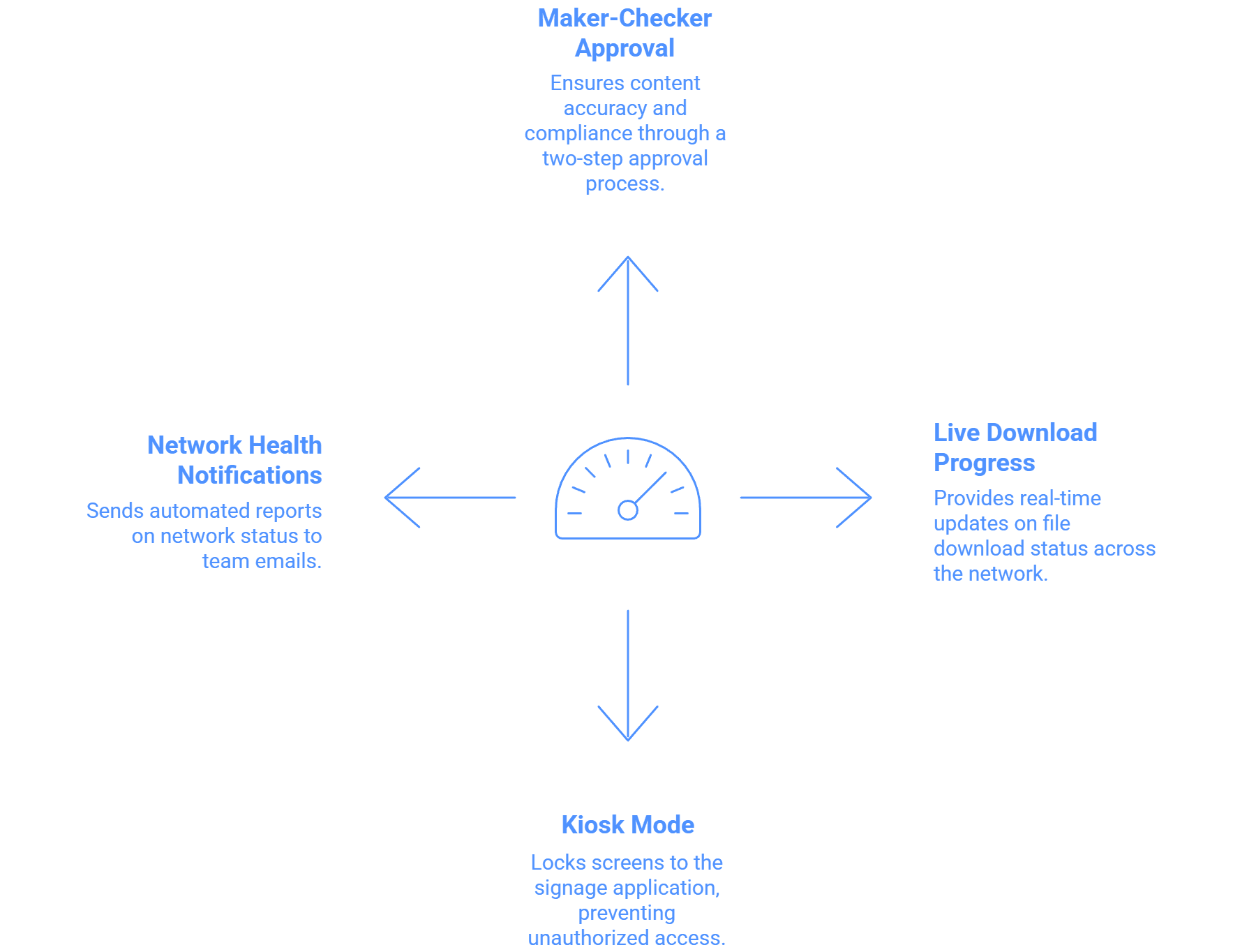
Maker and Checker Approval System: Implements a strict workflow where content changes or deployments by sub-users require manager approval before going live on screens.
Unique Example: This ensures a junior marketing associate cannot accidentally publish an incorrect price or unauthorized promotion across a large retail network without a Regional Manager's final check and approval.
Live File Downloading Progress Report: The CMS portal shows a list of files that are locally downloaded and fetches a real-time progress report when new files are downloading. A capability included inside Wilyer’s enterprise digital signage features.
Unique Example: When deploying a massive video file (up to 2GB) across a large network, the operations team can remotely track the download status for each screen, ensuring the content is ready for scheduling before the deadline.
Single Purpose Application Mode (Kiosk Mode): This feature, which is part of Remote MDM (Mobile Device Management) for Enterprise, locks Android and Windows screens to the signage application.
Unique Example: For 1000+ interactive screens in public areas, this feature guarantees that the public or non-IT staff cannot exit the application or access the device's operating system settings, maintaining 24/7 remote stability.
Email Notification for Network Health: The system can send a summary of the signage network to team emails at a set frequency (e.g., every 2, 4, 6, 8, 12, or 24 hours), including a list of online and offline screens.
Unique Example: This is vital for unattended multi-city networks, ensuring that dedicated officials receive immediate, automated reports of displays that have gone offline during working hours without manually checking the CMS.

Multi-Platform Compatibility for Every Digital Signage Display
Run Wilyer’s digital signage software on your preferred operating system with zero hassle.