Features
Which digital signage software features support multi-location management?
Important Features for Managing Multiple Signage Locations
For businesses operating digital signage across multiple cities, 1000+ screens, and large teams, remote management features are essential for maintaining uptime, ensuring content accuracy, and efficiently delegating tasks.
These features allow network administrators to treat thousands of globally dispersed screens as if they were locally managed.
Here are the essential digital signage software features for remote management:
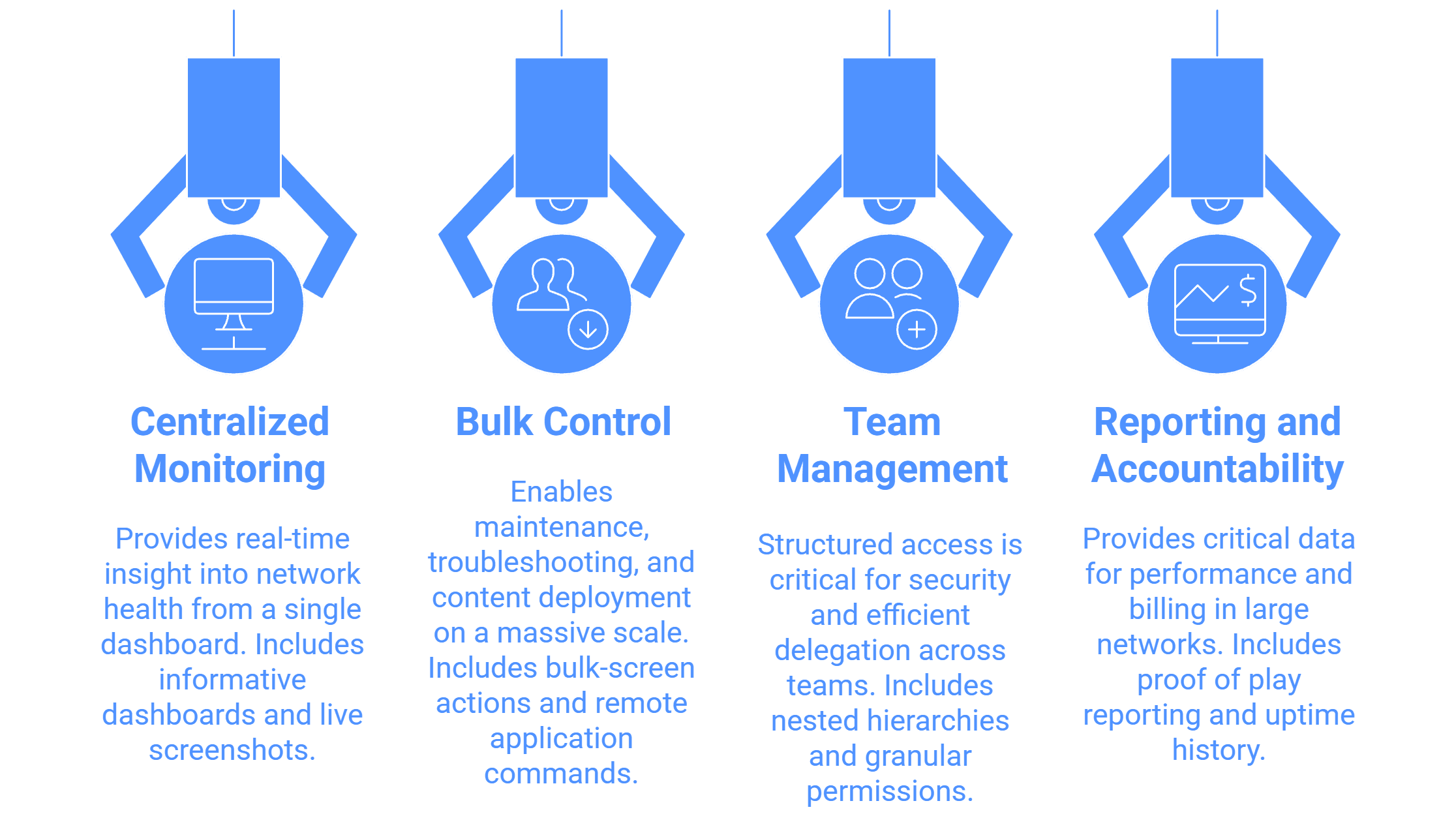
1. Centralized Monitoring and Diagnostics
These features provide administrators with real-time insight into the health and status of the entire network, often viewed from a single dashboard.
Informative Dashboard: This central view gives a quick overview of the entire signage network, showing the Total Screen Count, Online Screen Status, and Offline Screen Status.
Simple Use Case (1000+ Screens): A manager responsible for all screens across the US can log in and immediately see that 50 screens are offline due to a power outage in Chicago, allowing them to prioritize local support actions.
Live Screenshots Remotely: The ability to fetch a Live Screenshot of what is currently playing on any screen for playback verification. Included in our advanced digital signage features
Simple Use Case (Multi-City): A content team in headquarters can confirm that a critical new promotion is running correctly on a screen in a mall 500 miles away without needing a physical inspection.
Remote Hardware and Network Details Overview: The CMS allows viewing essential technical details remotely, such as RAM (In Use / Total), Storage, IP, MAC, Model, and Network Signal Strength.
Simple Use Case (1000+ Screens): An IT support agent can remotely check if a specific display is struggling due to low remaining storage or a poor Network Signal Strength before sending a technician.
Screen Geo-Location Mapping: Displays the physical location of each screen on a Map Interface, often using geo-location tagging.
Simple Use Case (Multi-City): When a screen goes offline, a technician can use the map to pinpoint its exact geographical location, streamlining repair and deployment logistics.
2. Bulk Control and Operational Commands
These features enable managers to perform necessary maintenance, troubleshooting, and content deployment on a massive scale efficiently.
Bulk-screen Actions: Provides the option to send specific settings, add playlists, or send commands to bulk units of screens. Actions like restarting the signage application or clearing the cache can be done on 100+ screens with a few clicks.
Simple Use Case (1000+ Screens): After a software update, the IT team can remotely send a command to restart the signage application on all 1,500 displays simultaneously to apply the changes, avoiding manual intervention at each location.
Remote Application Commands: The CMS has the functionality to Restart Signage Application Remotely, Clear Cache, or remotely adjust the Control Volume and apply Built-in Screen Rotation.
Simple Use Case (Multi-City): If a screen’s audio is too loud in a quiet hospital waiting room, an operator can adjust the Volume remotely from the CMS.
Offline Media Playback: Ensures screens continue to play scheduled content even without an active internet connection (internet is only needed for content updates). This prevents blank screens and keeps campaigns running smoothly, a built-in capability of our cloud digital signage software.
Simple Use Case (1000+ Screens): If an entire retail branch network loses internet due to a local outage, the digital menu boards or promotional screens will keep running the saved content, preventing blank screens and loss of communication.
3. Team Management and Access Control
In large organizations with multiple teams (marketing, operations, local store managers), structured access is critical for security and efficient delegation.
Groups-in-Group (Nested Hierarchy): Allows screens to be allocated into a nested manner for location hierarchy, such as: Country > State > City > Area > Outlet 1 > Screen 1.
Simple Use Case (Multi-City/Multi-Team): A national marketing director can push a universal advertisement to all screens tagged "Country: US," while a local store manager only has permission to update the content for "Outlet 1" in their specific city hierarchy.
Team Access Management with Granular Permissions: Enables the creation of different user roles (viewer, editor, manager) with specific permissions, and assignment to these nested screen groups.
Simple Use Case (Multi-Team): McGraw Hill: India used Sub-user Access and Screen Grouping to ensure specific campus administrators could only update the screens relevant to their building or department.
Maker and Checker Approval System: Implements a workflow where content changes or deployments made by sub-users require manager approval before they go live on screens.
Simple Use Case (Multi-Team): A junior marketing team member uploads a new promotional file. The system requires the Regional Manager's final approval ("Checker") before the content is published to the live screens, preventing accidental deployment errors.
Audit Logs: The system captures all user activity track history, logging each action with a timestamp.
Simple Use Case (Multi-Team): If an important playlist disappears, managers can check the Audit Logs to determine which user took which action and when, ensuring accountability and speeding up issue resolution.
4. Reporting and Accountability
For large networks, especially those selling advertising (DOOH), accountability features are remotely managed and provide critical data for performance and billing.
Proof of Play Reporting: Generates detailed reports confirming the playback of content (e.g., in Excel sheets or charts), including detailed playback reports with timestamps.
Simple Use Case (DOOH Advertising): An advertising network can download a media file playback report to verify that a client's ad ran the total number of playbacks purchased across their 1000+ screens for accurate billing.
Screens Network Uptime History: Captures networking uptime statistics (e.g., the last 15 days) and allows for the export of this data.
Simple Use Case (1000+ Screens): Managers can remotely track the reliability of hardware performance across all locations and identify chronically unstable screens that require maintenance or replacement.

Multi-Platform Compatibility for Every Digital Signage Display
Run Wilyer’s digital signage software on your preferred operating system with zero hassle.