Amazon Signage Display: The 55 Inch All in One Signage Screen
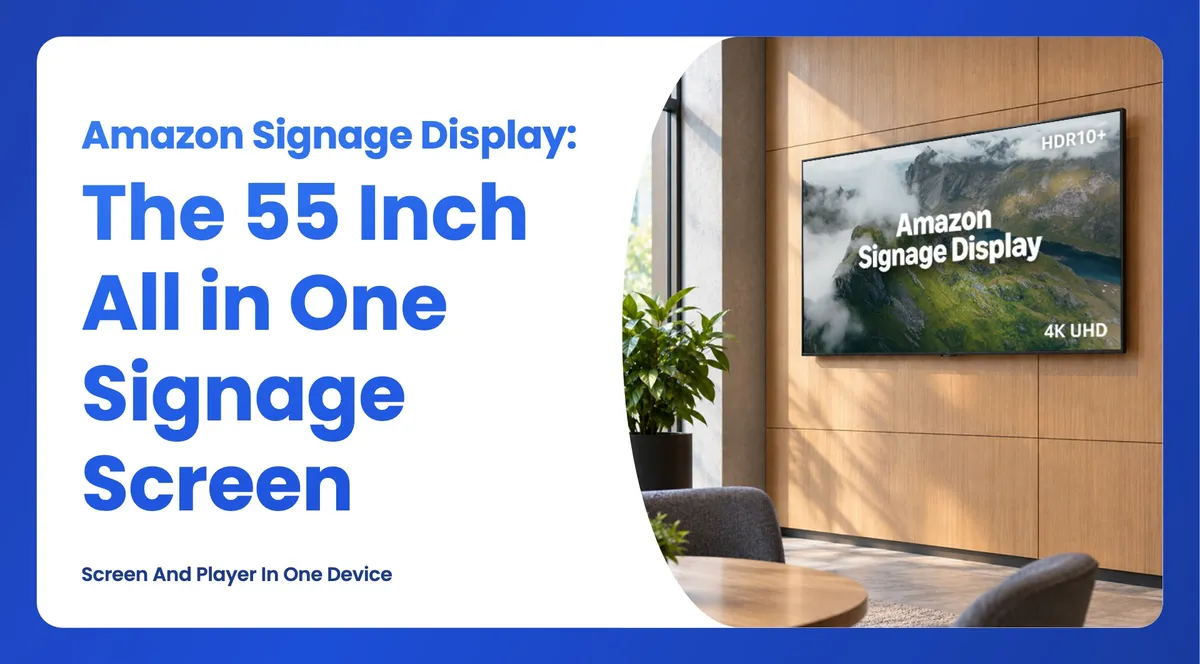
Amazon's Signage Display is a 55 inch 4K screen with the media player built in. Here is what it does, how it differs from the Signage Stick, and how it runs Wilyer.
The Amazon Signage Display is a 55 inch 4K screen with a media player built into it, made specifically for digital signage. It launched in the United States on 15 October 2026 and joins the Amazon Signage Stick, which has been on sale since 2026. Wilyer runs on both. This article covers what the Display actually is, the things it deliberately does not do, how it compares to the Stick, and how to decide which one belongs on your wall.
Figures from Amazon's published technical specification for the Signage Display, October 2026.
What is the Amazon Signage Display?
The Amazon Signage Display is an all in one signage device. The screen and the media player are a single unit, so there is no separate player to buy, mount, power or manage, and no HDMI cable running down the back of the wall.
The important word is purpose built. This is not a television that happens to be used for signage. There is no tuner, no app store, no launcher and no streaming entertainment apps. When it powers on it goes straight into whichever content management system you selected during setup, running in kiosk mode so staff and customers cannot exit to a home screen. If the power drops and comes back, it returns to your content on its own.
That distinction matters more than it sounds. The most common failure in budget signage is a consumer streaming device that reboots into a home screen, shows a software update prompt, or drops out of the signage app overnight, and nobody notices until a customer mentions it. A purpose built device removes that whole category of problem.
The specification in plain terms
The panel is 55 inches at 4K UHD resolution, 300 nits of brightness, with HDR10+ support. Inside is a quad core processor at 1.9 GHz with 16 GB of storage and 2.5 GB of memory, which is comfortably more than scheduled signage content needs. Connectivity covers built in Ethernet, Wi-Fi 6 and Miracast. There are four HDMI inputs, one of which supports eARC and CEC, plus a USB-A 3.0 port. Audio is 10 W per channel with Dolby Audio. A Bluetooth remote is included in the box.
Amazon ships it with a one year limited warranty and commits to security updates for at least three years after the device stops being sold as new.
What the Amazon Signage Display does not do
These constraints are published by Amazon, and they are worth reading before you order rather than after.
- Landscape only. Portrait orientation is not supported. If your design calls for vertical screens, this is not the device.
- 18 hours a day, not 24. It is rated for 18/7 operation. Sites that genuinely never switch off need a commercial panel instead.
- Indoors only. At 300 nits it is not rated for direct sunlight, which rules out window displays and bright glass frontages.
- No wall mount in the box. It takes a VESA 300 x 300 mount, sold separately.
- One size. 55 inches is the only option at launch. Anything larger or smaller means a screen of your own plus a Signage Stick.
None of these are faults. They are the trade you accept for an all in one device at a business price point. They just need to match your site.
Amazon Signage Display or Amazon Signage Stick?
Both devices run the same content management systems, use the same free Amazon Signage mobile app for setup, and sit in the same management console. You can mix them freely across one network. The question is only ever about the screen.
| Amazon Signage Stick | Amazon Signage Display | |
|---|---|---|
| What you get | Media player only | 55 inch screen with the player built in |
| Screen | Any screen with an HDMI port | Fixed, 55 inch 4K |
| Orientation | Whatever your screen supports | Landscape only |
| Cabling | HDMI plus power to the player | Power only |
| Connectivity | Wi-Fi 6 | Ethernet, Wi-Fi 6, Miracast |
| Best for | Screens you already own, mixed sizes, vertical layouts | New installs where one box per wall is simpler |
| Sold in | US, Canada, UK, Germany, France, Italy, Spain | United States |
When the Display is the better choice
Pick the Display when you are fitting out a new site and there is no screen on the wall yet. One purchase order, one box per wall, one power cable, and nothing to specify separately. It suits meeting rooms, reception areas, back of house staff boards, clinic waiting rooms and office communication screens, which are all landscape by nature and all switch off overnight.
It also removes a quiet source of support calls. With a separate player there is always a chance somebody unplugs it, swaps the HDMI input, or points the remote at the screen and changes the source. With the player inside the panel, there is no input to change.
When the Stick is still the better choice
Pick the Stick when a screen already exists, which on most retrofit projects it does. Pick it when you need a size other than 55 inches. Pick it when the design calls for portrait, which a lot of retail, wayfinding and queue signage does. And pick it for sites outside the United States, because that is where the Display is sold at launch.
Price matters here too. If a site already has usable screens, adding a small player per screen is far cheaper than replacing panels, and the signage result is identical.
How the Amazon Signage Display works with Wilyer
Wilyer's content management system is available on the Amazon Signage Display, exactly as it is on the Amazon Signage Stick. You choose Wilyer during setup, from the list of content management systems in Amazon's app. There is nothing to sideload and nothing to configure on the device itself.
Setting one up takes a few minutes:
- Mount the Display and connect power, then connect it to Wi-Fi or Ethernet.
- Open the free Amazon Signage mobile app and follow the setup flow. An Amazon account is required.
- When the app asks which content management system to use, select Wilyer.
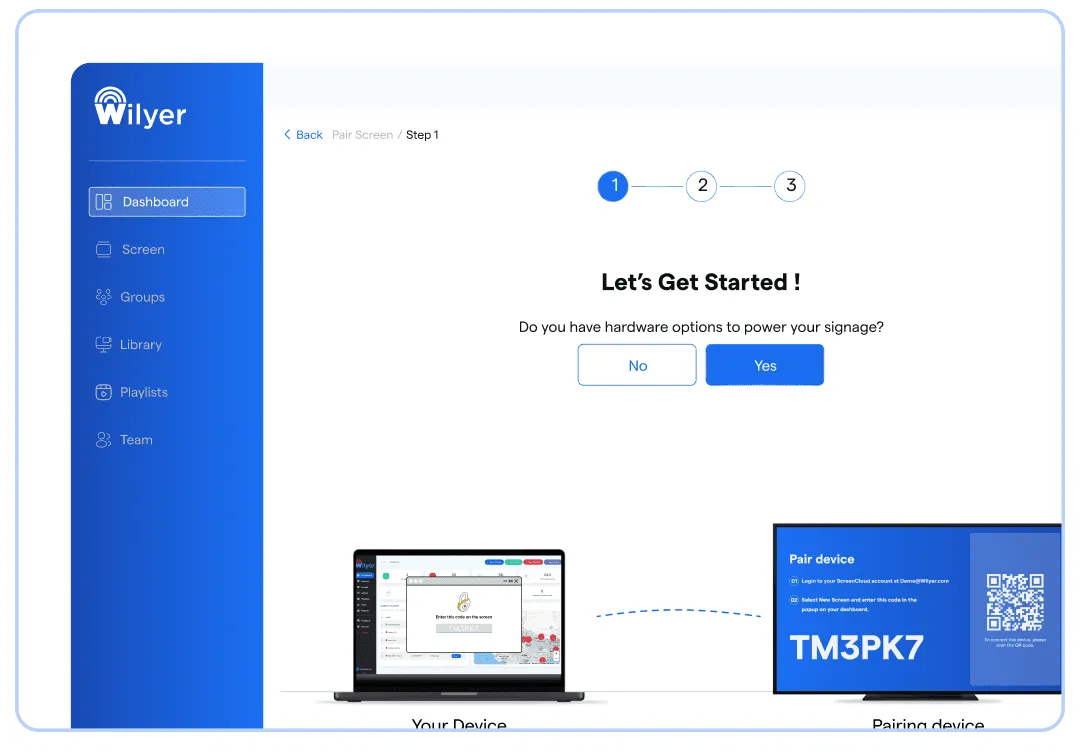
- The Display launches Wilyer in kiosk mode and shows a pairing code.
- Enter that code in your Wilyer dashboard to pair the screen.
- Publish a playlist. The screen goes live.
From that point the Display behaves like any other screen in your account. You schedule content by time, day and location, build playlists, split the screen into zones, add live widgets, and group screens by site. Content you have scheduled keeps playing from the device if the internet drops, then syncs when the connection returns. If you run a mix of Displays and Sticks, they sit in the same dashboard and take the same playlists.
What this means if you manage screens at scale
For anyone running signage across many sites, the useful part is not the hardware itself but that the lineup now has two shapes with one setup process behind it. A retail group can put Displays in the new stores opening this year and Sticks on the screens already hanging in the older ones, and the people scheduling content never need to know which is which.
For resellers and AV integrators the calculation is similar. The Display is a cleaner quote for a greenfield fit out, since it collapses screen, player and mounting into fewer lines. The Stick remains the better margin story on retrofits, where the customer already owns the panels and is really buying software and installation.
Availability and pricing
The Amazon Signage Display is available on Amazon and Amazon Business in the United States from 15 October 2026. For current pricing, check the listing directly, since that is the only place it is guaranteed to be accurate.
The Amazon Signage Stick is more widely available and is sold in the United States, Canada, the United Kingdom, Germany, France, Italy and Spain.
Running either device needs three things: the hardware, a screen in the case of the Stick, and a content management subscription such as Wilyer. The Amazon Signage mobile app is free and handles setup and device monitoring, but the content management system is what actually schedules and plays your content. Wilyer offers a free trial, so you can pair your first screen and test the full platform before committing.
Frequently asked questions
What is the Amazon Signage Display?
It is a 55 inch 4K screen with a system on a chip media player built into it, purpose built for digital signage rather than entertainment. It has no app store, no launcher and no streaming apps, and it boots straight into your content management system in kiosk mode. It launched in the United States on 15 October 2026.
What is the difference between the Amazon Signage Display and the Amazon Signage Stick?
The Stick is a media player that plugs into the HDMI port of a screen you already own. The Display is a 55 inch screen with the player already inside it, so there is no separate device to power and no HDMI cable to run. Both run the same content management systems, both are set up with the same free Amazon Signage app, and you can mix the two across one network.
Can the Amazon Signage Display be used in portrait orientation?
No. Amazon designed it for landscape orientation only, and portrait is not supported. If you need vertical screens, use the Amazon Signage Stick with a display that can be mounted in portrait.
Can the Amazon Signage Display be used as a TV?
No. There is no tuner, no app store and no streaming entertainment apps. It is built for business signage and boots directly into your content management system.
How many hours a day can the Amazon Signage Display run?
Amazon rates it for up to 18 hours a day, seven days a week. It is not rated for continuous 24 hour operation, so a site that never switches off is better served by a commercial panel paired with an Amazon Signage Stick.
Does the Amazon Signage Display work with Wilyer?
Yes. Wilyer appears as a content management system option when you set the Display up in the free Amazon Signage app. Choose Wilyer during setup and the screen launches your content in kiosk mode. A separate Wilyer subscription is required.
Where can I buy the Amazon Signage Display?
On Amazon and Amazon Business in the United States. At launch it is sold in the US only, while the Amazon Signage Stick is sold in the US, Canada, the UK, Germany, France, Italy and Spain.
Getting started
If you are deciding between the two devices, the question to answer first is whether there is already a screen on the wall. If there is, the Amazon Signage Stick is almost always the sensible answer. If there is not, and the site is in the United States, and the layout is landscape, the Display saves you a decision and a cable.
Either way the software side is the same. You can book a demo to see Wilyer running on Amazon Signage hardware, or start a free trial and pair your first screen today.