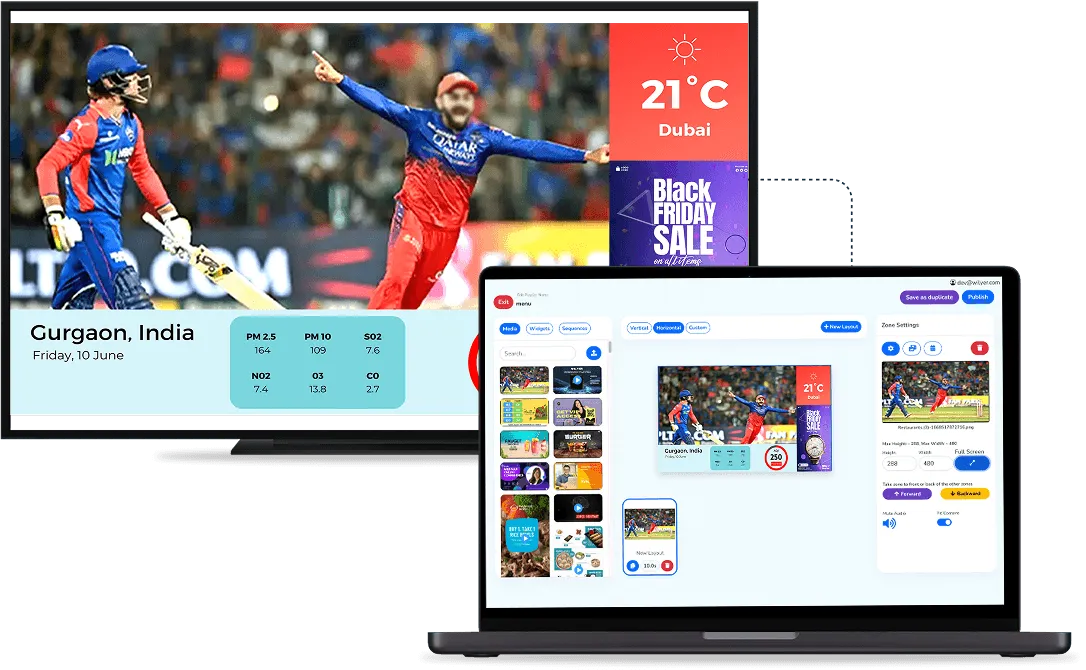
Digital Signage Software Solutions FAQs
A complete resource for software features, industries, and solutions in digital signage.
Search by question, category, device, pricing, or deployment topic.

How to set up digital signage for business?
Setting up digital signage for business involves choosing the right screens, media players, and software to create, schedule, and manage engaging visual content.
Read answer

How does digital signage work?
Digital signage works by combining software, hardware, and internet connectivity to create, manage, and display dynamic content across multiple digital screens.
Read answer

What is digital signage?
Digital signage is a technology that uses digital screens to display dynamic content like ads, menus, or announcements, enhancing communication and engagement.
Read answer

What are the benefits of digital signage?
Digital signage helps businesses attract attention, improve communication, boost sales, and deliver real-time information through engaging and dynamic visual displays.
Read answer

What software do you need for digital signage?
Digital signage software helps create, manage, and schedule content across multiple screens, enabling remote control, real-time updates, and audience engagement.
Read answer

What is an interactive digital signage?
Interactive digital signage allows users to engage with on-screen content through touch, motion, or mobile interaction, creating personalized and dynamic experiences.
Read answer

What is meant by digital signage?
Digital signage is the use of digital screens to display ads, menus, or information in public and business spaces, helping brands engage audiences effectively.
Read answer