

Analytics and proof-of-play are key to turning digital signage from “pretty screens” into accountable media you can optimize.
What is proof-of-play?
Proof-of-play (sometimes called playback reporting) is the system’s record of which content played, when, where, and for how long . It gives you a verification, did the scheduled content actually display?
How it works, in practice
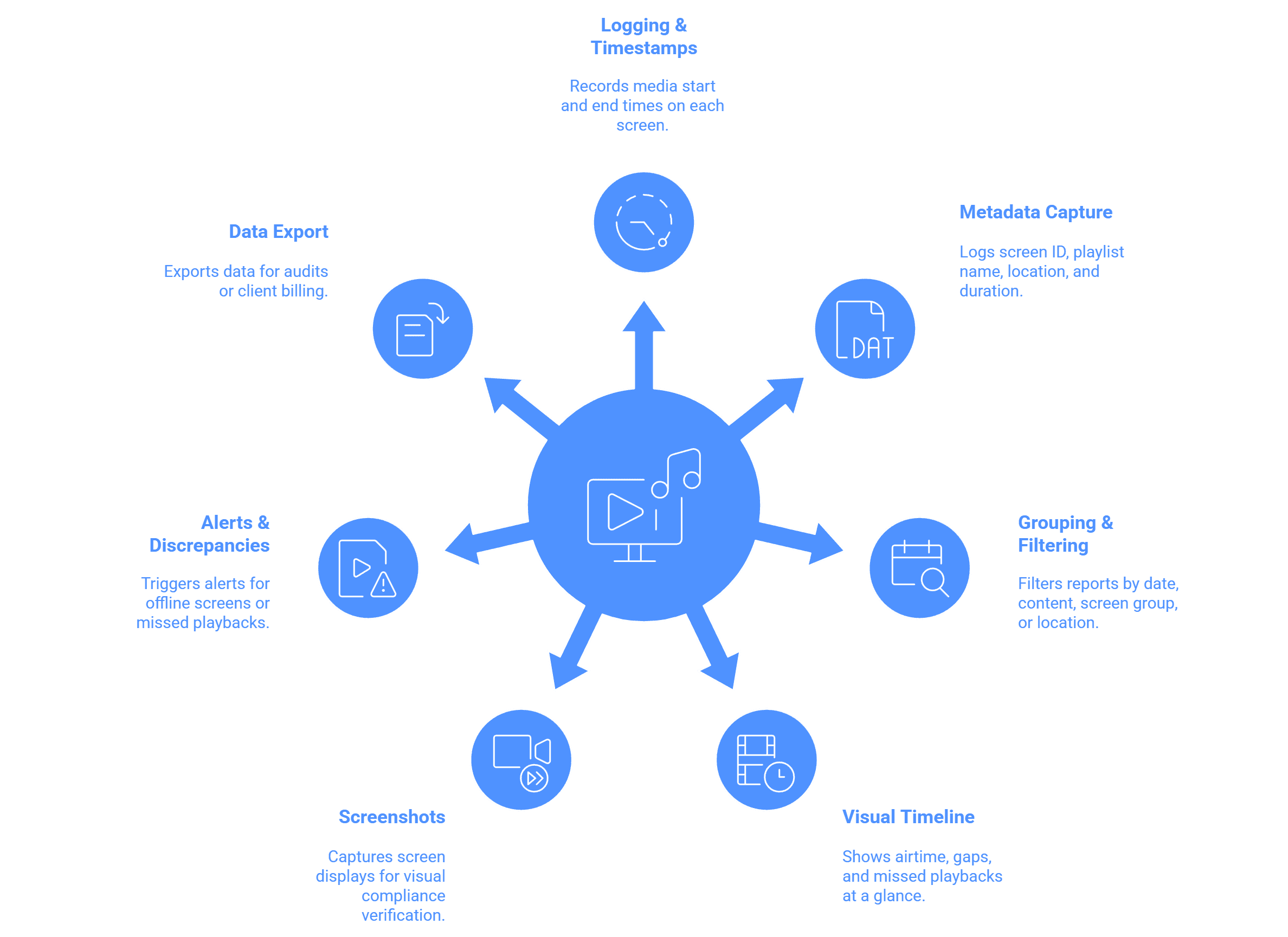
- Logging & timestamps : The signage software records each media item’s start and end times on each screen.
- Metadata capture : It logs screen ID, playlist name, location, duration, and perhaps snapshot/image captures.
- Grouping / filtering : You can filter reports by date, content item, screen group, or location.
- Dashboard / charts / visual timeline : You see at a glance how much airtime each content got, gaps, or missed playbacks.
- Screenshots / snapshots : Some systems periodically capture what’s displayed on screen to verify visual compliance.
- Alerts / discrepancies : Alerts may be triggered if the screen was offline or the material did not play.
- Export / PDF / CSV : Data exporting for audits or client billing ought to be possible.
For example, "playback reporting (proof of play), player content screenshots, in map screen visualization" are among Wilyer's features.
Other signage blogs explain that you can “pull proof-of-play reports for compliance, verify campaigns ran on time, sort by content / date / screen group”
Analytics frequently extend beyond evidence of play:
- Engagement metrics (if sensors or touch are employed)
- Heatmap or dwell time (in advanced systems)
- Content performance comparison (which advertisements had more views or played)
- Error / downtime stats (screen offline, content failed to load)
- Utilization / content frequency (screen offline, content not loading)
Want to learn more about tracking and monitoring capabilities? Explore the digital signage software features that power analytics, uptime reports, and proof-of-play tracking.


