

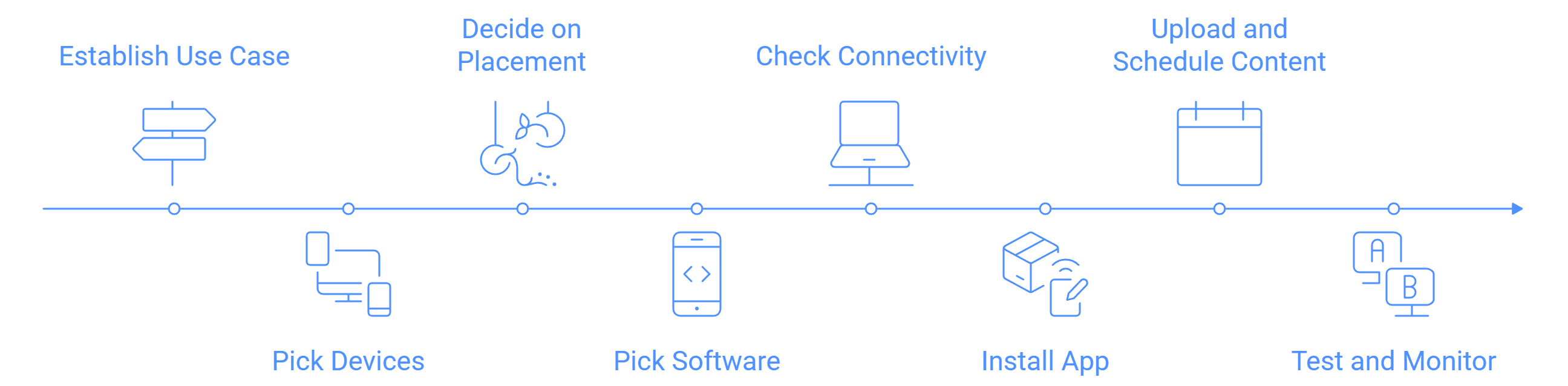
Claiming digital signs in your firm is easy as long as you follow these simple steps:
- Establish your use case - The primary purpose, displaying menus, advertisements, announcements or electronic guides is what you need to define first.
- Pick your devices - Decide the type of screens you want, the options are: Public Displays or Digital Signage Screens (moderately priced and durable).
- Commercial displays (Samsung, LG, Philips, Panasonic).
- LED boards for large areas.
- Special displays like shelf-edge or kiosks.
- Decide on placement - Where will the screens be installed? High footfall areas like entrances, checkout counters, or waiting lounges work best.
- Pick the software - Install a digital signage CMS like Wilyer (or similar). The application will assist you in the management, scheduling, and updating of the content.
- Check connectivity - Check each device and ensure they automatically connect to a preferred Wi-Fi and/or LAN after being rebooted.
- Install the app - On each screen device, the signage app needs installation.
- Upload and schedule content - Through your CMS portal, videos, images, and playlists can be uploaded and scheduled to play at designated times and days.
- Test and monitor - Take screenshots, review, and verify reports to ensure everything functions properly.
Optional: Custom fabrication needs to be planned early, kiosks and mounts for example.
Following the outlined steps, digital signage can be made operational in a few hours.


