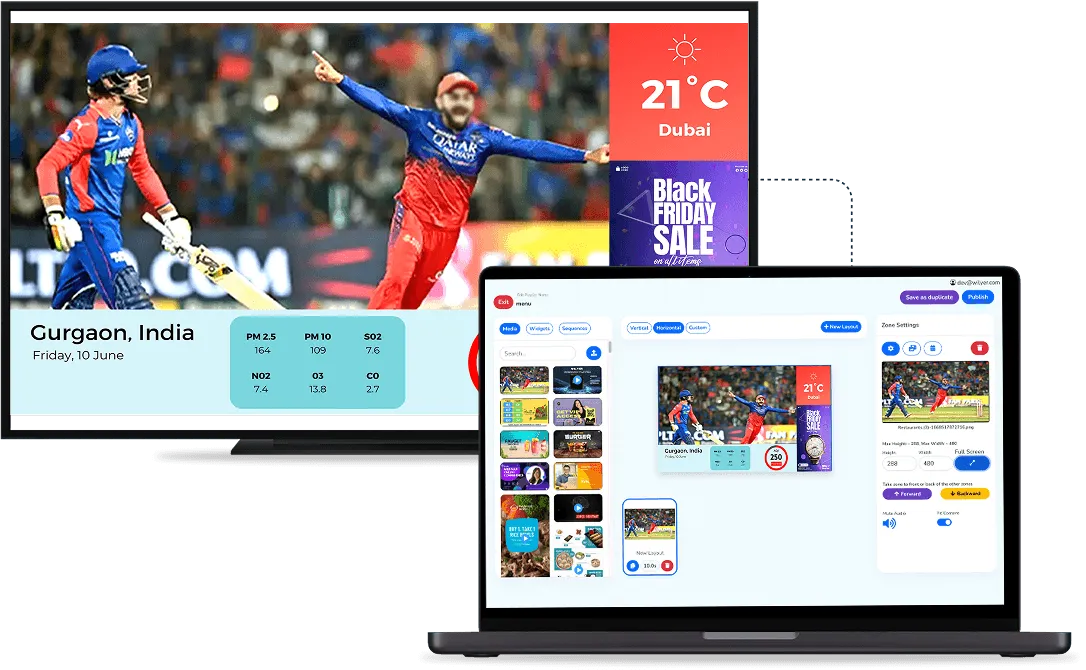
An advertiser calls and asks whether their campaign is running. The screen is forty kilometres away in a mall, and without a way to look, your answer is a guess. A live screenshot turns that guess into something you can check in seconds. Our guide to DOOH advertising in India covers monitoring a whole network. This page covers the screenshot itself.
What Does a Screenshot Show That Other Checks Do Not?
Most dashboards already tell you a lot about a screen. Each check answers a different question:
- Screen status: whether the screen is active or inactive, that is, connected to the network.
- Download status: whether new content has finished downloading to the screen.
- Live screenshot: what a person standing in front of the screen sees at this moment.
The first two can look fine while the third shows a problem: the screen is online and the files have arrived, yet the picture is the wrong campaign, a blank area or an old offer. Only the screenshot shows the screen the way the public sees it.
When Is a Live Screenshot Worth Taking?
- An advertiser asks: you look while they are still on the phone, instead of promising to check tomorrow.
- A new campaign starts: you confirm it landed on the right screens within minutes, without a site visit.
- A report looks wrong: you see what the screen is really doing before you send anyone out.
- The site is far away: a check from your desk replaces a half-day trip.
A simple habit helps: take a screenshot on the first morning of every new campaign and save the ones you send. Over time this builds a short history you can point to if an advertiser later questions a date or a screen.

Is a Screenshot the Same as Proof of Play?
No. A screenshot shows one moment on one screen. Proof of play is a log of every play: which ad ran, on which screen, how many times and when. The two work together. Send the play log as the record of the campaign, and add a screenshot of the ad on screen as visual proof. Our answer on how proof of play works explains the log in more detail.
Be clear with advertisers about what each one proves. A screenshot proves what was on screen when you looked. It does not show who saw the ad, and neither does a play log. If an advertiser wants regular visual proof, agree in the booking how many screenshots they get and when, so the expectation is set before the campaign starts.
What Should You Set Up Before You Rely on It?
- Who checks: decide who in the team looks at screens and who talks to advertisers, so a question is answered by one person, not three.
- What you keep: when a screenshot goes to an advertiser, save it with the screen name, the date and the time.
- How often: treat it as a spot check for new campaigns and complaints, not a replacement for the play log.
- Names that help: a screenshot is only useful if you know which screen it came from, so name screens by site and position.
For a small network you can walk around, this matters less. For a media owner with screens across airports, malls and roadside sites, being able to look at any of them from a desk is the difference between answering a question and promising to find out. See the other monitoring tools on our DOOH advertising software page, or book a demo and take a screenshot of a screen yourself.