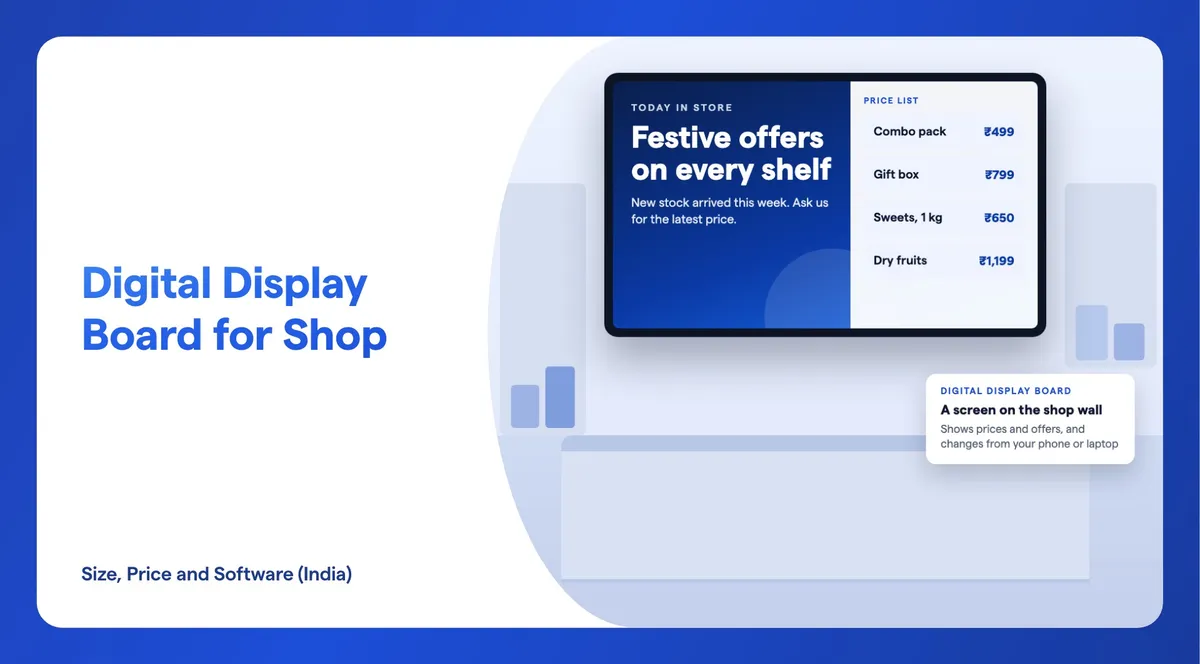
A digital display board for a shop is a screen on the wall, above the counter or in the window that shows your prices, offers and new stock. You change it from a phone or laptop instead of printing a new board. Most shops need a 32 or 43 inch screen. On 16 November 2026, a 43 inch smart TV running Android or Google TV cost ₹13,699 to ₹27,799 on Flipkart, and a 43 inch wall-mount signage display cost ₹38,363 to ₹53,350 from online stores. Software to change the screen is a separate monthly cost: Wilyer Pro is ₹1,200 + GST per screen a month.
Prices in this guide are as of 16 November 2026, from Flipkart and two brand stores, limeberry.in and navkarsys.com. Wilyer does not sell display boards, TVs or any other hardware. We make the software that runs on them, and every screen price here comes from another seller. Prices change often, so treat them as a guide and ask for a written quote.
What Is a Digital Display Board for a Shop?
In India, "digital display board" covers two different things, and the price gap between them is large, so it helps to know which one you want.
- A screen display board: a TV or a commercial display on the wall or counter. It shows pictures, videos and price lists in full colour, like a poster that can change. This is what most of this guide is about.
- An LED message board: a strip of LEDs that scrolls a line of text, such as "Sale today" or your shop name. Many are sold for outdoor use and cost much less, but a message board cannot show a product photo or a video. It usually comes with its own controller, and you send the text to it over Wi-Fi or USB.
There is also the floor-standing digital standee, a portrait screen on a stand at the entrance. We cover standee prices in a separate guide, so this one sticks to screens on the wall, the counter and the window.
A screen display board has three parts. The screen shows the content. The player runs it, either as an app inside the screen or as a small box plugged into it. The software decides what plays and when, and lets you change it without visiting the screen. Wilyer is that software. For what screens do for a business beyond prices, see the main benefits of digital signage.
Which Size Display Board Suits Your Shop?
Choose the size from the distance at which people read the screen, not from the size of the wall. Our display size guide gives a simple rule: if viewers are closer than 3 metres, 32 to 43 inches is fine; if they are 5 metres or more away, choose 55 inches or larger. For most indoor business uses, a 43 inch screen is the safe middle choice.
| Where the screen goes | Who reads it, from where | Size |
|---|---|---|
| Billing counter or service desk | Customers waiting at the counter, close up | 32 to 43 inch |
| Wall behind the counter in a small shop | People inside the shop, under 3 metres away | 43 inch |
| Main wall of a large store or showroom | People walking in, 5 metres or more away | 55 inch or larger |
| Shop window, facing the street | Passers-by outside | 43 to 55 inch, with high brightness |
Two more choices change what you buy:
- Brightness. Indoors, 300 to 500 nits is enough. A screen that faces a bright window needs more: the size guide suggests 600 to 1,000 nits, and our window display guide explains why screens in direct sun go up to 1,000 to 4,000 nits. An ordinary TV behind shop glass in daylight can look washed out.
- Portrait or landscape. A landscape screen suits a price list or a wide banner. Portrait suits a narrow wall beside a door or a tall product picture. Check that the screen supports portrait mounting before you hang it on its side.
Smart TV or Commercial Display: Which Should a Shop Buy?
A smart TV is enough for many shops. A commercial display, sold as a signage display or an advertising display, is built for longer hours and business use. The picture is not the difference. Our full guide to the smart TV vs commercial display choice compares them on warranty, rated hours, brightness and price. In short:
- A smart TV is enough when the screen runs during shop hours, hangs indoors in landscape, and you can replace it quickly if it fails.
- A commercial display is worth it when the screen stays on 16 to 24 hours, faces a bright window, hangs in portrait, or you are putting screens in many branches.
Read the warranty before you choose a TV. Samsung's and LG's consumer TV warranties in India exclude commercial use, so a home TV that fails in your shop is your cost, not the brand's. Signage displays sold online often state what a TV spec sheet leaves out: the NavKar Systems and Trueview wall-mount displays list 350 nits brightness and a built-in Android system. Samsung and LG publish no price for their commercial displays in India, so those are sold on a dealer quote.
Also check how the screen will run a signage app. An Android TV or Google TV installs the app from the Play Store; see how to turn an Android TV into digital signage. Any TV with an HDMI port can use a Fire TV Stick; see digital signage with a Fire TV Stick. Consumer Samsung and LG TVs install apps only from their own stores, so a plug-in player is the reliable route for those. A TV that is not smart at all works with a small Android player, set up as in our guide to converting a non-smart TV using USB.
How Much Does a Digital Display Board for a Shop Cost?
Here is what one screen costs, by size, as of 16 November 2026. The smart TV prices are Android TV and Google TV models, because those can run a signage app without an extra box. The signage display prices are indoor wall-mount displays without touch.
| Size | Smart TV (Android or Google TV) | Wall-mount signage display |
|---|---|---|
| 32 inch | ₹8,699 to ₹16,999 | ₹29,063 to ₹44,051 |
| 43 inch | ₹13,699 to ₹27,799 | ₹38,363 to ₹53,350 |
| 55 inch | ₹26,863 to ₹62,990 | ₹55,732 to ₹76,320 |

Where Do These Prices Come From?
These are the sellers at each end of every range, as of 16 November 2026.
| Size and type | Lowest | Highest |
|---|---|---|
| 32 inch smart TV | ₹8,699, Foxsky HD Ready Smart Android TV, Flipkart | ₹16,999, TCL V4C QLED HD Ready Google TV, Flipkart |
| 43 inch smart TV | ₹13,699, Foxsky Full HD Smart Android TV, Flipkart | ₹27,799, Motorola QLED 4K Google TV, Flipkart |
| 55 inch smart TV | ₹26,863, Coocaa Y74 Plus 4K Google TV, Flipkart | ₹62,990, Sony BRAVIA 2 II 4K Google TV, Flipkart |
| 32 inch signage display | ₹29,063, Limeberry SP321-WD, limeberry.in | ₹44,051, Trueview E-Series 32 inch, Flipkart |
| 43 inch signage display | ₹38,363, Limeberry SP431-WD, limeberry.in | ₹53,350, NavKar Systems T291095-A, navkarsys.com |
| 55 inch signage display | ₹55,732, Trueview E-Series 55 inch, Flipkart | ₹76,320, NavKar Systems T291096-A, navkarsys.com |
Prices are for one screen. Some sellers include GST and some do not, so ask for the full price with GST, delivery and the wall mount before you compare.
What Does an LED Message Board Cost?
A scrolling LED board costs far less than a screen. On Flipkart on 16 November 2026, an AL-QURAISH P10 green running-text board of 96 by 16 cm with Wi-Fi sold for ₹5,996, and an AJE 4 by 1 feet yellow scrolling board operated over Wi-Fi sold for ₹9,680. These boards show text and simple patterns. They usually come with their own controller and need no signage software: Wilyer is software for TV and display screens, not for LED message boards. Full-colour LED walls that play video are priced by the square foot instead; our LED screen price per square foot guide covers those.
What Else Will You Pay For?
- A player, only if the screen cannot run the app itself. An Android or Google TV needs none.
- A wall mount and installation, unless the seller includes them. Our digital menu board cost guide lists player, wall mount and installation prices from October 2026.
- Software, if you want to change the screen from your phone or laptop. Wilyer Pro is ₹1,200 + GST per screen a month, or ₹12,000 + GST per screen a year. See pricing for current plans.
- Electricity, for the hours the screen stays on.
Compare the cost over three years, not just the price on the day. A cheap TV that is not covered for shop use can cost more after one failure than a signage display would have cost at the start.
What Does Display Board Software Do?
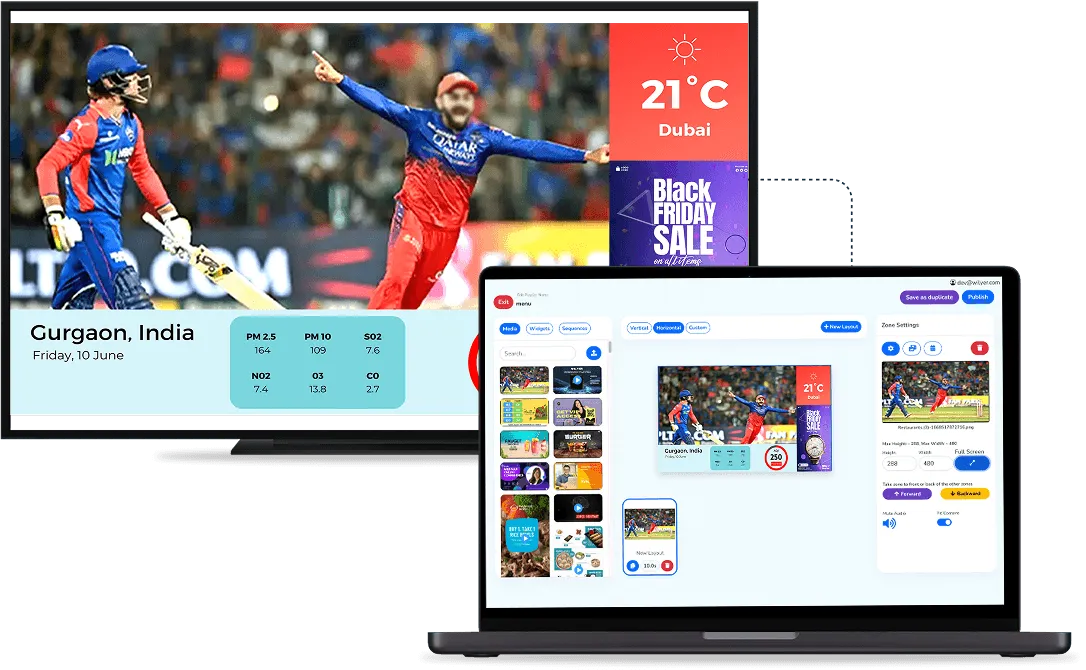
Without software, most screens play whatever is on a USB stick, and every change means a trip to the screen. With digital signage software, you change the screen from a dashboard on your phone or laptop. In Wilyer, that means you can:
- Upload images, videos, PDFs and web pages, and arrange them into playlists.
- Schedule what plays and when, for example a breakfast offer until 11:00 or a festival sale that starts and ends on set dates. Our FAQ explains how content scheduling works.
- Update every screen at once, in one shop or across all your branches, from one dashboard.
- Keep playing when the internet drops. The screens play from their own stored copy, so the board does not go blank, and the Wilyer app starts by itself after a power cut.
Wilyer runs on Android, Windows, Samsung Tizen, LG webOS, Amazon Fire TV, ChromeOS and Raspberry Pi, so it works on many screens a shop already has or buys. It runs more than 20,700 screens in 350+ cities. A scrolling LED message board is a different product: it usually comes with its own controller, and Wilyer does not run on it.
Cloud, On-Premise or USB: Which Suits a Shop?
Wilyer comes in three forms. Most shops want the first.
- Cloud. You manage screens from anywhere through a web dashboard. This is Wilyer Pro: ₹1,200 + GST per screen a month or ₹12,000 + GST a year, after a 14-day free trial on 15 screens with no credit card. There is no free plan.
- USB. USB-based digital signage works on Android displays with no internet. You load content on a pen drive, plug it in, and it plays on a loop. It suits one screen whose content changes rarely, or a shop with weak internet.
- On-premise. On-premise digital signage runs on your own server and plays over your local network, with a one-time licence. It is built for large organisations that want their data on site, and a single shop rarely needs it.
How Do You Change What the Display Board Shows?
With cloud software, changing the board needs no visit to the screen. The setup is a one-time job:
- Sign up for the free trial on a phone or laptop.
- Install the app on the screen and pair it with your account. On an Android or Google TV, install it from the Play Store. On another TV, plug in a Fire TV Stick or a small player first.
- Add your content. Upload photos of products, a price list made in any design tool, or a short video, and put them in a playlist.
- Set the schedule and publish. The screen starts playing.
After that, a change is a matter of editing the playlist and publishing again: a new price, a new offer or a new product photo reaches the screen from wherever you are. Our guide to playlists shows each step. With USB, you copy the new files to the pen drive and plug it back into the screen. With an LED message board, you send the new text to its controller over Wi-Fi or USB, as its seller explains.
What Should a Shop Show on Its Display Board?
Show what helps a customer decide in the few seconds they look at the screen. Good starting points:
- Prices and today's offers, large enough to read from where people stand.
- New stock, with a clear photo and the price.
- Festival and season sales, scheduled to start and stop on the right dates.
- A short product video, with no sound needed to understand it.
- Shop details: opening hours, the payment methods you accept and your phone number for orders.
Keep each slide simple: one message, a few words and a price. For more ideas, read how digital signage helps retail stores increase sales.
What Should You Check Before You Buy?
Ask these questions before you pay for any screen, and get the answers in the quote:
- Size for the distance: 32 to 43 inch if people read it from under 3 metres; 55 inch or more from 5 metres.
- Brightness for the spot: 300 to 500 nits indoors, and far more for a screen that faces the window.
- How the software runs: an Android or Google TV installs the app; other screens need a player.
- Warranty for shop use: ask in writing whether the warranty covers business use.
- Power cuts: unplug the screen, plug it back in, and check that it switches on and the content comes back by itself. Also turn off any eco or auto power-off timer.
- The full price: one unit, with GST, delivery and the wall mount included.

Frequently Asked Questions
What Is a Digital Display Board for a Shop?
It is a screen on the wall, the counter or in the window that shows prices, offers and new stock, and that you change from a phone or laptop instead of printing a new board. It can be a smart TV, a commercial signage display or, for text only, a scrolling LED message board.
Which Size Display Board Is Best for a Small Shop?
A 32 or 43 inch screen suits most small shops, because customers read it from under 3 metres. Choose 55 inches or more only when people read the screen from 5 metres or further, such as across a large store.
How Much Does a Digital Display Board Cost in India?
On 16 November 2026, a 43 inch Android or Google TV cost ₹13,699 to ₹27,799 on Flipkart, and a 43 inch wall-mount signage display cost ₹38,363 to ₹53,350 from online stores. A scrolling LED message board cost ₹5,996 to ₹9,680. Software is extra: Wilyer Pro is ₹1,200 + GST per screen a month.
Can I Use a Normal TV as a Display Board for My Shop?
Yes. An Android or Google TV can install a signage app from the Play Store, and any TV with an HDMI port can use a Fire TV Stick or a small player. Check the warranty, though: Samsung and LG consumer TV warranties in India exclude commercial use.
How Do I Change What My Shop Display Board Shows?
With cloud signage software, you upload images or videos to a playlist from your phone or laptop and publish it, and the screen updates without a visit. With a USB setup, you copy new files to a pen drive and plug it in. An LED message board takes new text through its own controller.
Does a Digital Display Board Need Internet?
Not to keep playing. Wilyer screens play from their own stored copy when the internet drops, and USB-based signage needs no internet at all. You need a connection only to send new content to a cloud-managed screen.
Does Wilyer Sell Digital Display Boards?
No. Wilyer makes digital signage software and does not sell screens, TVs, LED boards or players. You buy the screen from any seller or use one you already have, and Wilyer runs on it if it uses a supported system such as Android, or through a small player connected by HDMI.
Getting Started
Start with the screen you have, or the cheapest one that fits your distance and light. If it runs Android or Google TV, install the app and try it on your own shop content with the 14-day free trial: 15 screens, no credit card. See how Wilyer works for retail digital signage, or book a demo if you are planning screens for several branches.