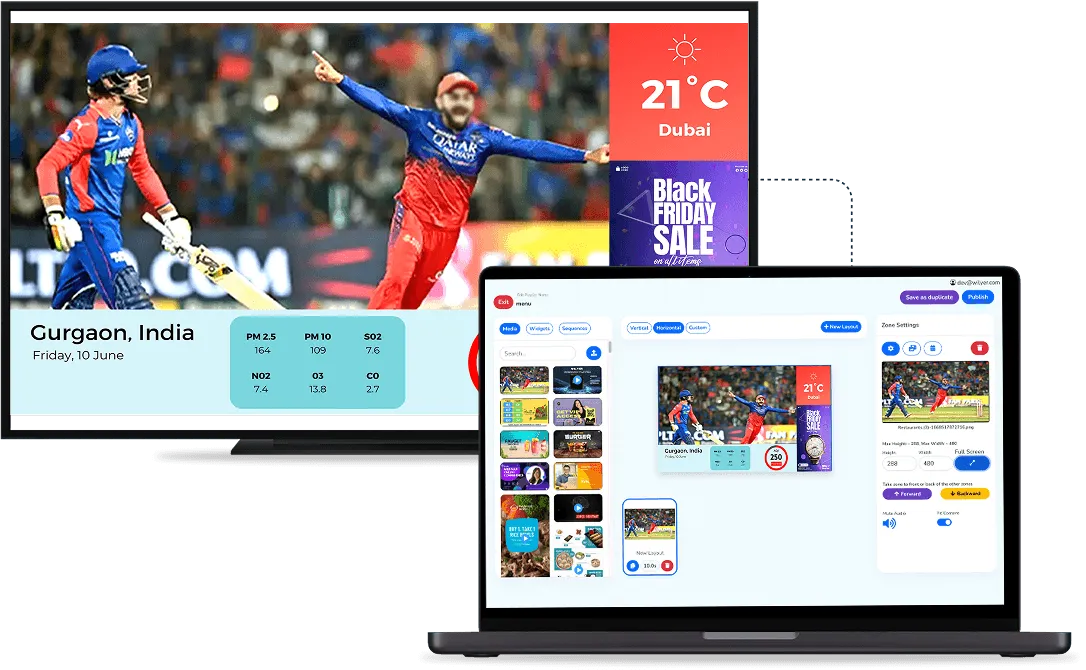
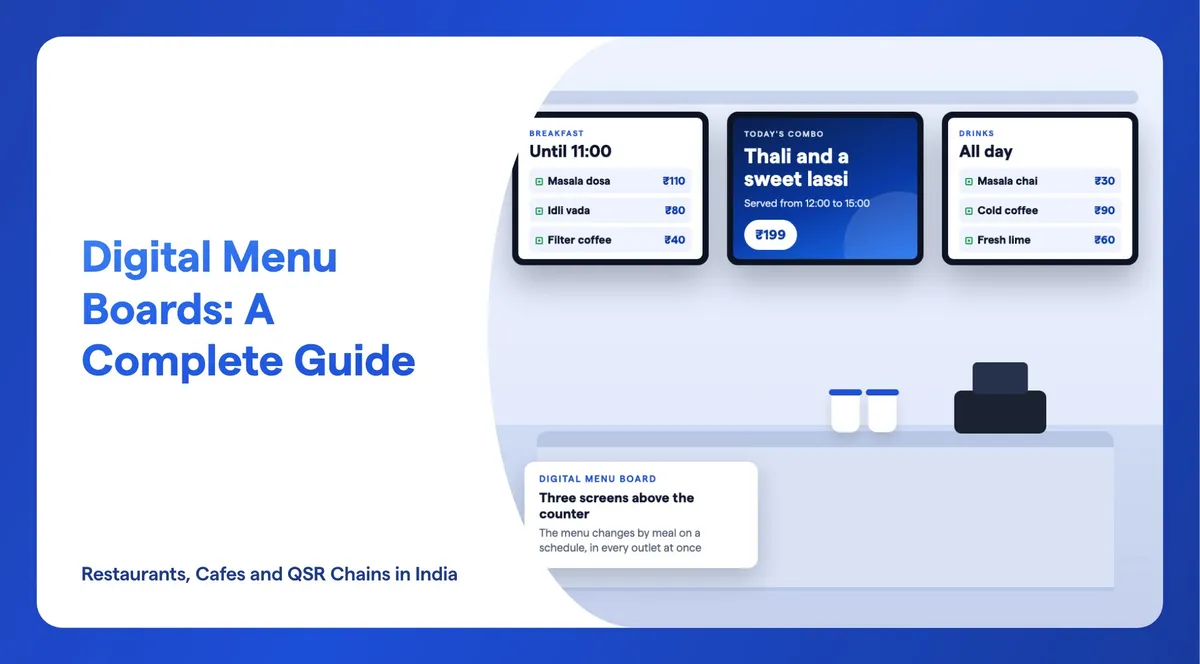
A digital menu board, also called an electronic menu board or a menu display board, is a screen at the counter that shows your menu, prices and offers. You change it from a phone or laptop instead of sending a new board to the print shop. For restaurants, cafes and QSR chains in India, it comes down to six decisions: how many screens, which way they face and where they hang. The other three are the text size, what each screen shows through the day, and the software that keeps every outlet on the same prices. This guide takes each in turn and links to our detailed guides for the steps.
Wilyer makes the software that runs digital menu boards, and its own WillBox media player. The screens come from any seller, or you can use the TVs you already have.
What Is a Digital Menu Board, and How Does It Work?
A digital menu board has three parts: a screen, a player that runs the menu (an app inside a smart TV, or a small box plugged into the screen) and software that decides what plays and when. You design the menu once and publish it, and every screen in the group shows it. When a price changes, you edit it in one place.
Because the menu lives in software, it can do what a printed board cannot. It switches from breakfast to lunch on its own, runs an offer only in the hours it applies, and keeps one store or fifty on the same prices. For a short definition with examples, read what a digital menu board is. If you are still deciding whether to replace printed boards, our comparison of digital menu boards and printed menus sets out the trade-offs.
Is a Digital Menu Board the Same as a Digital Menu on a Phone?
No. In India, a "digital menu" or a "digital menu card" usually means a menu that diners open on their own phone at the table. This guide covers the other kind: a screen in the outlet that the whole queue reads at once, before anyone orders.
The two do different jobs. A phone menu suits table service, where each diner reads at their own pace. A menu board suits the counter, where people choose while they wait and everyone sees the same offers and combos. Many outlets use both: a board at the counter, and a printed or phone menu at the table. Wilyer is software for the screen kind, not for menus on a phone.
How Many Menu Screens Does an Outlet Need?
Count screens from your menu, not from the size of the wall. A customer should find the category, the dish and its price in about three seconds, and that only works with 8 to 10 items on one screen. So the number of screens is roughly the number of items you show at one time, divided by 8 to 10.
Some common setups in Indian outlets:
- A cafe or kiosk with one short menu: one screen with 8 to 10 items and a small zone for today's offer.
- A QSR counter with burgers, wraps and drinks: two or three screens side by side, one per category, so the queue can read each one from where it stands.
- An outlet with a separate breakfast menu: the same screens show breakfast in the morning and lunch after it, so you do not need extra screens for each meal.
Two screens of 10 items are easier to read than one screen of 20. If the menu runs long, rotate categories through the day instead of squeezing more onto a screen.

Should a Menu Board Be Horizontal or Vertical?
Landscape is the usual choice for a menu board. It suits a wide counter and a row of screens side by side, and it gives each category a clear column. Portrait suits a narrow wall, an entrance or a single drinks menu.
Before you turn a screen on its side, check the spec sheet. Consumer TV spec sheets do not state portrait mounting, while commercial displays do. Our comparison of a smart TV and a commercial display covers portrait mounting, rated hours and the warranty. When portrait is right, these guides show the setup: using a TV as a vertical menu board and using a Fire TV Stick for a vertical menu.
Design for the shape you choose. Make landscape menus at 16:9 and portrait menus at 1080 by 1920 pixels, so photos are never stretched.
Where Should a Menu Display Board Go, and How Big Should It Be?
Hang the screens where the queue looks while it waits, usually above or behind the counter, and choose the size from the distance between the screen and the customer, not from the space on the wall.
| Where customers read the menu | Screen size |
|---|---|
| At the counter, from under 3 metres | 32 to 43 inch |
| A counter menu that must read clearly | 43 inch, or two screens side by side |
| From 5 metres or more, such as a large hall | 55 inch or larger |
Brightness matters as much as size. Indoors, 300 to 500 nits is enough. A screen facing a window or a bright entrance needs 600 to 1,000 nits, and a screen outdoors needs 2,000 nits or more to be read in daylight. Check the board at your busiest hour: a menu that reads well at night can wash out when the afternoon sun comes through the glass. Our guide to the best display size for digital signage covers sizes for other spaces too.
Think about the hours as well. A commercial display states its rated hours, 16/7 or 24/7, and a consumer TV does not. Samsung and LG consumer TV warranties exclude business use, while their commercial lines carry 3 years.
How Big Should the Text and Prices Be?
Allow about 2.5 cm of letter height for every 3 metres between the screen and the customer. Make prices as large as the dish names, never smaller and never tucked into a corner. Use no more than two fonts, and keep strong contrast: light text on a dark, plain background reads better than grey text over a photo.
A good balance is about two-thirds text and one-third pictures, with one strong photo per section. Then stand where your customers stand and run the three-second test: can you find the category, the dish and its price in about three seconds?
Menus in India need a few more details. Write prices as plain numbers with the ₹ sign, in a font that has the ₹ symbol, and put the veg or non-veg mark in front of each dish. If your business has a Central licence or 10 or more outlets, FSSAI's labelling rules also require the calories per serving and the serving size, plus allergen information. Do not show a service charge as compulsory: since 2022, central consumer guidelines say it cannot be added by default. Our step-by-step guide to making a digital menu board shows how to set each of these up in Wilyer.

What Should a Digital Menu Board Show?
Lead with what sells. Put your best sellers and highest-margin dishes first in each category, and give each meal one hero photo. Then add:
- Combos and meal deals, each shown as one price so customers can compare them at a glance.
- Today's offer in a small zone of its own, so it never pushes the menu off the screen.
- A ticker along the bottom for timings, a new dish or a festival notice.
- Live widgets, such as the weather or a clock, on screens that customers watch while they wait.
Give every festival or seasonal offer an end date when you create it. Without one, the Diwali combo is still on the screen in January. For more ideas by outlet type, see our digital menu board ideas for fast food and QSR outlets.
How Do You Change the Menu for Breakfast, Lunch and Dinner?
Make one playlist for each meal, each with its own menu design, and give each one its hours when you publish it. Set it as a daily routine, so breakfast plays from opening to late morning, lunch takes over at midday and the evening menu runs to closing, every day, without anyone touching the screen.
The same settings handle the rest of the week. A weekend brunch menu can run on Saturday and Sunday only, an afternoon tea offer only in the hours it applies, and a festival menu until its end date. Our answer on whether menu board software can change menus automatically explains the settings and the checks to run before you rely on them.
An Indian outlet may serve idli and dosa in the morning and thalis at lunch, and one set of screens can carry all of it.
Should the Menu Be in Hindi or a Regional Language?
Show the menu in the languages your customers read. Wilyer can show a menu in more than one language. Put Hindi or your state's language above the English name, use a font that includes the script, and check the result on the real screen. A font without the script or the ₹ sign shows empty boxes instead of letters.
A second language takes space, so it is one more reason to keep each screen to 8 to 10 items. If the board gets crowded, give the second language its own line under each dish rather than shrinking both.
How Do You Plan a Cafe or Coffee Shop Menu Board?
A cafe menu is short, so one screen above the counter is often enough. The difference is the drinks. Show each drink on one row with a price column for each cup size, so three sizes take one row instead of three and more drinks fit in the 8 to 10 rows a screen can carry.
Coffee, tea and breakfast sell in the morning and cold coffee and shakes later in the day, so let the same screen switch on a schedule. Put seasonal drinks in the offer zone. A narrow wall behind the counter often suits one portrait screen. Our guide to digital menu boards for cafes and small restaurants covers the rest for a single outlet.
How Do You Keep Prices the Same Across Outlets?
Publish from one place to every outlet at once. Put the screens of each outlet into screen groups, by city, region or format, and publish the menu to the group: the same change reaches one store or fifty.
- Test before you roll out. Publish a new menu to one outlet first, check it from the queue, then publish it to the group.
- Decide who can change prices. Wilyer has role-based access and an approval step, so a price change can need a second person's approval before it goes live. An activity log shows who changed what.
- Schedule price changes. Give a new price list a start date, so every outlet switches on the same morning.
- Keep regional prices apart. If one city charges more, give its outlets their own group and playlist rather than editing screens one by one.
For chains, our page on restaurant digital signage shows how the same system runs menu boards, offers and other screens across outlets.
Which Player Should Run a Digital Menu Board?
The player is what runs the menu on the screen. If your TV runs Android or Google TV, the app installs from the Play Store and you need nothing else. Otherwise, a player plugs into the screen's HDMI port. These are the main options:
| Player | How it runs the menu | Best for |
|---|---|---|
| Smart TV app (Android or Google TV) | Install the app from the Play Store on the TV itself | A few screens at the lowest cost |
| Fire TV Stick | Plugs into any TV with HDMI; install the app from the Amazon Appstore | Turning an existing TV into a menu board |
| Amazon Signage Stick | A media player built for digital signage that plugs into HDMI and runs Wilyer in kiosk mode; sold in the US, Canada, the UK, Germany, France, Italy and Spain | Outlets in those countries that want a dedicated signage player |
| WillBox (Wilyer's own player) | Plugs into HDMI and ships paired to your account; built for 24/7 operation, restarts itself if the app stops, 2-year warranty | Screens that run all day, every day |
Samsung and LG consumer TVs install apps only from their own stores, so a plug-in player is the simpler route for them. Our guides show how to turn any TV into a digital menu board and how to set up a Fire TV Stick menu board. You can read more about the Amazon Signage Stick with Wilyer and the WillBox media player.
What Does a Digital Menu Board Cost in India?
Most of the cost is the screen. In October 2026, a 43 inch 4K smart TV cost ₹21,499 to ₹31,999 in India. Software is a monthly or yearly cost per screen: Wilyer Pro is ₹1,200 + GST per screen a month, or ₹12,000 + GST a year. A player, a wall mount, electricity and GST make up the rest.
Our digital menu board cost guide for restaurants breaks down every item, from a single cafe screen to a 10-outlet chain, with the running cost per month.
How Do You Choose Digital Menu Board Software?
Choose software for the menu you will run in a year, not just the first screen. Check that it:
- Runs on the screens and players you have, such as Android and Google TV, a Fire TV Stick, Windows, Samsung Tizen, LG webOS or a dedicated player.
- Schedules by day and hour, so menus switch for breakfast, lunch and dinner on their own.
- Publishes to screen groups, so one change reaches every outlet.
- Has roles and an approval step, so not everyone can change a price.
- Keeps playing when the internet drops.
- Shows Hindi, state languages and the ₹ sign correctly.
- Comes with menu templates and a design editor, so you do not start from a blank screen.
- Shows which screens are online and what each one is playing.
- Lets you try it on your own screens before you pay.
Wilyer's digital menu board software covers each point. You can try it with a 14-day free trial on 15 screens, with no credit card, and compare plans on the pricing page. Prices exclude GST, and there is no free plan.

Is a Digital Menu Board Worth It for Your Outlet?
For a single outlet, it depends on how often your menu and prices change. If you reprint boards often, a screen saves the printing and the wait for the new board. If your menu never changes, a printed board may be all you need.
For a chain, the case is consistency and speed: one change, every outlet, the same morning. Our posts on the 8 advantages of digital menu boards and on why restaurants are switching to digital menu boards set out the wider case.
Frequently Asked Questions
How Many Items Should a Digital Menu Board Show?
Keep each screen to 8 to 10 items, so a customer can find the category, the dish and its price in about three seconds. If the menu is longer, add a second screen or rotate categories through the day rather than making the text smaller.
Can I Use a Normal TV as a Digital Menu Board?
Yes. An Android or Google TV can install the app, and any TV with an HDMI port can run it through a Fire TV Stick or a small player. For a screen that runs every day from opening to closing, check the warranty: Samsung and LG consumer TV warranties exclude business use.
Can a Digital Menu Board Show the Menu in Two Languages?
Yes. Wilyer can show a menu in more than one language. Put Hindi or your state language above the English name, use a font that has the script and the ₹ sign, and check the menu on the real screen before you publish it.
What Happens to a Digital Menu Board If the Internet Goes Down?
It keeps playing. The screen plays the menu it last downloaded from its own storage, and new changes reach it when the connection returns.
How Do I Update Menu Boards in Many Outlets at Once?
Group the screens by outlet, city or region and publish the menu to the group. Test it on one outlet first, then publish to the rest, and use roles and an approval step so only the right people can change prices.
Does Wilyer Sell Menu Board Screens?
No. Wilyer makes digital signage software and its own WillBox media player. You buy the screens from any seller, or use the TVs you already have, and Wilyer runs on them.
Getting Started
Start with your menu, not the screens. List the items, group them by meal, plan 8 to 10 per screen and measure how far the queue stands from the wall. Then choose your screens and player, and build your first menu with Wilyer's digital signage software. If you run several outlets, book a demo and we will walk through a setup for your chain.