Yodeck vs ScreenCloud
Go beyond templates. Wilyer offers full deployment control, live screen tracking, and branch-level management for serious growth.
Join businesses worldwide using Wilyer for seamless digital signage management.
























Verdict
Which should you choose?
Pick Yodeck if…
You want the most capable content tool of the three and your screens are on the public internet. Yodeck covers 66% of the 167 capabilities, the highest here, and leads on content types, playlists and design.
Pick ScreenCloud if…
Your screens exist to surface what is already in Teams, Outlook, Slack or Power BI. ScreenCloud covers 58% overall but owns the integration and identity side outright, including SCIM provisioning.
Pick Wilyer if…
Neither of the above is the hard part - keeping the screens running is. Both Yodeck and ScreenCloud are cloud-only, and Wilyer leads both on deployment +43, remote device management +35, remote settings +21, monitoring +33 and broadcasting +25.
That means cloud or your own server behind a VPN, uptime history and live screenshots per branch, offline alerts, remote brightness and volume, and Android kiosk lockdown. Wilyer covers 60% overall and is behind both on integrations, content types and API access.
Strengths
Where each platform wins
Both are real products built for different jobs. These are the areas each one genuinely leads on - match them against the job you need doing.
Yodeck strengths
- Broader content support - GIF, audio, Office files, video transcoding
- Deeper playlist control and a template gallery
- Data residency choice and published compliance documentation
- Public REST API and webhooks
ScreenCloud strengths
- The widest integration library - Google, Outlook, Teams, Slack, Power BI
- SSO/SAML plus SCIM automatic provisioning
- Broadest player coverage including macOS, iOS and BrightSign
- Meeting-room players and polished internal comms
Wilyer strengths
- Runs on your own server as well as the cloud - Windows 10/11, i5, 16 GB
- Multi-city VPN delivery, around 150 screens per on-prem box
- Uptime history, live screenshots and offline alerts on every screen
- Every remote device control compared: cache, diagnostics, Wi-Fi, downloads
- Android kiosk lockdown, remote brightness, volume and screen power
- Live broadcasting to every screen, including over a private VPN
Feature by feature
Where the platforms differ
116 of the 167 capabilities we checked come out differently on at least one platform - those are the rows below. The remaining 51 are supported by all of them and are listed together at the end.
- Yodeck
- Screencloud
- Wilyer
View the numbers as a table
| Area | Yodeck | Screencloud | Wilyer |
|---|---|---|---|
| Deployment & Hosting | 36% | 29% | 79% |
| Security & Compliance | 50% | 67% | 42% |
| Content Types & Media Files | 92% | 50% | 46% |
| Built-in Live Widgets | 75% | 75% | 83% |
| Third-Party App Integrations | 41% | 77% | 14% |
| Layout & Design Tools | 90% | 85% | 65% |
| Playlists & Content Control | 94% | 78% | 44% |
| Scheduling & Timing | 78% | 67% | 67% |
| Content Publishing & Delivery | 86% | 57% | 86% |
| Remote Device Management | 65% | 65% | 100% |
| Remote Settings & Controls | 50% | 29% | 71% |
| MDM & Device Security | 69% | 19% | 75% |
| Network Monitoring & Alerts | 67% | 50% | 100% |
| Hardware & Player Platforms | 73% | 87% | 60% |
| User Management & Access Control | 75% | 81% | 50% |
| Analytics & Reporting | 57% | 43% | 57% |
| Advertising & Programmatic DOOH | 30% | 0% | 40% |
| Live Broadcasting | 25% | 75% | 100% |
| Interactive & Kiosk | 40% | 20% | 0% |
| API & Developer Tools | 42% | 17% | 0% |
| Capability | Yodeck | Screencloud | Wilyer |
|---|---|---|---|
| On-Premise / Self-Hosted Server | No | No | Yes |
| Multi-City VPN Connectivity (On-Prem) | No | No | Yes |
| Multi-Tenant / Reseller Architecture | Partial | Partial | Yes |
| Data Residency / Region Choice | Partial | No | No |
| Scalable Infrastructure (RAM / Storage) | No | No | Yes |
| AES-256 Encrypted Data Transport | Partial | No | Yes |
| SSO / SAML Federated Auth | Partial | Yes | No |
| SCIM Auto User Provisioning | No | Yes | No |
| Security / Compliance Documentation | Yes | Yes | Partial |
| Animated GIF | Yes | Yes | No |
| Video Server-Side Transcoding | Partial | No | No |
| Audio / Background Music | Yes | Yes | No |
| PDF Rendering / Display | Yes | No | Yes |
| PowerPoint / Word / Excel | Yes | No | No |
| Web Screenshot (static capture) | Partial | No | No |
| Custom HTML / JavaScript WebApp | Yes | No | Partial |
| Canva Direct Integration | Yes | No | No |
| AQI — Air Quality Index Widget | Unknown | No | Yes |
| RTMP Live Stream Widget | Partial | Yes | Yes |
| RTSP Live Stream Widget | Partial | Partial | Yes |
| HLS Live Stream Widget | Partial | Yes | Yes |
| Countdown / Event Timer Widget | Yes | Partial | No |
| Stocks / Currency / Financial Data | Partial | No | No |
| Google Calendar | Yes | Yes | No |
| Microsoft Outlook / Exchange Calendar | Partial | Yes | No |
| Microsoft Teams (streaming / channel) | Unknown | Yes | No |
| Slack Messages on Screen | Unknown | Yes | No |
| Grafana Dashboard | Partial | Yes | Partial |
| Google Sheets / Docs Integration | Yes | Yes | No |
| Instagram / Facebook Posts | Yes | Yes | No |
| Staffbase / Employee Comms | Unknown | Yes | No |
| Wayfinding / Navigation App | Unknown | No | No |
| HIS — Hospital Info System Integration | Unknown | No | Yes |
| External Database / Real-Time Data Binding NEW | Partial | Partial | No |
| Custom / Non-Standard Resolutions | Yes | Partial | Yes |
| Outdoor LED Wall Pixel Mapping | Partial | No | Yes |
| Built-in Design Editor (Canvas/Template) | Yes | Yes | Partial |
| Template Gallery / Pre-built Library | Yes | Yes | No |
| CSS Zone Customization | Partial | Yes | No |
| QR Code Generation in Content | Yes | Yes | No |
| Playlist Randomization / Shuffle | Yes | Yes | No |
| Content Expiry / Availability Dates | Yes | Yes | No |
| Find & Replace Media Across Playlists | Partial | Yes | No |
| Dynamic / Tag-Based Playlist | Yes | Yes | No |
| Playlist History / Deployment Logs | Yes | No | Yes |
| Nested / Sub-Playlists | Yes | No | No |
| Brightness Scheduling by Time Slot | Unknown | No | Yes |
| NTP Content Synchronization | Partial | Yes | Yes |
| Emergency Override / Priority Cast | Yes | Yes | No |
| Everlasting / Permanent Time Slots | Yes | No | No |
| Rule-Based Conditional Playback | Partial | No | No |
| Overwrite OR Append Mode | Partial | No | Yes |
| Content Delivery Acknowledgement | Yes | No | Yes |
| Content Approval Workflow | Partial | No | No |
| Clear Device Cache | Partial | Yes | Yes |
| Hardware Diagnostics (RAM / Storage) | Partial | Partial | Yes |
| IP Address & MAC Address View | Yes | Partial | Yes |
| WiFi Signal Strength Monitoring | Unknown | No | Yes |
| Content Download Progress Monitoring | Unknown | No | Yes |
| HDMI Screen Capture Input | Unknown | No | Yes |
| Live Playlist Data View from Screen | Partial | Partial | Yes |
| Remote Volume Control | Partial | Yes | Yes |
| Remote Screen Rotation | Yes | No | Yes |
| Remote Brightness Control | Unknown | No | Yes |
| Keep-On-Top Mode (prevent app switch) | Unknown | No | Yes |
| Tablet Mode Configuration | Unknown | No | Yes |
| HDMI-CEC Display On/Off | Yes | Yes | No |
| Serial Port / External Device Commands | Yes | No | No |
| Kiosk / Single-Purpose App Lock | Yes | No | Yes |
| Restricted Mode (block changes) | Yes | No | Yes |
| OTA Silent Background App Updates | Yes | No | Yes |
| Android Fast Boot / Auto-Start Player | Yes | Partial | Yes |
| Mass OTA Admin Bundle Delivery | Partial | No | Yes |
| Display / Panel Firmware OTA Update NEW | Unknown | Unknown | No |
| Device Deletion Lock / Protection | Unknown | No | No |
| Hourly Uptime History — 15 Days | Unknown | No | Yes |
| 30-Day Uptime History | Partial | Partial | Yes |
| Bulk Uptime Export (CSV / PDF) | Partial | No | Yes |
| Email Health Reports — Configurable | Yes | Partial | Yes |
| Linux | Partial | No | Yes |
| Raspberry Pi | Yes | No | Yes |
| macOS | Unknown | Yes | No |
| iOS / iPadOS | Unknown | Yes | No |
| BrightSign | Yes | Yes | No |
| Web Browser / PWA Player | Partial | Yes | No |
| Meeting Room Players (Teams/Zoom/Meet) | Unknown | Yes | No |
| Proprietary Hardware Box | Yes | Yes | No |
| Group-wise Content Scoping | Yes | Partial | Yes |
| SSO / SAML Federated Auth | Partial | Yes | No |
| SCIM Auto User Provisioning | No | Yes | No |
| Content Approval Workflow | Partial | No | No |
| Account Ownership Transfer | Yes | Yes | No |
| Hardware Logs (IP / MAC / Motherboard) | Partial | No | Yes |
| Content Delivery Confirmation Logs | Yes | No | Yes |
| Device Health / CPU / Memory Analytics | Partial | No | No |
| Screen Score / Content Quality Rating | Unknown | Yes | No |
| Amazon Kinesis Firehose Export | Unknown | No | No |
| Programmatic DOOH Integration | Unknown | No | Yes |
| VAST Tag Ad Server Support | Unknown | No | No |
| Advertising Playlist / Campaign Mgmt | Partial | No | No |
| Ad Impression Targeting | Unknown | No | No |
| Proof of Play for Advertisers | Yes | No | Yes |
| Live Camera Feed Broadcast | Unknown | Yes | Yes |
| Desktop Screen Capture & Broadcast | Unknown | Yes | Yes |
| Delivery over Private / VPN Network | No | No | Yes |
| Touch / Swipe Kiosk Interactivity | Yes | No | No |
| Interactive Navigation App | Partial | No | No |
| Sensor / IoT Trigger Playback | Partial | No | No |
| Audience Polls / Quizzes / Gamification NEW | Unknown | Unknown | No |
| Embeddable Channel / Playlist (iframe) | Unknown | Yes | No |
| REST API | Yes | No | No |
| GraphQL API | No | Yes | No |
| Webhooks | Partial | No | No |
| JavaScript / Web SDK | Partial | No | No |
| MCP (AI Agent) Integration | Unknown | No | No |
| Mobile Admin App | Partial | No | No |
- Yes - supported
- Partial - add-on or tier-gated
- No - not available
- Unknown - not publicly documented
Supported by both
These 51 capabilities are covered by every platform on this page, so they will not help you choose.
- Cloud Hosting
- White Label / Custom Domain
- HTTPS / TLS Transport
- Passkeys / Passwordless Login
- Images — PNG / JPEG / WebP
- Video — MP4 / WebM
- Google Slides Widget
- Website / URL Embed
- Clock / Time & Date Widget
- Weather Widget
- Scrolling Text / Ticker Widget
- RSS Feed Widget
- YouTube Video Widget
- Power BI Embedded Dashboard
- Drag-and-Drop Layout Builder
- Multi-Zone Screen Layouts
- Portrait & Landscape Orientation
- Video Wall / Multi-Display Layout
- Playlist Management (create / edit / loop)
- Manual Content Sequencing
- Playlist Preview (before publish)
- Time-of-Day Scheduling
- Day-of-Week / Date-Range Rules
- Zone-Level Independent Schedule
- Screen On / Off Scheduling
- Direct Media File Publishing
- Filter-Based Target (area / tag / name)
- Bulk Publish (100+ screens)
- Offline Content Caching
- Live Screenshot Capture
- Restart Signage Application
- Reboot / Restart Device OS
- Bulk Screen Actions (100+)
- Screen Profiling (location / tag)
- Licence Transfer / Reassign
- Scheduled App / OS Restart
- Online / Offline Status Dashboard
- Offline Device Alert / Notification
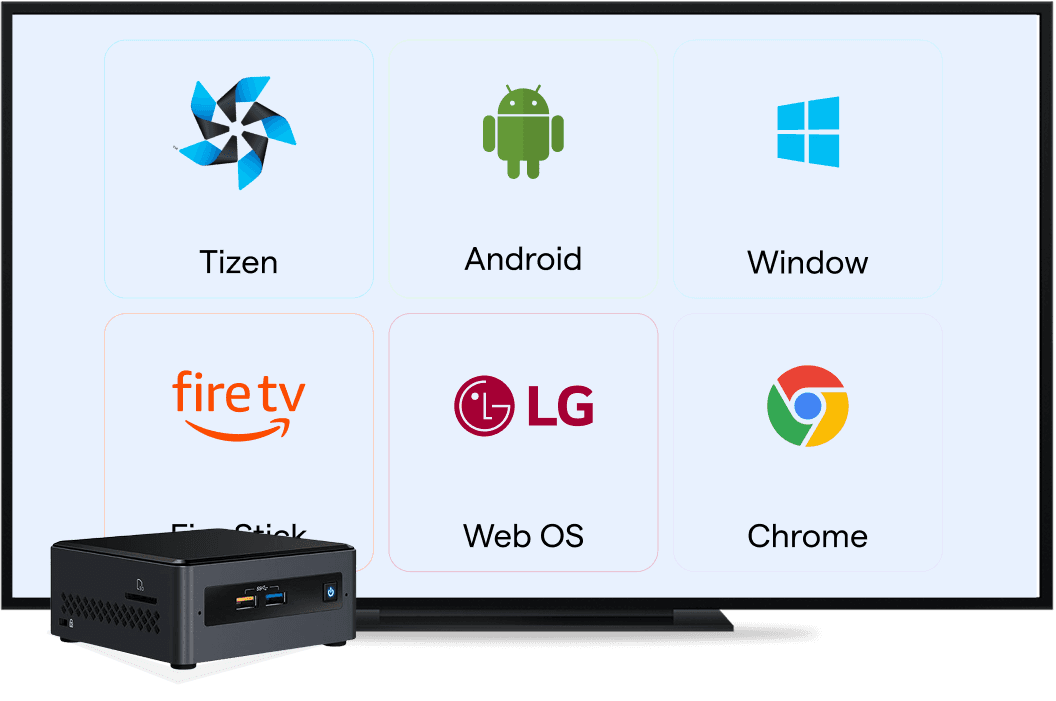
- Android
- Windows
- LG webOS (SoC)
- Samsung Tizen (SoC)
- Amazon FireStick / Fire OS
- ChromeOS / ChromeCast
- Auto-Start at Boot / 24×7 Loop
- Multi-Level User Roles
- Nested Group Hierarchy
- Team Member Assignment per Group
- Proof of Play Report (Excel / CSV)
- Audit Logs — User Action History
- Delivery over Public Network
Want to See It “Live”?
Book a free demo with our signage specialists and see Wilyer in real-time use cases.





Success Stories with Global Clients
Real-world deployments of seamless digital signage solutions in action.
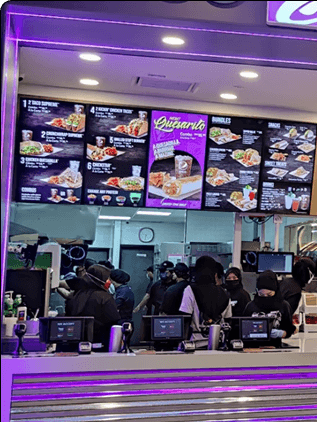
“Real-time menu updates and customizable designs improved brand consistency and restaurant operations.”
Taco Bell Malaysia
200+ screens across 50+ stores
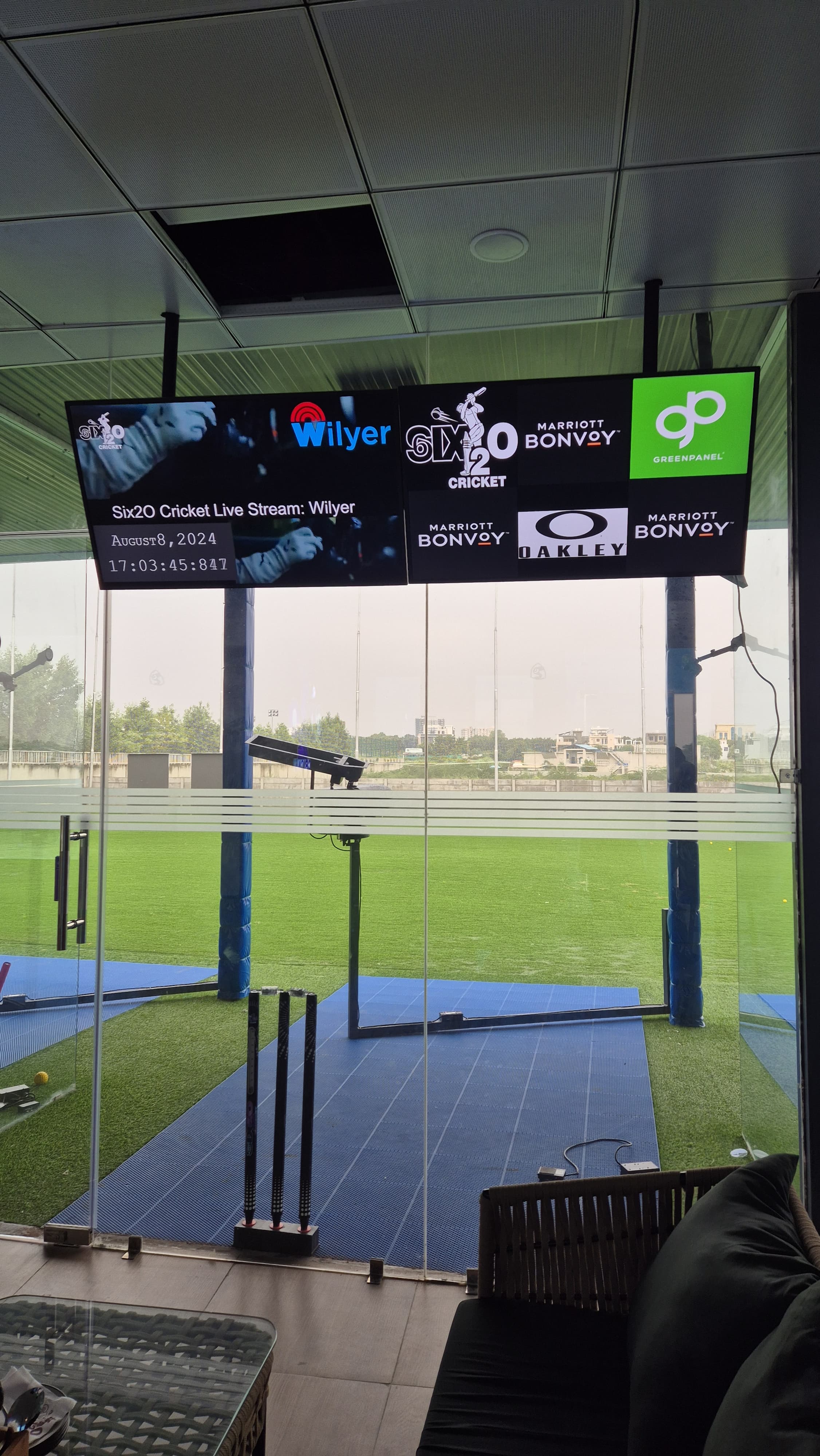
“Live broadcasts, player statistics, and integrated advertising elevated the spectator experience across 16 bays.”
Six2O Cricket
Live sports entertainment
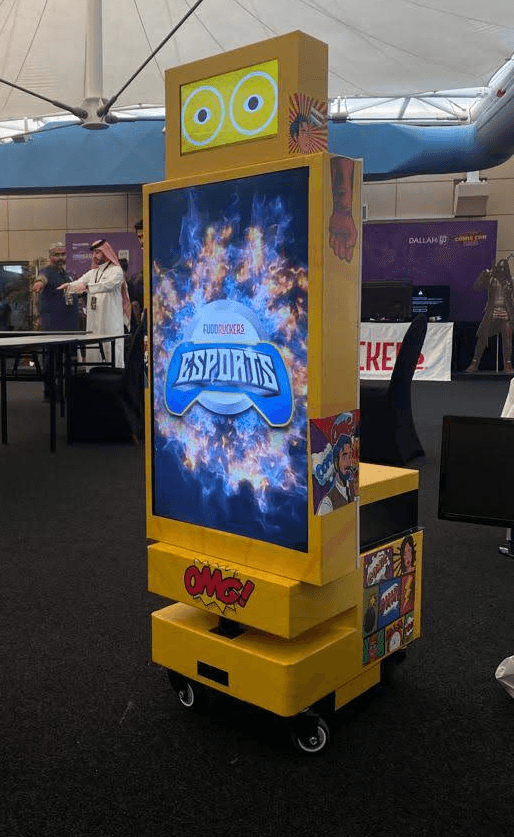
“More than 50 robotic screens turned airports and malls into dynamic, centrally managed advertising spaces.”
7amdaan.io
Interactive DOOH network, Bahrain
FAQ
Yodeck vs ScreenCloud - common questions
Straight answers on features, migration, and what changes when you switch. Still curious? Book a demo and we’ll walk through your specific signage stack.
Effortless Digital Signage with Wilyer
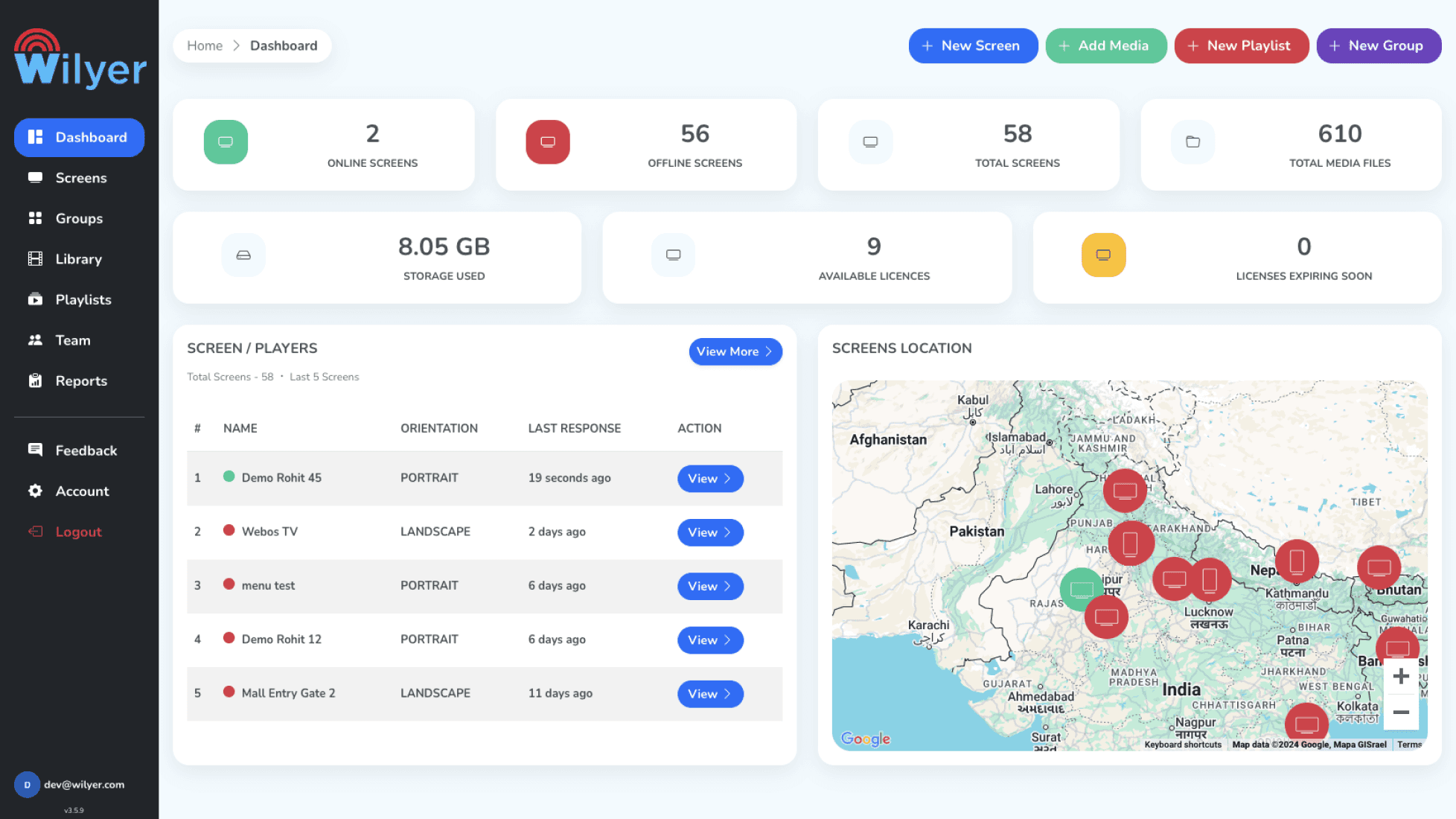
Wilyer brings powerful digital signage to your fingertips - no IT headaches, just fast setup, live monitoring, and total flexibility.
Keep comparing
Compare Wilyer to
Every comparison in one place - see how Wilyer stacks up against the rest of the digital signage market.
Yodeck Alternative
Compare →
ScreenCloud Alternative
Compare →
OptiSigns Alternative
Compare →
NoviSign Alternative
Compare →
Xibo Alternative
Compare →
PosterBooking Alternative
Compare →
MagicINFO Alternative
Compare →
LG SuperSign Alternative
Compare →
Yodeck vs OptiSign
Compare →
Yodeck vs NoviSign
Compare →
ScreenCloud vs NoviSign
Compare →
ScreenCloud vs OptiSign
Compare →
NoviSign vs OptiSign
Compare →
ScreenCloud vs Scala
Compare →