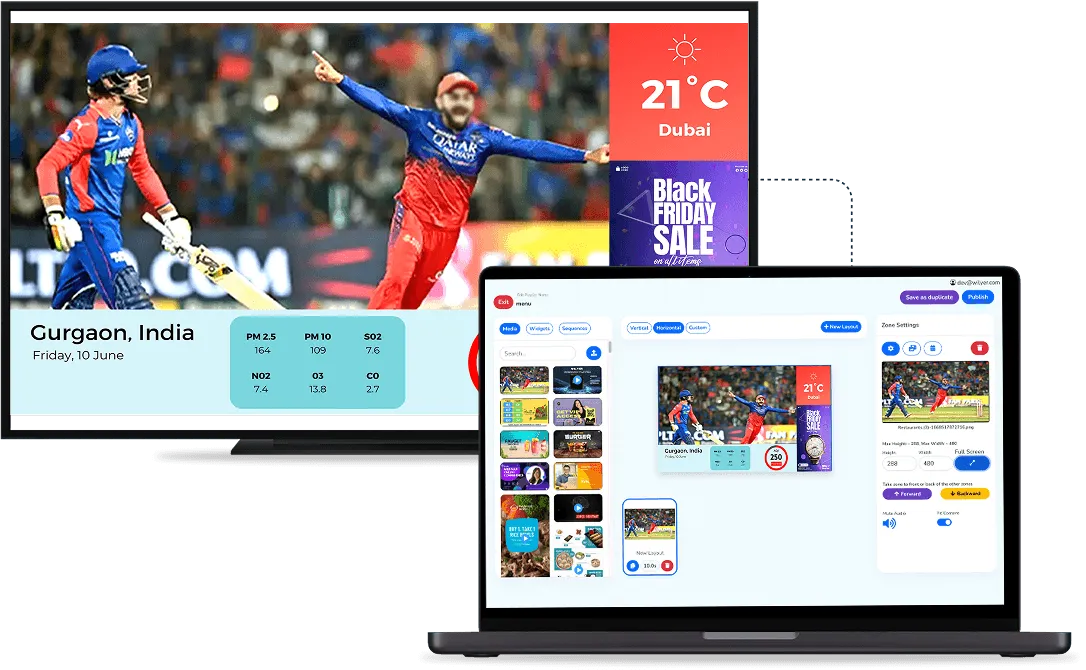
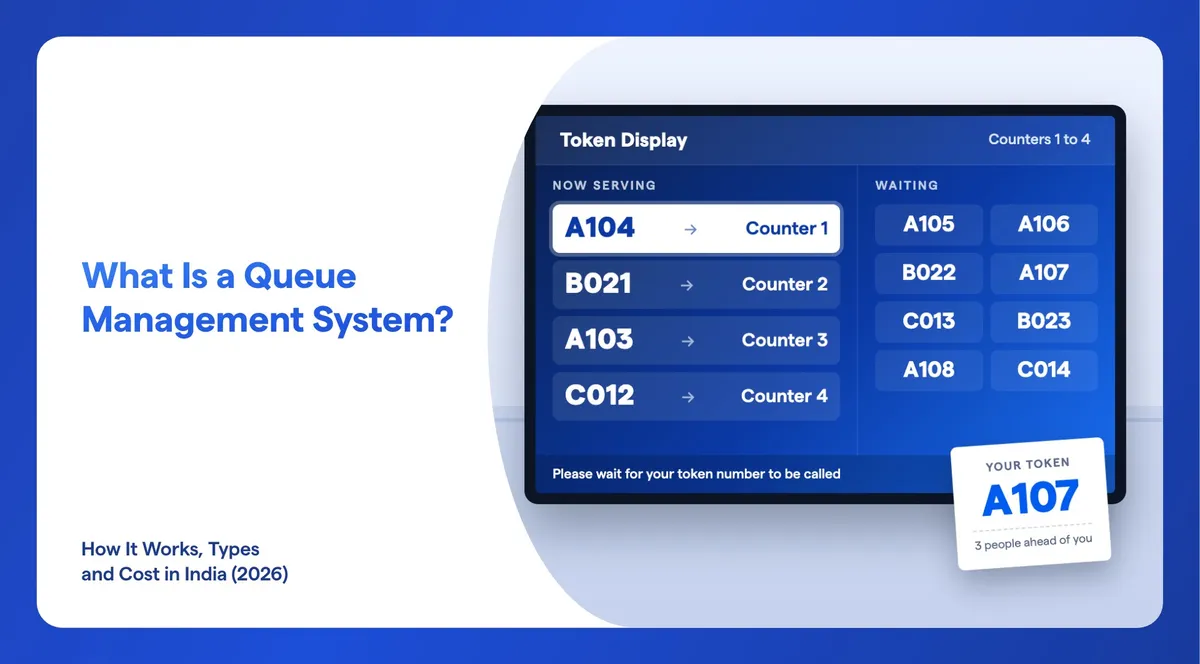
A queue management system replaces the physical line with a numbered token. Each visitor gets a token at a kiosk, from the reception desk or on their own phone. A screen in the waiting area shows which tokens are waiting and which are being served. When a counter is free, the system calls the next number aloud and on the screen, and sends the visitor to the right counter. Staff see the whole queue on one dashboard, and managers get reports on how many people came and why. This guide explains how it works step by step, the main types, where Indian businesses use it and what goes into the cost.
What Is a Queue Management System, in Simple Words?
It is a fair, visible order for everyone who needs service. Instead of standing in a line, a visitor takes a number and sits down. The number tells them their place, the screen tells them when it is their turn, and the announcement tells them where to go.
In India it is often called a token system or token management system, because the number is the token. Three words get mixed up, so here is the difference:
- Token dispenser or kiosk: the machine where a visitor takes a token. It can be a button box that prints a slip or a touch screen that asks a few questions first.
- Token display: the screen in the waiting area that shows the numbers being called. Our post on how OPD token screens work in hospitals shows one in use.
- Queue management system: the software that ties it all together. It issues tokens, tells the display what to show, lets staff call the next person and saves every visit for reports.
How Does a Queue Management System Work?
Every visit goes through the same six steps, whatever the business.

- The visitor registers. They take a token at a self-service kiosk, ask the receptionist (useful for senior citizens who prefer not to use a kiosk), or register on their own phone. Registration can ask for a few details, such as name, mobile number and reason for the visit.
- A token is issued. The visitor gets a printed slip with their token number, and the same record appears on the staff dashboard. If SMS is switched on, the visitor also gets a text message when the token is created.
- The visitor waits where they like. The waiting-area screen has two sides: tokens waiting and tokens being served. Because their place is held, the visitor can sit, step out for a few minutes, or check how many people are ahead of them. This is what people mean by a virtual queue.
- Staff call the next token. When a counter is free, the staff member taps "next" on the dashboard. In Wilyer a doctor can also call or complete the next token from their own tablet or phone. The token moves to "calling" on the screen, the screen flashes the number, and a voice announcement reads it out in the languages you choose, with the counter number.
- The visit is closed or moved. Staff mark the token complete. If the person does not turn up, it is marked as a no-show so the queue keeps moving. A token can also be transferred to another counter or branch, for example from a doctor to the lab, or given priority for an emergency.
- Everything is recorded. Each token is saved with its times and details, so managers can see daily, weekly and monthly visitor numbers and look back at past records.
Behind these steps, a typical setup has four areas: the office, where an admin manages counters, fields, display designs and reports; the reception, where tokens are issued; the waiting area, where the token display hangs; and the serving area, the counters, cabins or desks where people are called.

What Are the Types of Queue Management Systems?
There is no single official list. Vendors group them in different ways, so the most useful way to compare is by how the visitor gets a token. Most real setups mix two or three of these.
| Type | How it works | Best for | What you need |
|---|---|---|---|
| Walk-in token (kiosk or dispenser) | The visitor presses a button or answers a few questions on a touch screen and gets a printed token | Banks, hospital OPDs, service centres with steady walk-ins | Kiosk or dispenser, token printer, waiting-area screen |
| Reception-issued token | Staff enter the visitor's details and hand over the slip | Clinics, government offices, places with many elderly visitors | A computer at reception, printer, screen |
| Virtual or mobile queue | The visitor registers on their own phone, gets an SMS and waits anywhere | Clinics, restaurant waitlists, crowded branches | Software with phone registration and SMS |
| Appointment-based queue | A time is booked in advance and the visitor joins the queue on arrival | Doctors, service centres, offices that see people by booking | A booking system linked to the queue |
Two more choices shape how the queue behaves:
- One queue or one queue per service. A single line can feed several counters, so whoever is free calls the next token. Or each service, such as cash, loans or new accounts, keeps its own line and its own token series. Banks and hospitals often keep separate queues for different services.
- Hardware-only or software-based. Older systems are a button unit and an LED number board: they show numbers and little else. Software-based systems add the dashboard, voice announcements in local languages, phone tokens, reports and control of many branches from one place. Wilyer's queue management system is software-based and runs in the cloud or on your own server (on-premise).
Where Do Indian Businesses Use Queue Management Systems?
Anywhere people gather to register, book or wait for a service. The most common places are:
- Hospitals and clinics: OPD registration, doctor cabins, the lab and the pharmacy, each with its own queue. Doctors call patients from a tablet or phone, and a patient sent from the doctor to the lab is transferred, not sent back to the start. See screens for hospitals.
- Banks: separate token series for cash, loans and account services, so a customer who only needs a passbook update is not stuck behind a loan meeting. See screens for banks.
- Government offices: large daily crowds with different services at different counters, and many visitors who need help at the desk. See screens for government offices.
- Restaurants, cafes and quick service outlets: order-ready numbers at the pickup counter, and a table waitlist that matches the size of a group to a table by seats and floor, then frees the table again after cleaning. See screens for restaurants.
- Hotels: front desk and service counters at busy check-in times.
- Airports: boarding and help desks.
- Service centres and help desks: repair centres, customer care and any desk where people wait for their turn.
- Corporate offices: visitor registration at reception.
What Are the Benefits of a Queue Management System?
The main change is that the crowd moves away from the counter. Visitors stop standing over the staff, and the staff stop shouting names.
For visitors: a fair order that everyone can see, a seat instead of a line, the freedom to step away while their place is held, and a clear call to the right counter in a language they understand.
For staff: one tap to call the next person, from a computer or their own tablet or phone. No arguments about who came first, and a clear way to handle emergencies, transfers and people who do not turn up.
For managers: people spread across counters instead of crowding one. Reports show how many visitors came each day, week and month. Registration fields such as reason for visit show what people come in for, which helps plan staff and services. With many branches, the head office sees every branch while each branch user sees only their own tokens and records.
What Does a Queue Management System Cost in India?
There is no single price. The total depends on the software plan, the hardware, setup and a few running costs. Use this table to see what you are paying for and where you can save.
| Cost item | What it is | How to keep it low |
|---|---|---|
| Software | A monthly or yearly subscription, or a one-time licence, usually priced by counters, branches or screens | Count the counters you really need, and check how extra branches are priced |
| Token display screens | A TV or commercial display in each waiting area, plus a small media player if the TV is not smart | Use TVs you already own: Wilyer works with your own displays |
| Self-service kiosk | A touch screen where visitors take tokens themselves | Optional: tokens can come from reception or the visitor's phone |
| Token printer | A small printer for paper token slips | Fewer printers if many visitors use phone tokens and SMS |
| Staff calling devices | A computer, tablet or phone at each counter; hardware systems use keypads | Use the computers and phones staff already have |
| SMS | Text messages when a token is created | Ask whether messages are included or billed separately |
| Setup and integration | Setting up spaces, counters and displays, and linking booking, billing or POS software | Start with the standard setup and add integrations later |

Before you ask for quotes, write down how many branches, counters and waiting areas you have, how visitors should get tokens, which languages the announcements need, and which software (booking, billing or POS) the queue should connect to. Then ask each vendor the same questions:
- Is the price per counter, per branch or per screen, and what does one more branch cost?
- Which hardware must I buy from you, and can I use my own TVs and printers?
- Are SMS messages and voice announcements included?
- Is setup included, and who does the integration with my existing software?
- Can I export my reports and visitor records?
Wilyer quotes its queue management system on request, because the price depends on your counters, branches and any integration. You can book a demo to get a quote for your setup.
How Do You Choose the Right Queue Management System?
Check these points against your own floor, not the vendor's brochure:
- Token options: kiosk, reception and the visitor's phone, so nobody is left out.
- Announcements: voice calls in the languages your visitors speak, with the counter number.
- Display design: templates for the token screen that you can brand and that are easy to read from the back of the room.
- Calling from anywhere: staff and doctors can call the next token from a tablet or phone, not only from a fixed keypad.
- Real-life cases: priority for emergencies and senior citizens, no-shows, and transfers between counters or branches.
- Reports: daily, weekly and monthly visitor numbers, history, and the reasons people visit.
- Branches and access: one admin account over many branches, with each branch user seeing only their own queue.
- Integrations: an API link to your booking, reservation, billing or POS system if you need one.
- Screens beyond the queue: if you also run digital signage, a system that manages queue screens and signage screens from the same dashboard saves a second login and a second vendor.
- Open source or managed: free open-source queue systems exist, but then your own team runs the server, the updates and the support. See whether there is an open-source queue management system.
What Mistakes Should You Avoid When Setting Up a Queue?
Most queue problems come from the setup, not the software. Watch for these:
- A screen people cannot see. Hang the token display facing the seats, above head height, and check it from the farthest chair before you fix it to the wall.
- One queue for very different services. If a passbook update takes two minutes and a loan meeting takes half an hour, give them separate token series so short jobs are not stuck behind long ones.
- Kiosk only. Some visitors will never use a touch screen. Keep the reception desk able to issue tokens.
- Announcements in one language. Set the voice announcements to the languages your visitors actually speak.
- No rules for no-shows and priority. Decide in advance how long a counter waits before marking a no-show and who gets priority, and tell every staff member the same rule.
- Never opening the reports. Look at the visitor numbers every week, find the busiest hours and put more counters on at those times.
How Do You Set Up a Queue in Wilyer?
Wilyer's queue management system sits alongside Wilyer's cloud digital signage software, so queue displays and signage run as one connected system from one dashboard. The setup follows the four areas above:
- Create a space for each location or department, for example "OPD ground floor".
- Add counters, the desks or cabins where people are called.
- Create the token display and pick a theme for the waiting-area screen.
- Set up the registration display and choose the fields visitors fill in, such as name, mobile number and reason for visit.
- Add your branches and users, giving each branch user access to their own queue only.
- Go live and watch the dashboard, which shows every token, its status and the past records.
Use the screens you already have, or buy them from any seller: Wilyer is the software that runs on them. Every client starts from a standard setup, and Wilyer handles any industry-specific integration on request. In the cloud version, the counters and screens need an internet connection. Read more on the Wilyer queue management system page.
Frequently Asked Questions
Is a Queue Management System the Same as a Token System?
Mostly, yes. In India "token system" usually means the same thing: visitors get a numbered token and a screen calls them. Strictly, the token display is only the screen, while the queue management system is the software that issues tokens, calls them and keeps the records.
Can Visitors Get a Token Without a Kiosk?
Yes. A receptionist can issue the token, which suits senior citizens, or visitors can register on their own phone. A kiosk is useful for heavy walk-in traffic but it is not required.
Can I Use My Existing TVs as Token Displays?
Yes. Wilyer's queue system works with your own displays or new ones from any seller. Wilyer makes the software, not the screens. A TV that is not smart needs a small media player.
Does a Cloud Queue Management System Need the Internet?
Yes. A cloud system keeps the queue and the records online, so the counters, kiosks and screens need an internet connection. In return you can manage every branch from anywhere through a web browser.
Is a Queue Management System Only for Big Hospitals?
No. Clinics, banks, restaurants, cafes, government offices, service centres and corporate receptions all use one. A small clinic can start with one screen and one counter and add more later.
What Reports Does a Queue Management System Give?
Visitor numbers by day, week and month, the full history of past tokens, and whatever you collect at registration, such as the reason for each visit. Multi-branch setups show this per branch and for all branches together.
What Is a Virtual Queue?
A queue where the visitor's place is held by their token, not by where they stand. They can sit, step out or wait elsewhere, see how many people are ahead, and come back when their number is close.
Getting Started
Map your floor first: where visitors come in, where they wait and where they are served. Then decide how tokens will be issued and which languages the announcements need. To see Wilyer's queue management system on your own setup, book a demo or contact us. For hospitals, read how OPD token screens work.